By continuing, you agree to LoansJagat's Credit Report Terms of Use, Terms and Conditions, Privacy Policy, and authorize contact via Call, SMS, Email, or WhatsApp
Disclaimer: The information published on LoansJagat is intended for general informational and educational purposes only and should not be considered financial, legal, or investment advice. Interest rates, loan terms, statistics, and other data may change over time and may vary by lender or source. Please verify the latest information and consult a qualified financial advisor or the respective Bank/NBFC before making any financial decisions.
Apply for Loans Fast and Hassle-Free
Subscribe Now
About the author

‘Simplify Finance for Everyone.’ This is the common goal of our team, as we try to explain any topic with relatable examples. From personal to business finance, managing EMIs to becoming debt-free, we do extensive research on each and every parameter, so you don’t have to. Scroll up and have a look at what 15+ years of experience in the BFSI sector looks like.
Related Blog Post
Simplify All Your Loans Into One Affordable EMI

Customers Served

Debt Consolidated

1200+ Reviews

Locations in India
Club all Loans & Credit Card Bills into Single EMI

Quick Apply Loan
Consolidate your debts into one easy EMI.

Takes less than 2 minutes. No paperwork.

10 Lakhs+
Trusted Customers

2000 Cr+
Loans Disbursed

4.7/5
Google Reviews

50+
Banks & NBFCs Offers
Other services mentioned in this article
Key Takeaways
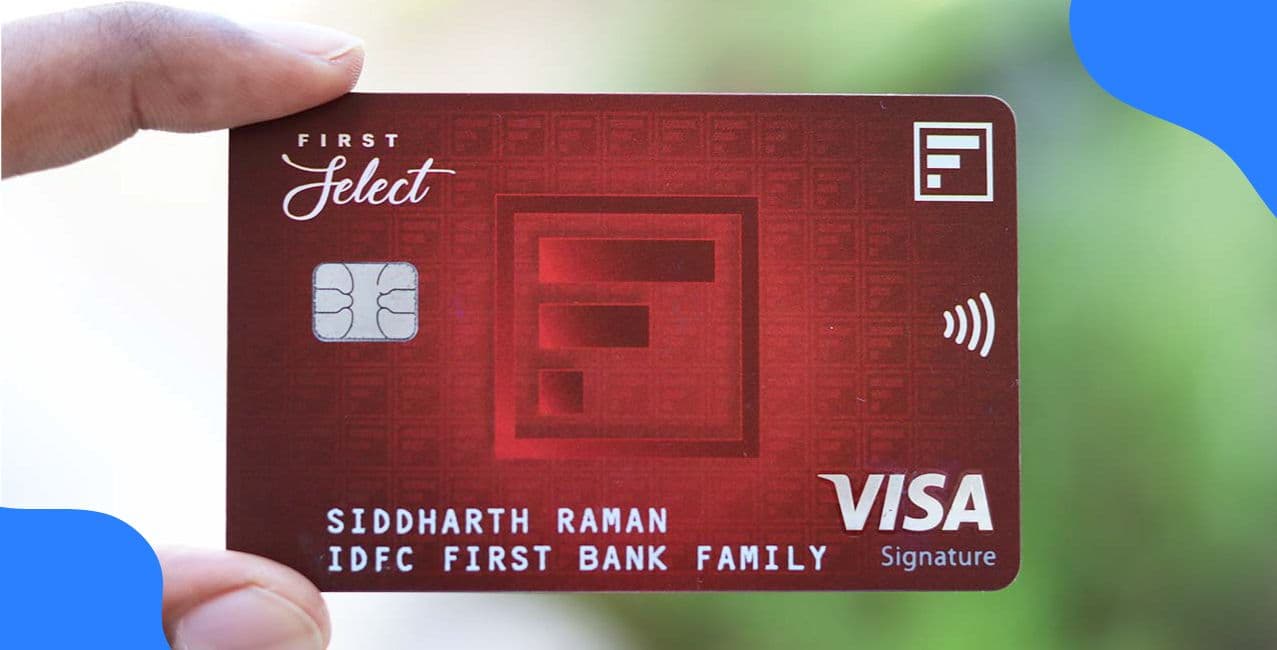
The IDFC FIRST Bank Credit Card PIN generation process is simple and secure, allowing you to set or reset your card PIN through various online and offline methods. For example, Priya recently received her new IDFC FIRST Bank Credit Card. She downloaded the bank’s app, went to the “Manage Card” section, and created her 4-digit PIN within minutes. Her card was instantly activated for online and retail use.
In this blog, we will explain the different methods to generate or reset your IDFC FIRST Bank Credit Card PIN quickly and safely.
Generating or resetting your IDFC FIRST Bank Credit Card PIN is simple and can be done through different channels. You can choose any convenient method to activate or reissue your card PIN securely.
These quick methods help you create or reset your PIN anytime for your IDFC FIRST Bank Credit Card. Whether through the app, phone, or ATM, each option ensures that your IDFC FIRST Bank Credit Card remains safe and ready for use.
Read More – RBL Bank Credit Card PIN Generation
You can easily create or reset your PIN for your IDFC FIRST Bank Credit Card online . The process is quick, secure, and can be done using the IDFC FIRST Bank app or the internet banking portal.
Steps to generate a PIN online through the mobile app.
By following these easy online steps, you can safely generate or reset your PIN for your IDFC FIRST Bank Credit Card anytime. This method ensures that your IDFC FIRST Bank Credit Card is ready for secure online, contactless, and international transactions.
If you prefer not to use online banking, you can easily generate your IDFC FIRST Bank Credit Card PIN offline by calling the bank’s toll-free IVR number. This method is simple, secure, and allows you to activate or reset your card in just a few minutes.
Steps to Generate PIN through Toll-Free Number
Step 1: Create PIN
Step 2: Modify Transaction Preferences
*T&C Apply
Once completed, your card will be ready to use with the preferences you have set.
Generating your PIN through the toll-free IVR service is a quick and convenient way to activate your IDFC FIRST Bank Credit Card. This offline method ensures that your IDFC FIRST Bank Credit Card is ready for secure use across ATMs, shops, and online platforms.
Bonus Tip:If you are unable to use any of the above-mentioned methods, you can raise a request through the official IDFC FIRST Bank support pagesupport page to get help with your credit card PIN generation.
Also Read – IndusInd Bank Credit Card PIN Generation
While creating or changing your IDFC FIRST Bank Credit Card PIN, it is important to follow a few safety steps. These simple precautions help you protect your card from misuse and ensure secure transactions.
Conclusion
Generating or resetting your IDFC FIRST Bank Credit Card PIN is a quick and secure process. You can do it through the mobile app, net banking, ATM, or toll-free number, depending on what suits you best. By setting your PIN carefully and keeping it private, you ensure that your IDFC FIRST Bank Credit Card remains safe and ready for smooth, worry-free transactions.
Yes, PIN reset is allowed even for a temporarily blocked card. Once the new PIN is set, you must request unblocking through customer care or the app before using your card.
Yes, add-on credit cardholders can generate their own PIN through the mobile app, IVR, or net banking, as long as the primary cardholder has activated the main card.
Your PIN becomes active instantly, but international usage depends on whether international transactions are enabled in your card settings. You can activate or deactivate them through the IVR or app.
4. What should I do if my PIN generation fails?
Check your internet connection or try again later. If it still fails, contact IDFC FIRST Bank customer care for help.
5. Is there any charge for generating or resetting my IDFC FIRST Bank Credit Card PIN?
No, the bank does not charge any fee for creating or resetting your credit card PIN.