By continuing, you agree to LoansJagat's Credit Report Terms of Use, Terms and Conditions, Privacy Policy, and authorize contact via Call, SMS, Email, or WhatsApp
Disclaimer: The information published on LoansJagat is intended for general informational and educational purposes only and should not be considered financial, legal, or investment advice. Interest rates, loan terms, statistics, and other data may change over time and may vary by lender or source. Please verify the latest information and consult a qualified financial advisor or the respective Bank/NBFC before making any financial decisions.
Apply for Loans Fast and Hassle-Free
Subscribe Now
About the author

LoansJagat Team
‘Simplify Finance for Everyone.’ This is the common goal of our team, as we try to explain any topic with relatable examples. From personal to business finance, managing EMIs to becoming debt-free, we do extensive research on each and every parameter, so you don’t have to. Scroll up and have a look at what 15+ years of experience in the BFSI sector looks like.
Related Blog Post
Simplify All Your Loans Into One Affordable EMI

Customers Served

Debt Consolidated

1200+ Reviews

Locations in India
Club all Loans & Credit Card Bills into Single EMI

Quick Apply Loan
Consolidate your debts into one easy EMI.

Takes less than 2 minutes. No paperwork.

10 Lakhs+
Trusted Customers

2000 Cr+
Loans Disbursed

4.7/5
Google Reviews

50+
Banks & NBFCs Offers
Other services mentioned in this article
KeyTakeaways
An ICICI Account Number is a unique 12-digit identifier that helps the bank recognise your account for every transaction. It is essential for transfers, payments, and verification. You need an ICICI Bank Account Number whenever you set up UPI, receive salary or add your account to any digital banking service.
For example, when my friend Rohan received his first salary, the company asked for his ICICI Account Number to credit the amount correctly. He checked it through the iMobile app and shared the digits without any delay.
In this blog, I will explain how to find your ICICI Account Number easily and use it safely for your daily banking tasks.
Finding your ICICI Bank Account Number is important for smooth banking, whether you make payments online or visit a branch. You can easily do an ICICI Bank Account Number Check through several simple methods. Here is a clear guide.
1. Check Your Cheque Book
Your Cheque Book is one of the quickest ways to find your ICICI Bank Account Number.
Read More – HDFC Bank Account Number
Locate Your Cheque Book
ICICI Bank gives you a Cheque Book in the welcome kit when you open your account. If you do not have one, you can request it through Internet Banking, Mobile Banking, or at any branch.
Examine a Cheque Leaf
Open the Cheque Book and look at any cheque leaf. You will see your ICICI Bank Account Number printed at the bottom. It is easy to spot and helps you complete an ICICI Bank Account Number Check without visiting the bank.
2. Check Your Passbook
If you use a physical Passbook, you can find your ICICI Bank Account Number on the first page.
If You Do Not Have a Passbook
Visit any ICICI Bank branch and request one. The staff will verify your identity and issue a new Passbook. Once you receive it, you can do an easy ICICI Bank Account Number Check right on the details page.
3. Use Mini Statement or mPassbook
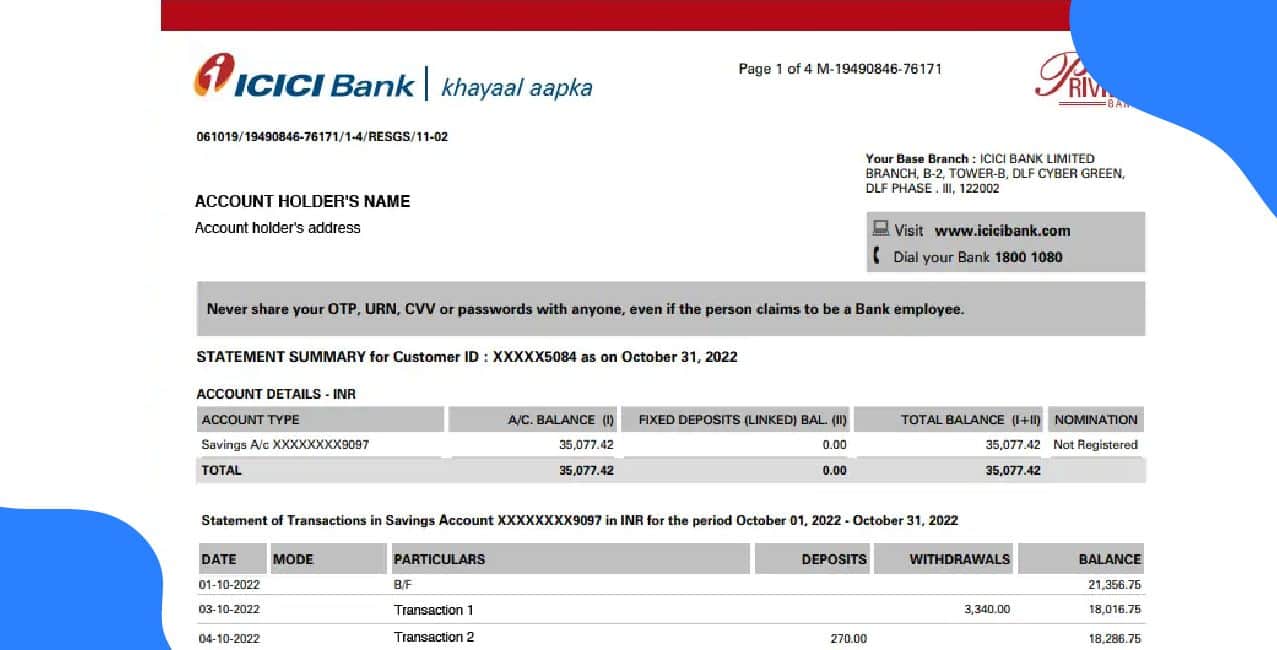
If you prefer a digital method, you can view your ICICI Bank Account Number using a Mini Statement or mPassbook.
Internet Banking
Log in to Internet Banking and generate a Mini Statement. Your recent transactions and your ICICI Bank Account Number will appear on the screen.
Mobile Banking (iMobile App)
Open the iMobile app and select Mini Statement or Account Details. You can instantly check the ICICI Bank Account Number Digits along with your balance.
ATM Mini Statement
Visit any ICICI Bank ATM and choose the Mini Statement option. The machine will print your latest transactions and display your ICICI Bank Account Number, making this another simple ICICI Bank Account Number Check method.
By using any of these methods, you can quickly complete an ICICI Bank Account Number Check and keep your banking details accurate and accessible whenever you need them.
Bonus Tip: If your ICICI salary account does not receive a salary for around three months, the bank automatically converts it into a regular savings account, so always keep track of your credits to avoid unexpected changes.
You can use your ICICI Bank Account Number for several important banking activities. Once you confirm the correct ICICI Bank Account Number Digits, you can manage payments, bills, and verification with ease. If you ever feel unsure, you can always do a quick ICICI Bank Account Number Check before making any transaction.
1. Fund Transfers
Use your ICICI Bank Account Number to send or receive money through NEFT, RTGS, IMPS, or UPI.
2. Bill Payments
You can pay electricity, water, mobile, broadband, and credit card bills using your ICICI Bank Account Number.
3. Account Verification
Organisations often ask for your ICICI Bank Account Number to deposit salaries, tax refunds, or government subsidies.
4. Customer Care Authentication
When you call ICICI Bank customer care or use phone banking, they may verify your identity using your ICICI Bank Account Number.
5. Linking Other Services
You may need your ICICI Bank Account Number while linking your bank account with additional services, such as opening a Demat and Trading account or linking your Aadhaar. Enter the ICICI Bank Account Number Digits carefully to avoid any errors.
By using your ICICI Bank Account Number correctly, you can manage transfers, payments, and linked services smoothly while keeping every transaction accurate and secure.
To keep your ICICI Bank Account Number safe, follow these simple security habits:
By following these steps, you can protect your ICICI Bank Account Number and keep your online banking safe from threats.
*T&C Apply
The ICICI Bank Account Number follows a clear and easy-to-understand format. ICICI Bank usually assigns a 12-digit number to each customer, and this unique sequence helps the bank identify your account for all transactions. The structure ensures accurate tracking across deposits, transfers and UPI setups, making every transaction secure and correctly mapped to your account.
Also Read – Indian Bank Account Number
When you understand how to find and use your ICICI Bank Account Number correctly, you can manage your banking tasks smoothly and keep every transaction safe and accurate.
FAQ: How do I check my ICICI Bank Account Number if I don’t have a passbook or cheque book?
You can check your ICICI Bank Account Number by logging in to Internet Banking or the iMobile app and viewing your account details. You can also generate a Mini Statement at any ICICI Bank ATM, where your account number will appear on the screen or slip.
FAQ: How do I get my ICICI Bank Account Number if I forget it?
You can recover your ICICI Bank Account Number easily. Call customer care from your registered mobile number or log in to Internet Banking or the iMobile app to view it. You can also check any cheque leaf or the welcome kit you received at account opening. If none of these are available, visit your nearest ICICI Bank branch, share your ID and basic details, and the staff will provide your account number after verification.
FAQ: How do I find an ICICI Bank branch address from an account number?
You cannot find an ICICI Bank branch address from the account number alone, as the number does not reveal branch details. Instead, check the IFSC code on your cheque book, passbook, welcome kit, or Internet/mobile banking. Once you have the IFSC, you can use ICICI’s branch locator or RBI’s IFSC search to get the full address. You can also call ICICI customer care or visit any ICICI branch with your ID, and the staff will confirm the correct branch address after verifying your details.
FAQ: Can anyone at ICICI Bank who has my account number view my statement?
No, bank employees cannot freely view your ICICI Bank statement just by knowing your name or account number. Banks, including ICICI, follow strict privacy rules, audit trails, and system restrictions. Only authorised staff can access customer information, and that too only for official work such as resolving a service request or completing verification.
FAQ: Is the ICICI credit card number the same as the account number reported to CIBIL?
If you have one ICICI credit card:
No. ICICI reports a separate internal account number to CIBIL, not your 16-digit card number.
If you have multiple ICICI credit cards:
Each card appears with its own internal account number in CIBIL. None of these numbers match your actual card numbers.
Banks do this for security and data protection.
Other Related Pages | |||
South Indian Bank Account Number | Bank of India Account Number | Bank of Maharashtra Account Number | Bank of Baroda Account Number |
Canara Bank Account Number | City Union Bank Account Number | DBS Bank Account Number | Federal Bank Account Number |
Fino Bank Account Number | HDFC Bank Account Number | ICICI Bank Account Number | Indian Bank Account Number |
Indian Overseas Bank Account Number | KCC Account Number | Union Bank Account Number | Yes Bank Account Number |












