By continuing, you agree to LoansJagat's Credit Report Terms of Use, Terms and Conditions, Privacy Policy, and authorize contact via Call, SMS, Email, or WhatsApp
Disclaimer: The information published on LoansJagat is intended for general informational and educational purposes only and should not be considered financial, legal, or investment advice. Interest rates, loan terms, statistics, and other data may change over time and may vary by lender or source. Please verify the latest information and consult a qualified financial advisor or the respective Bank/NBFC before making any financial decisions.
Apply for Loans Fast and Hassle-Free
Subscribe Now
About the author

LoansJagat Team
‘Simplify Finance for Everyone.’ This is the common goal of our team, as we try to explain any topic with relatable examples. From personal to business finance, managing EMIs to becoming debt-free, we do extensive research on each and every parameter, so you don’t have to. Scroll up and have a look at what 15+ years of experience in the BFSI sector looks like.
Related Blog Post
Simplify All Your Loans Into One Affordable EMI

Customers Served

Debt Consolidated

1200+ Reviews

Locations in India
Club all Loans & Credit Card Bills into Single EMI

Quick Apply Loan
Consolidate your debts into one easy EMI.

Takes less than 2 minutes. No paperwork.

10 Lakhs+
Trusted Customers

2000 Cr+
Loans Disbursed

4.7/5
Google Reviews

50+
Banks & NBFCs Offers
Other services mentioned in this article
Key Takeaways
Bonus Point: Do you know? Bank of India raised ₹2,500 crore through Tier II bonds at 7.28%, including a ₹1,000 crore base issue and a ₹1,500 crore green-shoe option.
If convenience and control matter to you, don’t scroll past this. From bill payments to fund transfers, BOI Mobile Banking makes everyday banking effortless.
Bank of India (BOI) Mobile Banking brings convenience, control, and accessibility right to your smartphone. With its secure and user-friendly digital platforms, customers can perform essential banking activities anytime, anywhere.
From checking balances and transferring funds to paying bills and managing investments, BOI Mobile Banking has simplified how customers interact with their accounts.
I realised its usefulness when I had to pay a ₹2,500 electricity bill late at night. Instead of waiting for the next morning, I opened the BOI app, verified with an OTP and completed the payment in less than a minute.
Read More – HDFC Bank Mobile Banking
The service is designed to cater to both individual and corporate customers, ensuring that every financial transaction, whether big or small, can be done seamlessly with just a few taps.
Bank of India offers multiple mobile apps, each designed to serve specific needs. Below are the primary BOI Mobile Banking apps:
Each app is available on Android and iOS platforms, ensuring accessibility and ease of use across devices.
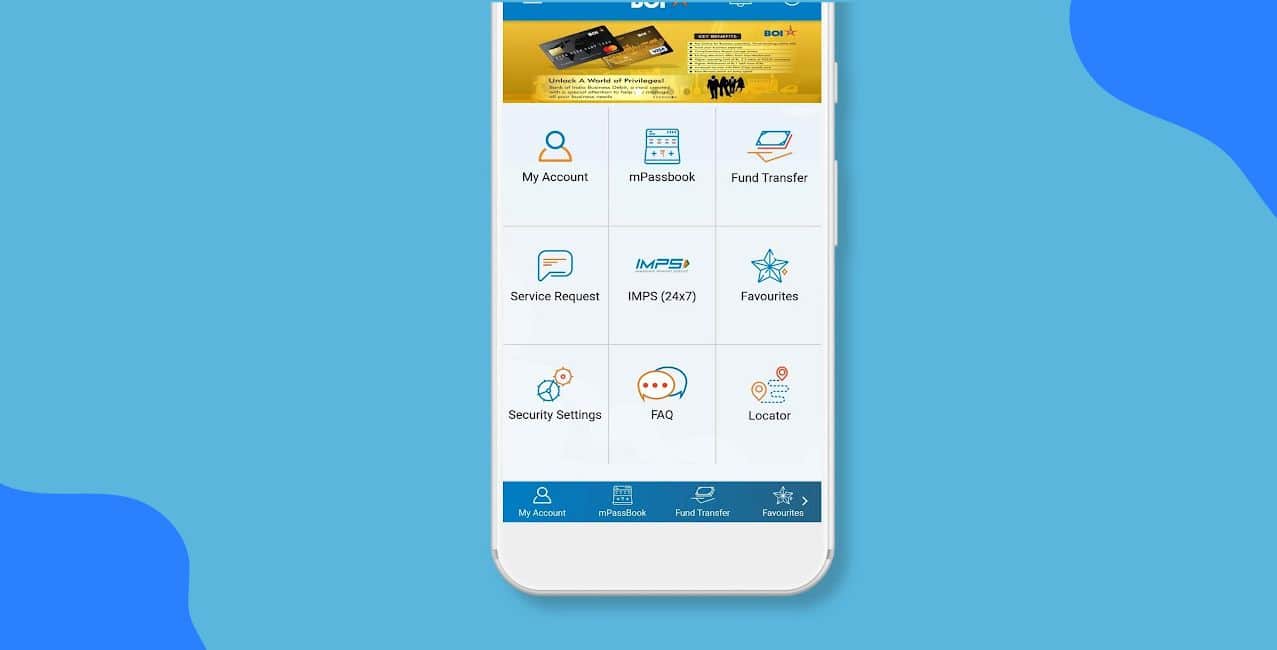
BOI Mobile Banking is loaded with features that make financial management efficient and secure.
With these features, the BOI Mobile Banking app ensures that every customer enjoys fast, flexible, and safe digital banking.
Registration for BOI Mobile Banking is simple and can be done online or offline.
*T&C Apply
The above-mentioned steps makes it easier to register for BOI mobile banking.
Once registration is complete, logging in is quick and secure.
For additional security, the app automatically logs you out after inactivity to prevent unauthorised access.
The Bank of India sets transaction limits to ensure safe and regulated usage of mobile banking services.
These limits may vary depending on user profile, account type, and RBI updates. Users can modify daily limits within the app’s security settings.
Also Read – Indian Bank Mobile Banking
For any assistance related to mobile banking registration, login, or transactions, Bank of India offers dedicated customer support.
Toll-Free Numbers:
1800 103 1906
1800 22 0229
You can also visit your nearest BOI branch for assistance or raise a complaint via the BOI Grievance Redressal Portal available on the official website.
BOI Mobile Banking offers convenience, safety and useful digital features that let customers manage money without visiting a branch. It supports instant fund transfers, digital bill payments and 24×7 account access, which helps users stay in control of their finances anytime and anywhere. Salaried individuals, NRIs and business owners can all rely on BOI Mobile Banking for simple, smart, everyday banking.
1. Is BOI Mobile Banking available for all account holders?
Yes, all savings, current, and NRI account holders of Bank of India can register for mobile banking services.
2. How can I register a mobile number with my BOI account number?
You can register your mobile number by visiting your BOI branch and submitting a request form with valid ID proof.
3. How can I get a BOI bank statement from BOI online?
You can download your BOI statement through Internet Banking or the BOI Mobile App by selecting your account and choosing the statement period.
4. What should I do if a Bank of India branch refuses service during ‘lunch hour’, especially for senior citizen requests?
You can raise a complaint through BOI’s grievance portal or escalate it to the RBI Ombudsman with supporting proof of the refusal.
5. Do public views on Union Bank of India’s stock performance have any impact on my banking services or interest rates?
No, stock market opinions do not affect your banking services or interest rates, which follow RBI rules and bank policies.