By continuing, you agree to LoansJagat's Credit Report Terms of Use, Terms and Conditions, Privacy Policy, and authorize contact via Call, SMS, Email, or WhatsApp
Disclaimer: The information published on LoansJagat is intended for general informational and educational purposes only and should not be considered financial, legal, or investment advice. Interest rates, loan terms, statistics, and other data may change over time and may vary by lender or source. Please verify the latest information and consult a qualified financial advisor or the respective Bank/NBFC before making any financial decisions.
Apply for Loans Fast and Hassle-Free
Subscribe Now
About the author

LoansJagat Team
‘Simplify Finance for Everyone.’ This is the common goal of our team, as we try to explain any topic with relatable examples. From personal to business finance, managing EMIs to becoming debt-free, we do extensive research on each and every parameter, so you don’t have to. Scroll up and have a look at what 15+ years of experience in the BFSI sector looks like.
Related Blog Post
Simplify All Your Loans Into One Affordable EMI

Customers Served

Debt Consolidated

1200+ Reviews

Locations in India
Club all Loans & Credit Card Bills into Single EMI

Quick Apply Loan
Consolidate your debts into one easy EMI.

Takes less than 2 minutes. No paperwork.

10 Lakhs+
Trusted Customers

2000 Cr+
Loans Disbursed

4.7/5
Google Reviews

50+
Banks & NBFCs Offers
Other services mentioned in this article
Key Takeaways
“Have you ever needed to make a payment when the bank was already closed? Do you wish banking tasks could be done anytime without waiting in line?”
Mobile banking is a digital service that lets you use banking facilities through a smartphone app. It works just like visiting a bank counter, but everything happens on your screen. You can think of it as carrying a small, complete bank in your pocket.
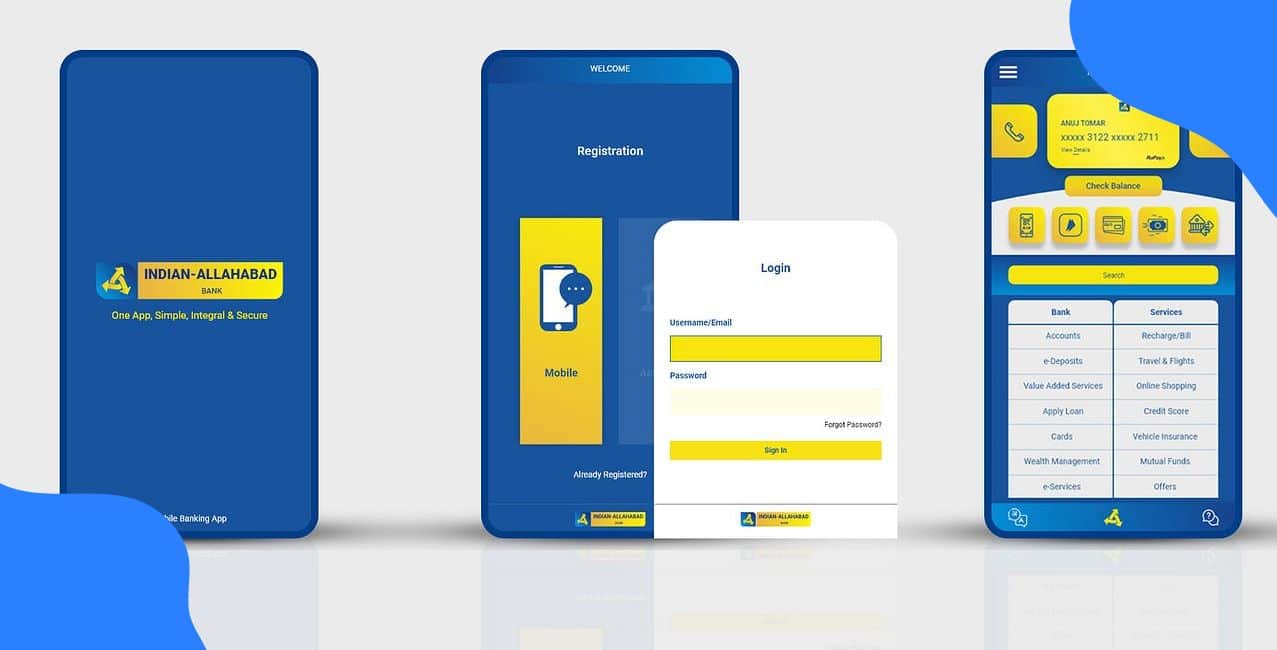
One night at around 9 pm, I needed to pay my electricity bill of ₹4,700. I didn’t have to wait till the next day or go to the branch. I simply opened the IndSMART Mobile Banking App on my phone, logged in, selected “Bill Payment,” and completed the payment within minutes.
When I tap on the IndSMART app, I am actually accessing Indian Bank’s mobile banking service. This service helps me check my account balance, transfer money, pay bills, recharge, or even apply for loans. Mobile banking makes banking fast, simple, and available 24×7, just like having a full bank branch inside your smartphone.
Indian Bank provides different mobile banking apps to suit the needs of various users.
Indian Bank offers the appropriate app version for you according to your account type. It is just like Indian bank net banking, but in a simpler and faster way.
The IndSMART mobile banking service makes banking simpler and better in the following ways:
Read More – HDFC Bank Mobile Banking
The IndSMART app handles all of your financial needs, including investing, bill payment, and money transfers.
Aditi’s first step is to register for IndSMART on her phone. Here is how she did it:
1. Download the IndSMART app from Google Play or the Apple App Store.
2. Open the app, choose “Register” or “New User,” then enter her Account Number or CIF, and the mobile number linked to Indian Bank.
3. She receives a one-time password (OTP) on her registered mobile. She inputs the OTP.
4. Set up an MPIN or MTPIN (mobile PIN) for secure future logins and transfers.
Aditi can now access Indian Bank's net banking facilities whenever she needs them by registering once.
I log in to the Indian Bank Mobile Banking login by following these simple steps :
*T&C Apply
Use your own device, avoid public Wi-Fi, and keep the app updated to ensure safer logins and protect your banking information at all times. The bank emphasises security guidelines. This Indian Bank Mobile Banking login process ensures Aditi can access banking securely and easily whenever needed.
The following is a list of Indian Bank mobile banking transaction limits:
Bonus Tip: The “Manage Limits” section of the IndSMART app lets you set your own transaction limit for money transfers. You can restrict the amount that can be transferred on your device to lower the risk if your phone is lost or stolen.
Indian Bank Mobile Banking Customer Care
The Indian Bank Mobile Banking Customer Care toll-free number is 1800 1700.
Aditi can contact the Indian Bank’s customer care if she faces any issues.
Indian Bank’s mobile banking app IndSMART provides you with a complete digital branch on your smartphone. You can easily register, log in securely, transfer funds, pay bills, invest, and manage your accounts.
Also Read – Bank of India Mobile Banking
The app’s features, transaction limits, and customer support make it a solid choice for modern banking. If you haven’t already, download IndSMART and take control of your Indian Bank net banking today.
Q1. How do I change my MPIN for the IndSMART app?
Launch the IndSMART app. Navigate to “Settings,” and then choose “Change MPIN.” After entering your current MPIN, you will be asked to enter a new one and confirm.
Use the “Forgot MPIN” option, which will use your registered mobile number to verify via OTP if you are unable to remember your current one.
Q2. What if I forget my IndSMART MPIN?
Tap on “Forgot MPIN” in the app and reset it using OTP verification sent to your registered mobile number.
Q3. Can I use Indian Bank mobile banking without an internet connection?
No, you need an active internet connection for all IndSMART app transactions. Offline banking is not supported.
Q4. Can I use the IndSMART to schedule regular bill payments or fund transfers?
Yes. The “Schedule Transfer / Recurring Payment” feature is located in the Fund Transfers or Payments menu of the IndSMART app.
Q5. Can I block my debit card through the mobile app?
Yes, the IndSMART app lets you block or unblock your debit card instantly under Card Services.