HomeLearning CenterRTO Dhar — Vehicle Registration, License, and Code Details
Blog Banner

Author

LoansJagat Team

Read Time

6 Min

05 Nov 2025

RTO Dhar — Vehicle Registration, License, and Code Details

rto

Key Takeaways
 

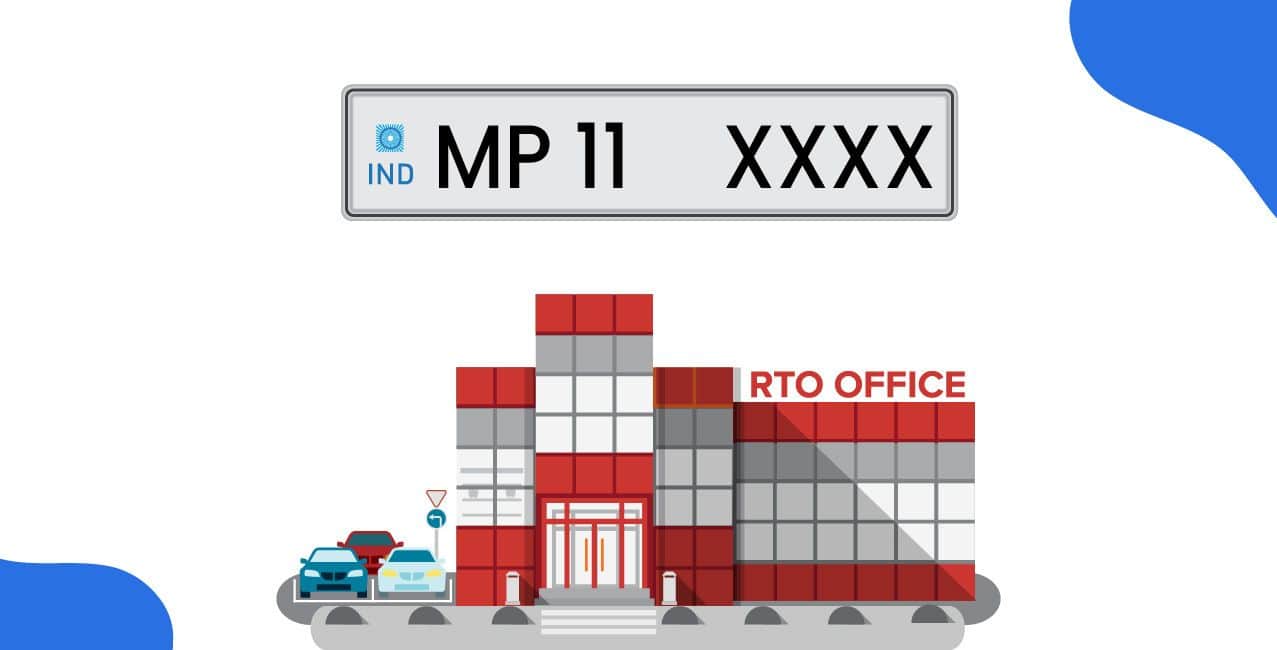
  • RTO Dhar operates under RTO code MP-11 in Madhya Pradesh.
     
  • RTO Dhar provides vehicle registration, driving licence, and various transport services.
     
  • You can easily get your vehicle registered at RTO Dhar. Registration fees at RTO Dhar range from ₹300 for two-wheelers to ₹1,000 for heavy vehicles.


RTO Dhar is the Regional Transport Office serving Dhar district in Madhya Pradesh. The office operates under the Madhya Pradesh Transport Department and handles all transport-related activities. 

RTO Dhar issues RC, driving licences, and other essential documents. The office ensures compliance with the Motor Vehicles Act, 1988. RTO Dhar remains committed to providing efficient services to vehicle owners and drivers.

This blog explores RTO Dhar services, contact details, and registration processes.

List of RTO Offices in Dhar

The RTO Dhar office handles all vehicle-related services in the district. It provides registration, licencing, and other transport department services.


City

RTO Code

Telephone

Email

Address

Dhar

MP-11

07292-222443

rto.dhr@mp.gov.in

H7QG+5XP, Dhar, Malibara, Madhya Pradesh 454001


The Dhar RTO office serves citizens with dedicated transport services daily. Visit the office or contact them for any vehicle-related queries.

Functions of RTO Dhar

The RTO Dhar operates under the Motor Vehicles Act of 1988. It works under the state government's Transport Department guidelines. The office handles vehicle registration for all types of vehicles. It issues driving licences to qualified applicants in the district. The office also enforces motor vehicle laws strictly and efficiently. These functions ensure road safety and proper vehicle documentation.

Vehicle Registration Process at RTO Dhar

You can register your new vehicle easily at the RTO Dhar. The dealer or owner can complete the vehicle registration process. Dealers often apply and obtain the permanent registration number for vehicles. 

Sometimes dealers provide only a temporary registration when you buy. You must then apply for permanent registration at the office. Follow these simple steps to register your new vehicle properly:

Step 1: Visit the local RTO Dhar office with your new vehicle.

Step 2: Fill the Form 20 and submit it with the required documents.

Step 3: The RTO superintendent will scrutinise or inspect your application carefully.

Step 4: Pay the registration fee and road tax at the cash counter.

Step 5: The Inspector of Motor Vehicles will inspect your vehicle thoroughly.

Step 6: The RTO will enter new vehicle data into the central database.

Step 7: The RTO superintendent will verify the new vehicle data entered.

Step 8: The Assistant Regional Transport Officer will approve the vehicle registration.

Step 9: The RTO will deliver the vehicle RC by post promptly.

Complete all steps carefully to receive your vehicle registration certificate quickly.

Documents Required at RTO Dhar

You need several important documents for vehicle registration at RTO Dhar. Prepare all necessary papers before visiting the office for registration. Keep both the original and photocopies of all documents with you. Here is the complete list of documents required at RTO Dhar:

  • Filled Form 20 for motor vehicle registration application properly.
     
  • Sale certificate issued by the dealer or manufacturer as Form 21.
     
  • Road Worthiness Certificate provided to you as Form 22.
     
  • Valid vehicle insurance certificate from a recognised insurance company.
     
  • Passport-sized photographs of the vehicle owner for records.
     
  • Citizenship proof document to verify your nationality and status.
     
  • Temporary registration assigned by the dealer for your new vehicle.
     
  • An invoice from the dealer showing the vehicle purchase price clearly.
     
  • Customs Clearance Certificate if the vehicle is imported from abroad.
     
  • PAN card when the vehicle cost exceeds ₹4,00,000 as mandatory.
     
  • Pollution Under Control Certificate to ensure the vehicle meets emission standards.
     
  • Form 34 if loan hypothecation applies to your vehicle purchase.
     
  • Proof of residence, such as any of these documents:
     
    • Aadhaar card showing your current residential address clearly.
       
    • A voter's ID card issued by the Election Commission authority.
       
    • A ration card is provided by the state government's food department.
       
    • Account statement from a nationalised bank showing your address.
       
    • Registered rent agreement if you live in a rented property.
       
    • Utility bills, like an electricity or water bill, for address proof.
       
  • Identity proof, such as any of these valid documents:
     
    • PAN card issued by the Income Tax Department officially.
       
    • A voter's ID card is used to prove your identity and citizenship.
       
    • Aadhaar card issued by UIDAI for identity verification purposes.
       
    • A passport issued by the Government of India for identification.
       
    • A driving licence issued by the transport authority as identity proof.

Carry all required documents to avoid delays in your registration process.

RTO Dhar Charges for Vehicle Registration


The office charges different fees based on your vehicle type. The fees are:


Vehicle Type

Fees

Medium Good/Passenger Vehicle (MGV/MPV)

₹600

Heavy Good/Passenger Vehicle (HGV/HPV)

₹800

Imported motor vehicle

₹1,000


Pay the correct amount when you register your new vehicle.

How to Get a Driving Licence in Dhar (online & offline)?

You can apply for a driving licence through two methods. The online method saves time and offers greater convenience for applicants. The offline method requires you to visit the RTO office directly.

Online Process

Follow these simple steps to apply for your licence online:

  • Visit the official Parivahan website on your computer or mobile.
     
  • Select 'online service' and click on the 'driving licence services' option.
     
  • Choose your state name and click 'apply for learner's licence'.
     
  • Fill in all required details in the online application form.
     
  • Upload the necessary documents like identity proof and address proof.
     
  • Pay the application fee online using your preferred payment method.
     
  • Schedule an appointment for your learner's licence test at RTO Dhar.
     
  • Take the test on the designated date at the office.
     
  • Collect your learner's licence after you pass the test successfully.
     
  • Return to the Parivahan website after 30 days have passed.
     
  • Choose 'Apply for DL' from the Driving Licence services menu.
     
  • Select 'Applicant holds DL' and follow all the given instructions carefully.
     
  • Book an appointment for your driving test at the office.
     
  • Appear for the driving test on your scheduled appointment date.
     
  • Your driving licence will be sent to your registered address.

By following these simple steps you can easily apply for a driving licence.

Offline Process

You can also apply offline by visiting the office directly:

  • Visit the nearest RTO Dhar office and collect the application form.
     
  • Fill out the form with all your personal details carefully.
     
  • Attach all relevant documents like photographs and identity proofs.
     
  • Submit the completed form to the designated counter at the office.
     
  • Pay the required application fees at the payment counter provided.
     
  • Book a preferred slot to appear in the driving test.
     
  • Appear for the learner's licence test on your scheduled date.
     
  • Once you pass, your learner's licence will be issued immediately.
     
  • Wait for 30 days before applying for your permanent licence.
     
  • Return to the office and apply for your permanent driving licence.
     
  • Book another slot for the final practical driving test appointment.
     
  • Take the driving test and demonstrate your driving skills properly.
     
  • Your driving licence will be sent to your registered address.

Both online and offline methods are simple to follow. Choose the method that suits your convenience and requirements best.

Driving Licence Fees at RTO Dhar


RTO Dhar charges specific fees for various driving licence services. Applicants must pay the prescribed amount for every licence type. The fees cover learner's licence, driving test, and permit issuance:


Purpose

Amount (₹)

Issue of learner’s licence in Form 3 for each vehicle class

150

Learner’s licence test fee or repeat test fee, as the case may be

50

For test, or repeat test, as the case may be, of competence to drive (for each class of vehicle)

300

Issue of a driving licence

200

Issue of an International Driving Permit

1,000


RTO Dhar keeps all driving licence fees transparent and standardised.

Required Documents for Driving Licence Application in Dhar

RTO Dhar requires the following documents for driving licence applications:

  • Applicants need a physical fitness certificate in Form 1.
     
  • They must submit a completed application form as Form 2.
     
  • A valid Learner Licence copy is mandatory for the application.
     
  • Aadhaar Card serves as an identity and address proof document.
     
  • Applicants require a PAN Card as an additional identity proof.
     
  • Voter ID works as an alternative identity proof document.
     
  • A birth certificate proves the applicant's actual date of birth.
     
  • Applicants must submit recent passport-sized photographs with the form.

RTO Dhar verifies all documents before issuing the driving licence.

How to Pay Road Tax Online in Dhar?

RTO Dhar allows vehicle owners to pay road tax online:

  • Visit the Parivahan website to start the process smoothly.
     
  • Click on the Online Service option on the website homepage.
     
  • Select Vehicle Related Service from the options available there clearly.
     
  • Choose your state as Madhya Pradesh from the dropdown list.
     
  • Enter your vehicle registration number in the provided field accurately.
     
  • Select the icon that says Pay Your Tax.
     
  • Provide your mobile number to receive the OTP code instantly.
     
  • Generate and enter the OTP for verification and security purposes carefully.
     
  • Select your preferred tax mode as quarterly or yearly payment.
     
  • Click on the Payment Button to proceed with the payment.
     
  • Choose any available payment gateway for paying road tax securely.
     
  • Complete payment using your preferred payment method securely online.
     
  • The system generates a receipt automatically after a successful payment occurs.

RTO Dhar makes online road tax payment quick and hassle-free.

Fines and Penalties in Dhar


The RTO Dhar enforces strict penalties for traffic rule violations.


Offence

Punishment/Fine

Driving without holding an effective driving licence

3 months or ₹500 or both

Driving by an underage person

3 months or ₹500 or both

Driving a vehicle at an excessive speed

₹400 for the first offence

₹1,000 for the second or subsequent offence

Driving an uninsured vehicle

3 months or ₹1,000 or both

Using a mobile phone while driving a vehicle

₹100 for the first offence

₹300 for the second or subsequent offence


Follow all traffic rules to avoid penalties and legal troubles.

Conclusion


RTO Dhar provides comprehensive transport services to all district residents efficiently. The office handles vehicle registration, driving licences, and road tax matters. 


Visit the RTO Dhar office or use online services conveniently. Follow all procedures correctly to receive your documents without delays. Keep all required documents ready before visiting the office.


Bonus Tip: Do you know you can easily check your vehicle registration status online at Parivahan to save time and avoid unnecessary visits to the RTO Dhar.


FAQs

1. What is the RTO code for Dhar?

The RTO Dhar operates under the code MP-11 in Madhya Pradesh.

2. How can I contact RTO Dhar?

Call RTO Dhar at 07292-222443 or email rto.dhr@mp.gov.in for assistance.

3. What are the vehicle registration fees at RTO Dhar?

Two-wheelers cost ₹260, cars cost ₹400, and heavy vehicles cost ₹800.

4. Can I apply for a driving licence online in Dhar?

Yes, visit the Parivahan website to apply for your licence online.



Apply for Loans Fast and Hassle-Free

About the Author

logo

LoansJagat Team

‘Simplify Finance for Everyone.’ This is the common goal of our team, as we try to explain any topic with relatable examples. From personal to business finance, managing EMIs to becoming debt-free, we do extensive research on each and every parameter, so you don’t have to. Scroll up and have a look at what 15+ years of experience in the BFSI sector looks like.

coin

Quick Apply Loan

tick
100% Digital Process
tick
Loan Upto 50 Lacs
tick
Best Deal Guaranteed

Subscribe Now