By continuing, you agree to LoansJagat's Credit Report Terms of Use, Terms and Conditions, Privacy Policy, and authorize contact via Call, SMS, Email, or WhatsApp
Disclaimer: The information published on LoansJagat is intended for general informational and educational purposes only and should not be considered financial, legal, or investment advice. Interest rates, loan terms, statistics, and other data may change over time and may vary by lender or source. Please verify the latest information and consult a qualified financial advisor or the respective Bank/NBFC before making any financial decisions.
Apply for Loans Fast and Hassle-Free
Subscribe Now
About the author

‘Simplify Finance for Everyone.’ This is the common goal of our team, as we try to explain any topic with relatable examples. From personal to business finance, managing EMIs to becoming debt-free, we do extensive research on each and every parameter, so you don’t have to. Scroll up and have a look at what 15+ years of experience in the BFSI sector looks like.
Related Blog Post
Simplify All Your Loans Into One Affordable EMI

Customers Served

Debt Consolidated

1200+ Reviews

Locations in India
Club all Loans & Credit Card Bills into Single EMI

Quick Apply Loan
Consolidate your debts into one easy EMI.

Takes less than 2 minutes. No paperwork.

10 Lakhs+
Trusted Customers

2000 Cr+
Loans Disbursed

4.7/5
Google Reviews

50+
Banks & NBFCs Offers
Other services mentioned in this article
Key Takeaways
‘Bhaiya UPI kar doo?’ Who carries cash these days? Paytm UPI has made the monetary transaction system really convenient. It is so easy to use, and that is why activating net banking in Paytm is the right thing to do. Your bank account gets linked with the UPI number, and you can make payments whenever you want, order cheque books and more. If you face any issues, you can find the solution at the bank’s official website or call the customer support.
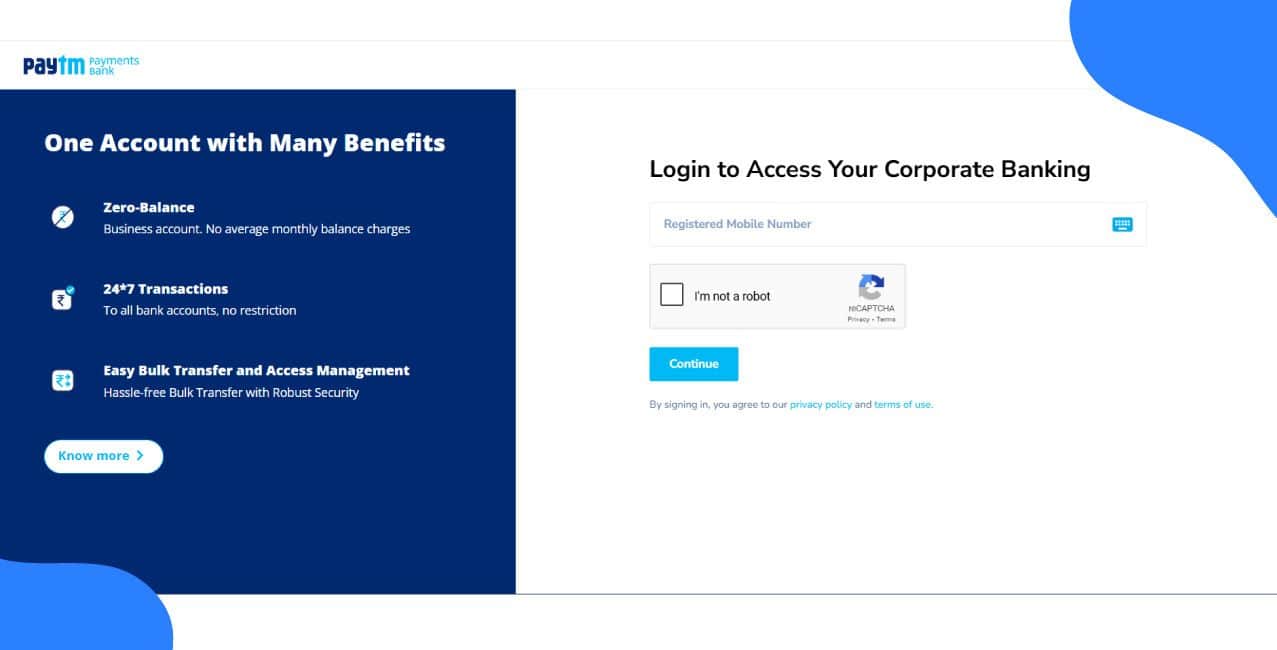
There are two ways to activate net banking in Paytm. One is online registration, and the other is offline registration.
1. Visit the bank’s website in a browser or open its mobile app, then go to the section for net banking.
2. Look for the option to register, usually shown as “Apply Now” or “Activate Net Banking.”
3. Provide your details such as account number, customer ID, and other required information. Some banks may also ask for a temporary password or PIN.
4. Confirm your identity by completing the verification process. This may involve entering an OTP sent to your registered mobile number, a code sent to your email, or answering security questions.
5. Create your login credentials by choosing a username and setting a strong password.
6. Read and accept the bank’s terms and conditions for using net banking.
7. Submit your application. You will receive a confirmation message or email once your registration is processed.
8. After activation, log in with your new username and password. In some cases, you may be asked to change the password on your first login.
9. Explore the net banking platform and set up additional security features such as two-factor authentication, if available.
10. If you face any difficulties, contact your bank’s customer support team for assistance.
These steps are similar in most banks. However, others might ask for extra verification. You need to check the bank’s official website or directly contact the customer support. They will confirm the exact process involved.
That’s it! Now you can change the password, update your profile and confirm that your KYC details are correct. The services of net banking in Paytm are 24*7 available.
If you have still not found the solution to your problems, you can contact the customer care number and ask for help. You can call at +91-120- 4770770.
There are multiple things you can do after activating Net Banking in Paytm, and none of them require you to visit the bank. The services are:
*T&C Apply
Also Read – Cash Almost Gone? RBI Reveals How Digital Payments Took Over 99.8% Of Transactions
If you are afraid of using net banking, don’t worry, just make sure you never share your OTPs, passwords, PINs and other credentials with anyone. It is safe if you are a little vigilant about it.
Conclusion
Net banking in Paytm links your bank account to your Paytm app. Just like UPI, you can use other banking services. The network offers security, 24/7 access to essential services and more. You might face some issues while activating the account; however, you can always contact the customer support for a solution.
1. Can I use net banking in Paytm for international transactions?
Currently, net banking in Paytm Payments Bank supports only domestic transactions within India.
2. Is there a daily transaction limit in net banking in Paytm?
Yes, transaction limits are defined by Paytm Payments Bank. Users should check the official website or app for updated limits.
3. How can I reset my forgotten Paytm net banking password?
Visit the net banking in Paytm login page, select Forgot Password and follow OTP verification to reset.
4. Can net banking in Paytm be accessed through mobile browsers?
Yes, you can log in through a mobile browser, but the Paytm app is recommended for a smoother experience.
5. Does net banking in Paytm support linking multiple accounts?
No, net banking is currently linked to a single Paytm Payments Bank account per user.
6. Is two-factor authentication mandatory in net banking in Paytm?
Yes, for most sensitive transactions, an OTP sent to the registered mobile number is mandatory.
7. Can I schedule future payments using net banking in Paytm?
At present, scheduled payments are not available. Transactions need to be initiated manually.