By continuing, you agree to LoansJagat's Credit Report Terms of Use, Terms and Conditions, Privacy Policy, and authorize contact via Call, SMS, Email, or WhatsApp
Disclaimer: The information published on LoansJagat is intended for general informational and educational purposes only and should not be considered financial, legal, or investment advice. Interest rates, loan terms, statistics, and other data may change over time and may vary by lender or source. Please verify the latest information and consult a qualified financial advisor or the respective Bank/NBFC before making any financial decisions.
Apply for Loans Fast and Hassle-Free
Subscribe Now
About the author

LoansJagat Team
‘Simplify Finance for Everyone.’ This is the common goal of our team, as we try to explain any topic with relatable examples. From personal to business finance, managing EMIs to becoming debt-free, we do extensive research on each and every parameter, so you don’t have to. Scroll up and have a look at what 15+ years of experience in the BFSI sector looks like.
Related Blog Post
Simplify All Your Loans Into One Affordable EMI

Customers Served

Debt Consolidated

1200+ Reviews

Locations in India
Club all Loans & Credit Card Bills into Single EMI

Quick Apply Loan
Consolidate your debts into one easy EMI.

Takes less than 2 minutes. No paperwork.

10 Lakhs+
Trusted Customers

2000 Cr+
Loans Disbursed

4.7/5
Google Reviews

50+
Banks & NBFCs Offers
Other services mentioned in this article
Key Highlights
Even my cousin forgets to pay his credit card bills. At the end, he gets confused and ends up in a mess. You are not my cousin, and trust me, you don’t want to. Paying credit card dues can be overwhelming. That is why PNB has provided various routes through which you can pay the dues. In this blog, we have discussed those routes.
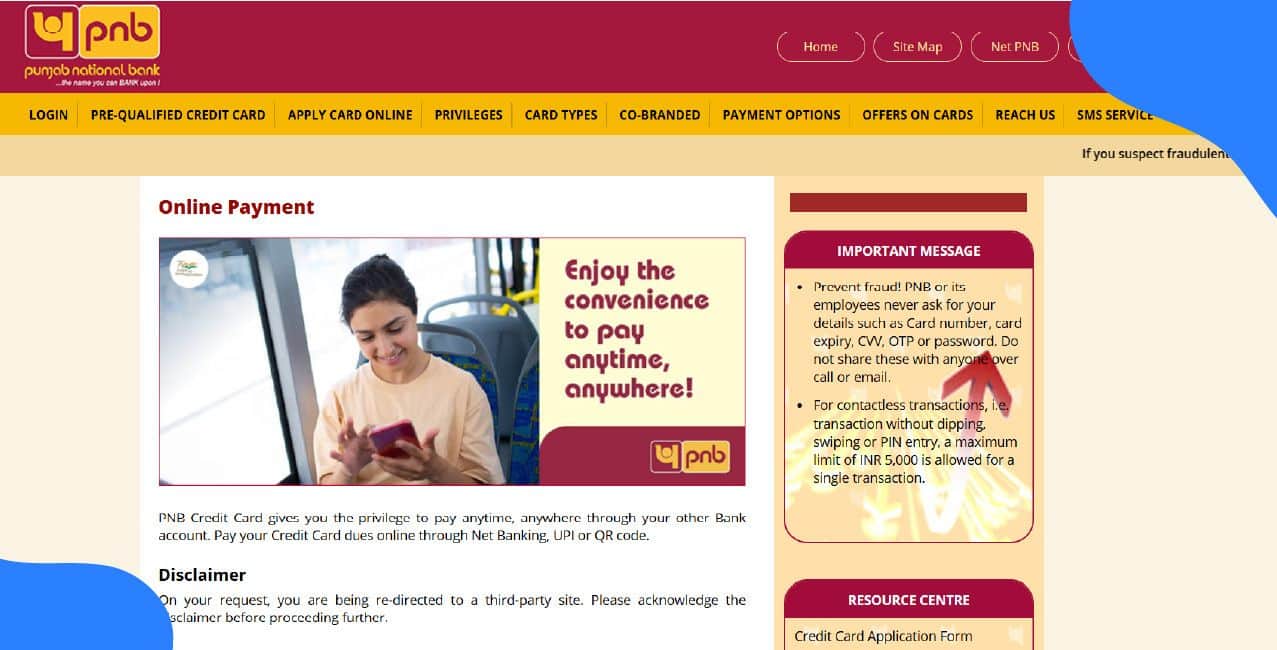
To avoid late fees, please pay your PNB (Punjab National Bank) credit card bill on time. Failure in doing so will negatively impact your credit score. To make sure no such things happen, PNB offers online as well as offline methods to settle your credit card dues.
Completing PNB credit card bill payment is much easier, smoother and accessible with online methods. You can choose any of the methods listed below:
Whenever you make a PNB credit card bill payment through the website, make sure you have opened the official site only. Steps are:
This gateway is officially supported by PNB’s credit card website. You can check by clicking on the hyperlink and further on the ‘Pay Now’ option. The same site (BillDesk) will open.
Punjab National Bank provides its customers with the mobile banking solution with its PNB ONE app. It supports various digital payments, including PNB credit card bill payments. With features like biometric & face authentication (iOS) along with MPIN, the app is super safe and secure to use.
Here’s how you can pay for PNV credit card payments through the mobile app:
Almost every bank provides net banking service to its customers, and so does PNB. Using Net banking, you can easily pay your credit card bills. Follow the steps given below:
Remember, if your PNB credit card isn’t connected to your bank account yet, make sure to link it first before you log in to your net banking account.
‘Bhaiya UPI Kardoon?’
You can use UPI for making payments to more than just a common vendor. People are now used to paying their credit card bills through UPI, especially for cards on the RuPay network. The payment can be done in 2 ways:
To use UPI:
Before doing this, check that your PNB credit card is eligible for UPI payments (some cards or issuers may not allow it yet).
PNB officially documents the NEFT mechanism for credit card payments in its user guide. You can click on the hyperlink to open the said document.
Here are the official instructions:
*T&C Apply
Make sure you make the payment at least two business days before the due date. This act will prevent any additional charges. Also, PNB has a ‘Payment through NEFT’ option under the ‘Payment Options tab’ on their official page.
RTGS may be used for very large payments if your bank supports RTGS to PNB’s designated account (depending on amount thresholds and bank policies).
Tip: Monitor and manage card-on-file tokens: many merchants store a tokenised version of your card. Regularly review and remove unused tokens via your card issuer or banking app to reduce exposure to merchant breaches.
Making payments online can become a tedious task for beginners or even with experienced professionals. ‘Itna stress ni lene ka!’ Here are some tips that will help you make payments without any difficulties:
Make sure you follow each tip, or else you will be in a mess, calling the customer service every day.
Conclusion
You don’t need to visit the branch to pay the credit card due. You can do the exact thing online. You can choose official channels like the website, PNB ONE app, net banking, UPI, NEFT, or RTGS. For a smoother experience, set auto-pay and keep every transaction proof.
How do I request a temporary or permanent credit limit increase?
Request a limit increase through the PNB card section in the banking app or by calling customer care. The bank may ask for income proof and run a credit check before approving.
What is a balance transfer, er and how can I move a balance to/from my PNB card?
A balance transfer moves outstanding debt from one card to another, often at a lower rate. Apply via the PNB card offers page or customer care, and check the transfer fee and tenor before proceeding.
How do I manage rewards points, and what are common redemption options?
View points and expiry in the PNB card portal or app. Redemptions commonly include statement credit, gift vouchers, travel bookings, or partner catalogue items. Check the rewards T&C for exact options and expiry rules.
Can I remove or stop recurring subscriptions charged to my card?
Contact the merchant to cancel the subscription and ask them to stop future charges. Also, remove the card token from the merchant via your card management or request the bank to block future charges from that merchant if needed.
Other Related Pages | |||