By continuing, you agree to LoansJagat's Credit Report Terms of Use, Terms and Conditions, Privacy Policy, and authorize contact via Call, SMS, Email, or WhatsApp
Disclaimer: The information published on LoansJagat is intended for general informational and educational purposes only and should not be considered financial, legal, or investment advice. Interest rates, loan terms, statistics, and other data may change over time and may vary by lender or source. Please verify the latest information and consult a qualified financial advisor or the respective Bank/NBFC before making any financial decisions.
Apply for Loans Fast and Hassle-Free
Subscribe Now
About the author

LoansJagat Team
‘Simplify Finance for Everyone.’ This is the common goal of our team, as we try to explain any topic with relatable examples. From personal to business finance, managing EMIs to becoming debt-free, we do extensive research on each and every parameter, so you don’t have to. Scroll up and have a look at what 15+ years of experience in the BFSI sector looks like.
Related Blog Post
Simplify All Your Loans Into One Affordable EMI

Customers Served

Debt Consolidated

1200+ Reviews

Locations in India
Club all Loans & Credit Card Bills into Single EMI

Quick Apply Loan
Consolidate your debts into one easy EMI.

Takes less than 2 minutes. No paperwork.

10 Lakhs+
Trusted Customers

2000 Cr+
Loans Disbursed

4.7/5
Google Reviews

50+
Banks & NBFCs Offers
Other services mentioned in this article
Key Highlights
You know what the problem is with too much information? You are not able to find a single solution to your problem. Sure, there are multiple ways to pay the Tata Credit card bill, but how? We have answered this question in this blog.
Tata has a “Neu” brand in partnership with HDFC Bank. The Tata Neu HDFC Bank Credit Card is part of the Tata credit card offering. Tata provides a payment platform “Tata Pay” (via the Tata Neu app / Tata Digital), using which you can make your Tata credit card bill payment very conveniently.
Here are the various ways you can make a Tata credit card bill payment:
Let’s see each of the methods.
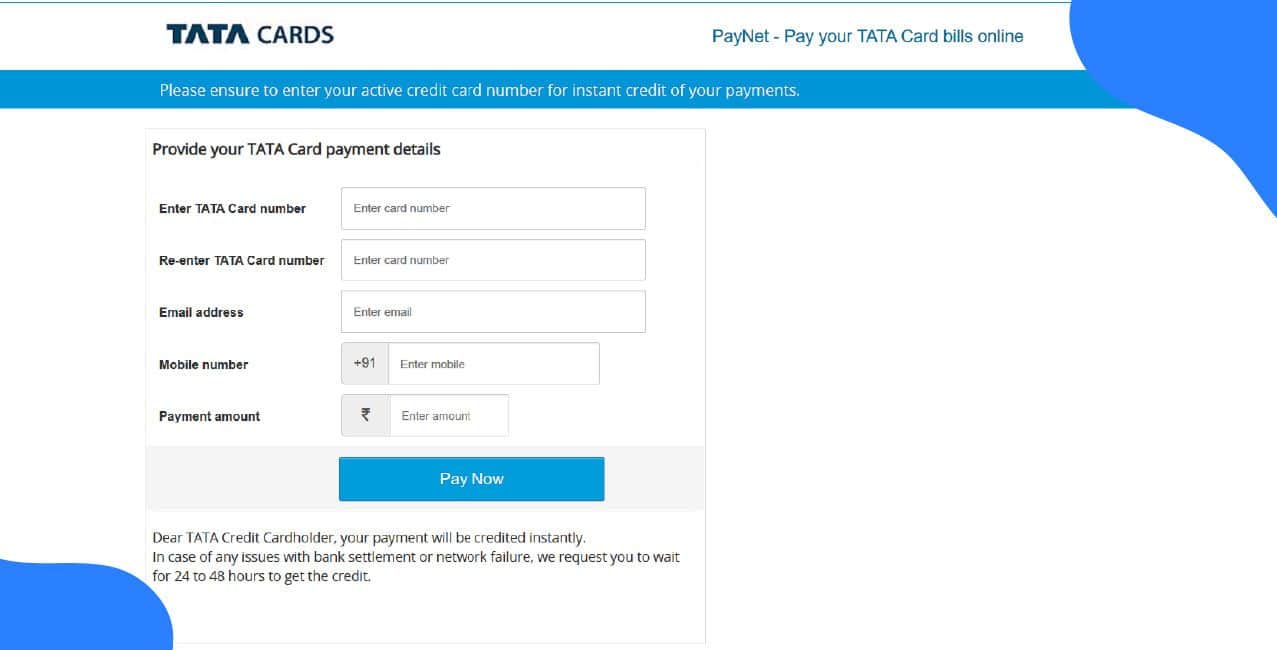
To make it through the website, follow these steps:
Payments made through BillDesk normally take two to three working days to reflect. If you used a third-party app to make the payment, contact that service provider directly for any payment posting queries.
The Tata Neu app allows you to pay credit card bills via its “Pay Now” or “Bill Payment / Bills & Recharges” section. To make a Tata Credit Card Bill payment, follow these steps:
Mobile banking credit card payments usually post within one working day. For payment posting queries related to third-party apps, contact the third-party service provider directly. Payments may be delayed due to system cutoff times or bank holidays.
You can now pay your Tata credit card bills using net banking. If you don’t already have a net banking account, sign in now using the official HDFC portal. Now you can make Tata Credit card bill payment through net banking. You just need to follow these steps:
Credit card bill payments made through NetBanking usually post within one working day. If you make a payment through a third-party app, contact that service provider directly for any payment posting queries.
There is no mention of UPI as a medium to make a Tata Credit card bill payment on the official site. However, you can choose UPI as the medium to make payments when using net banking.
NEFT, RTGS or IMPS are other ways through which you can make Tata credit card bill payments easily. Choose the option that suits your timing and transfer limits, and follow the steps given below:
*T&C Apply
IMPS and Visa Money Transfer usually post instantly. NEFT and RTGS timings depend on the sending bank and system cutoffs and may take from a few minutes to a working day.
For payment posting or reconciliation queries related to third-party apps, contact the third-party service provider directly.
Here are a few things to consider before making your first Tata credit card bill payment for a simplified experience.
You can do the old way, too. Go to the bank and pay your dues, perfect. But these tips and the digital world will save you time and effort
Conclusion
Tata Neu is linked to HDFC NetBanking. Using it, you are allowing yourself to experience the fastest credit card payments, UPI or BillDesk for convenience. Just to be vigilant, always keep transaction receipts securely to resolve posting delays or queries promptly.
FAQs
How do I set up auto-debit or standing instructions for a Tata credit card?
Log in to HDFC NetBanking or Tata Neu, go to Cards/Payments, select Auto-Debit or Standing Instruction, choose debit account and amount, then confirm with OTP. Confirm the setup status after you enrol.
Can I convert my credit card bill or outstanding amount into EMI?
EMI conversions usually apply to purchases, not ordinary bill payments. Check HDFC’s offers for balance conversion or EMI on outstanding balances. Terms and eligibility vary by bank.
Can I pay my Tata credit card from a foreign bank account or in foreign currency?
The file does not cover this. Generally, credit card payments are expected in INR. Paying in foreign currency may involve conversion and bank fees.
What is an e-mandate for Tata Credit Card bill payments?
An e-mandate allows you to automatically pay recurring bills (like electricity, gas, or phone) from your Tata Credit Card. You can set the biller details, limit amount, and duration directly on the Tata Card App or Website under Services and then to Manage Recurring Transactions.
If your card number changes due to renewal or upgrade, you’ll need to re-register the mandate with your new card details.
Why is my Tata Neu app not showing the credit card payment option for some bills?
This issue usually occurs because some billers temporarily disable the credit card payment option or due to app cache errors. Try updating or reinstalling the Tata Neu app and re-adding your saved cards. If the issue continues, it’s likely a temporary restriction from the biller side.
How can I stop Tata Neu bill reminders after paying my bill elsewhere?
If you’ve already paid your bill through another app or portal, open the Tata Neu app, go to your “Bills & Recharges” section, and use the ‘Mark as Paid’ option. This will remove the current reminder and ensure you only get notifications when the next bill is generated.
What happens if a Tata Card utility bill payment fails or gets paid twice?
If your bill payment fails due to an insufficient credit limit, it will not be processed. In case of a double payment, the excess amount will be reflected as a credit in your next bill cycle. Disputes or refund requests for wrong or duplicate payments should be raised within 6 months of the billing date through Tata Card customer care.
Can I pay my Tata Credit Card bill before the statement is generated?
Yes, you can pay your Tata Credit Card bill early through net banking or third-party platforms like CRED. However, the Tata Neu or Tata Card app may not show a payment option before the statement is generated. Early payments help reduce interest and improve your credit utilisation ratio.
Other Related Pages | |||