By continuing, you agree to LoansJagat's Credit Report Terms of Use, Terms and Conditions, Privacy Policy, and authorize contact via Call, SMS, Email, or WhatsApp
Disclaimer: The information published on LoansJagat is intended for general informational and educational purposes only and should not be considered financial, legal, or investment advice. Interest rates, loan terms, statistics, and other data may change over time and may vary by lender or source. Please verify the latest information and consult a qualified financial advisor or the respective Bank/NBFC before making any financial decisions.
Apply for Loans Fast and Hassle-Free
Subscribe Now
About the author

LoansJagat Team
‘Simplify Finance for Everyone.’ This is the common goal of our team, as we try to explain any topic with relatable examples. From personal to business finance, managing EMIs to becoming debt-free, we do extensive research on each and every parameter, so you don’t have to. Scroll up and have a look at what 15+ years of experience in the BFSI sector looks like.
Related Blog Post
Simplify All Your Loans Into One Affordable EMI

Customers Served

Debt Consolidated

1200+ Reviews

Locations in India
Club all Loans & Credit Card Bills into Single EMI

Quick Apply Loan
Consolidate your debts into one easy EMI.

Takes less than 2 minutes. No paperwork.

10 Lakhs+
Trusted Customers

2000 Cr+
Loans Disbursed

4.7/5
Google Reviews

50+
Banks & NBFCs Offers
Other services mentioned in this article
Key Takeaways
Ever wished you could do all your banking without stepping into a branch? Imagine transferring funds, paying bills, and checking balances in just a few taps on your smartphone.
Karnataka Bank mobile banking allows customers to manage accounts, transfer funds, and pay bills securely from their smartphones. The Karnataka Bank mobile app offers convenience, safety, and a range of services for both individuals and businesses.
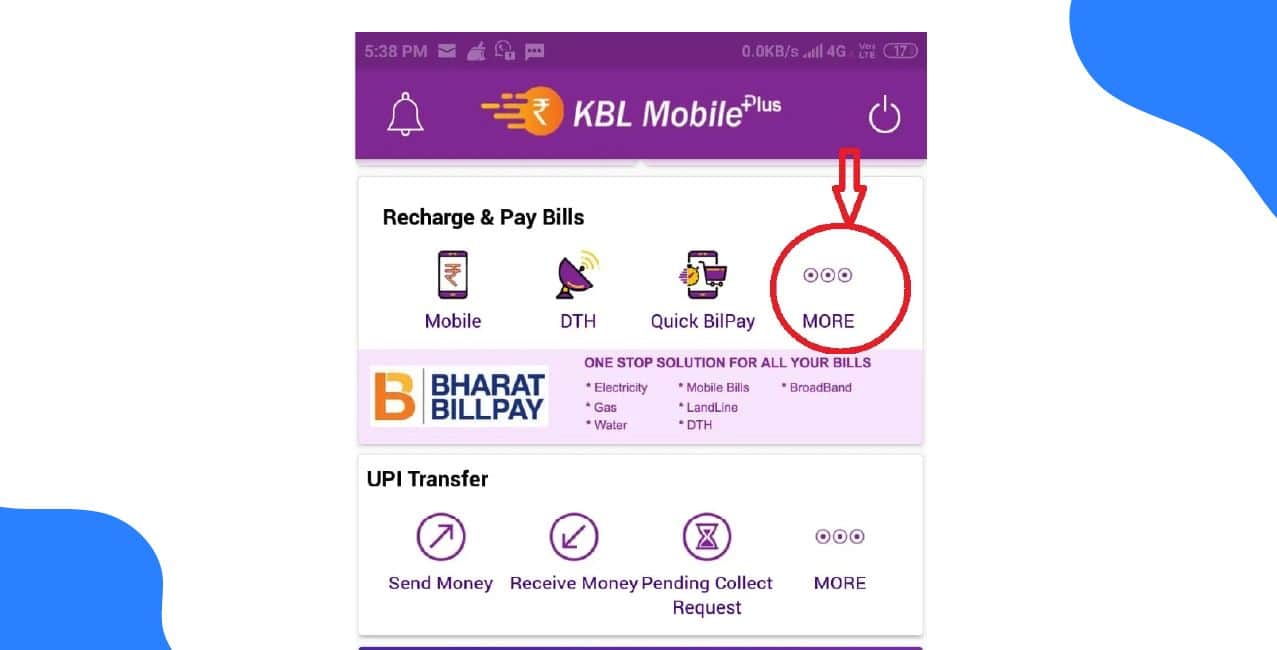
For example, my friend Priya, a working professional, uses the KBL Mobile Plus app to check her account balance, transfer money to her friends around ₹5,000, and pay utility bills without visiting the branch. She also monitors her transactions using the KBL mPassbook app, which helps her stay organised and save time.
In this blog, we will explore the different Karnataka Bank mobile banking apps, their features, and how to register and use them efficiently.
Bonus Tip: You can pay GST easily from anywhere using Karnataka Bank’s Internet Banking, at any branch, or via UPI. On the GST portal, select Karnataka Bank under BHIM UPI in E-payment mode.
Karnataka Bank provides a variety of mobile apps to make banking simple, secure, and convenient for all types of customers. These apps cater to everyday account management, digital payments, and advanced banking needs.
Karnataka Bank mobile app options cover all banking needs, from daily account management to advanced digital payments. With these apps, Karnataka Bank mobile banking ensures convenience, security, and a seamless experience for every user.
Registering for Karnataka Bank mobile banking is simple and secure. Follow these steps to set up your account and start using the Karnataka Bank mobile banking services.
Step 1: In-branch Registration
Step 2: Download the App
Step 3: Activate Your Account
Once completed, you can use the Karnataka Bank mobile banking login to check balances, transfer funds, and manage your accounts. Remember, always keep your credentials safe and never share your MPIN.
With these steps, you can easily perform any banking activity using the Karnataka Bank mobile banking login and enjoy a seamless digital banking experience.
After completing your Karnataka Bank mobile banking registration, you can transfer funds and pay bills easily. However, transaction limits vary depending on the type of transfer.
UPI Transaction Limits
*T&C Apply
Remember, after your Karnataka Bank mobile banking registration, you can safely manage transactions within these limits and request adjustments when needed to suit your banking requirements.
Karnataka Bank mobile banking makes managing your accounts simple, secure, and convenient. After completing your registration, you can transfer funds, pay bills, and access a range of banking services anytime, anywhere.
The apps offer flexible transaction limits and allow you to request increases when needed, ensuring a seamless digital banking experience for all customers.
Q: How do I change my mobile number in Karnataka Bank using the mobile app?
A: Open the Karnataka Bank mobile app (KBL Konnect or KBL Mobile Banking) and log in with your MPIN, password, or biometric. Go to Profile, then Update Mobile Number (or Settings, then Contact Details). Enter your old and new mobile numbers, verify both via OTPs sent to your registered and new numbers, and follow any on-screen instructions. Some apps allow Aadhaar OTP verification. After successful verification, you’ll receive a confirmation.
Q: How can I update my mobile number in Karnataka Bank via the app?
A: Log in to the Karnataka Bank mobile app with your MPIN, password, or biometric. Go to Profile, then Change Mobile Number. Enter your old and new numbers, verify both via OTPs, and follow the instructions. If this fails, visit a branch with ID or contact customer care.
Q: How can I get my Karnataka Bank account statement through net banking?
A: Log in using your customer ID and password. Go to Accounts, then Accounts Enquiry / Opening, and click on Operative Accounts. Select your account, choose the search criteria for the period, and download the statement in your preferred format.
Q: Is Karnataka Bank Mobile Banking reliable?
A: Some users have reported issues with account updates and internet banking, even at major branches. It’s important to consider these experiences before relying solely on Karnataka Bank mobile banking for critical transactions.
Q: Which bank account should I choose for everyday use and emergency funds?
A: You can open an SBI savings account for reliability and wide branch access, keep your Jupiter account for salary, and optionally use a digital account like Kotak 811 for easy online banking and flexible management of funds.