By continuing, you agree to LoansJagat's Credit Report Terms of Use, Terms and Conditions, Privacy Policy, and authorize contact via Call, SMS, Email, or WhatsApp
Disclaimer: The information published on LoansJagat is intended for general informational and educational purposes only and should not be considered financial, legal, or investment advice. Interest rates, loan terms, statistics, and other data may change over time and may vary by lender or source. Please verify the latest information and consult a qualified financial advisor or the respective Bank/NBFC before making any financial decisions.
Subscribe Now
About the author

LoansJagat Team
‘Simplify Finance for Everyone.’ This is the common goal of our team, as we try to explain any topic with relatable examples. From personal to business finance, managing EMIs to becoming debt-free, we do extensive research on each and every parameter, so you don’t have to. Scroll up and have a look at what 15+ years of experience in the BFSI sector looks like.
Related Blog Post
Simplify All Your Loans Into One Affordable EMI

Customers Served

Debt Consolidated

1200+ Reviews

Locations in India
Club all Loans & Credit Card Bills into Single EMI

Quick Apply Loan
Consolidate your debts into one easy EMI.

Takes less than 2 minutes. No paperwork.

10 Lakhs+
Trusted Customers

2000 Cr+
Loans Disbursed

4.7/5
Google Reviews

50+
Banks & NBFCs Offers
Other services mentioned in this article
Key Takeaways
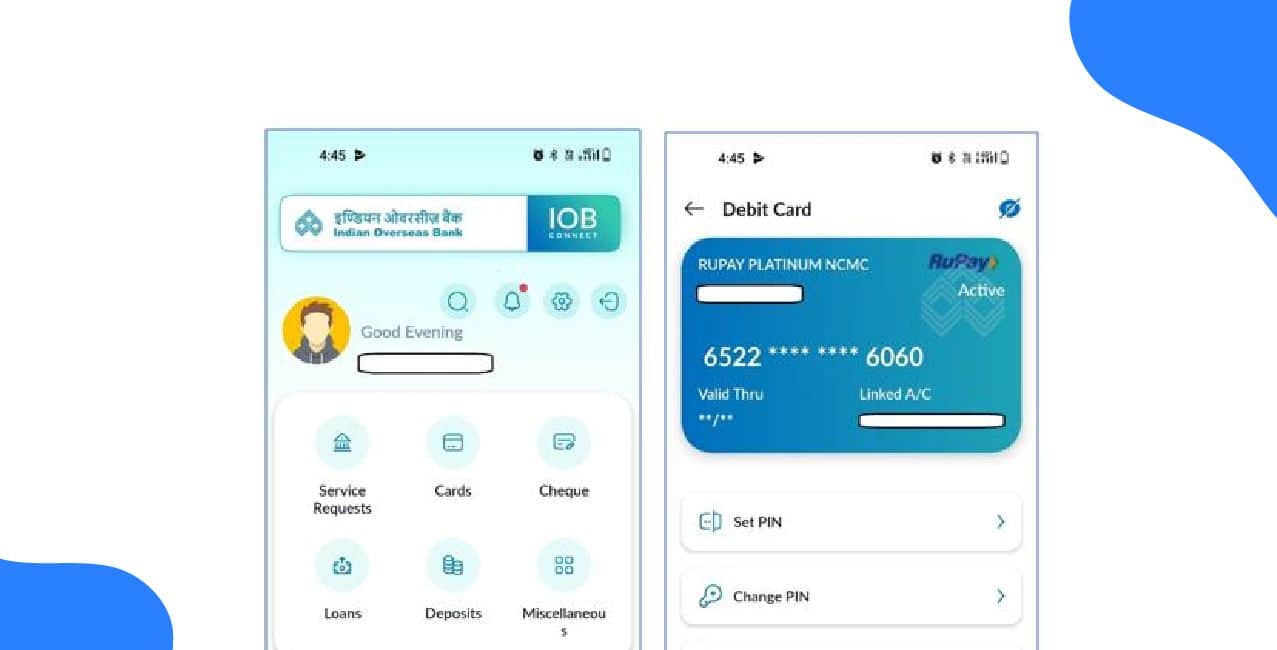
The app gives him secure access to account balances, transaction history, fund transfers, and bill payments without stepping into a branch. In this blog, we will cover the different IOB mobile banking apps, key features, how to register and log in, transaction limits, and available customer support so you can manage your finances efficiently.
Also Read: How To Download IOB Bank Statement? Check the Step-by-Step Guide Here
Rahul uses the IOBMobile app to make transactions and manage his financial tasks. Here are the apps you can use according to your needs:
Rahul can handle both immediate and regular financial needs with these apps without having to visit a branch.
Rahul uses the features of the IOB mobile app to finish tasks quickly.
Rahul can finish his necessary transactions without wasting time in lines with the help of these features.
Bonus Tip: IOB announced that it will roll out a voice-based payment system called UPI 123Pay. This allows users, including those with feature phones or no internet access, to make UPI payments or check balances via voice/IVR.
You can register in the IOB app quickly on your own using your mobile:
Rahul can instantly access mobile banking services without waiting in line by completing the registration process.
You can quickly log in to IOB Mobile Banking after registering:
Rahul always logs out after finishing to protect his account.
*T&C Apply
Indian Overseas Bank sets clear daily limits for mobile banking transactions to ensure safe and smooth digital payments for customers.
You can use the in-app “Complaint” feature or call IOB Customer Care at 1800 425 4445 or 1800 890 4445 (toll-free) whenever he has problems. The support team helps with issues related to fund transfers, login problems, card services, or any technical errors you face while using the mobile banking app.
Rahul uses IOB mobile banking to effectively manage his finances between his work and studies. He quickly registers, logs in safely, transfers money, checks balances, and pays bills whenever he wants.
Time constraints and branch visits are resolved by the IOB Connect app. You can use it as well and manage your banking from your mobile device.
Yes, Indian Overseas Bank offers a secure and fully functional mobile banking app called IOBMobile, available on both Android and iOS. It lets you transfer funds, check balances, pay bills, and manage your account anytime.
How do I get a bank statement from Indian Overseas Bank?
You can download your bank statement through the IOBMobile app or Internet Banking. Log in, go to Account and then Statement, select the date range, and download or email the statement.
How can I contact IOB customer care if I face a problem in the app?
You can raise a complaint directly inside the app or call 1800 425 4445 or 1800 890 4445 (toll-free) for help with app issues, transfers, card services, or login problems.
What should I do if I want to block my IOB debit card through mobile banking?
You can block your card instantly by opening the IOBMobile app, going to Cards, and selecting “Block Debit Card”. This helps prevent misuse during emergencies.
What should I do if the IOB mobile app is not letting me log in?
Check your internet connection, update the app, and ensure your MPIN is correct. If it still doesn’t work, you can reset your MPIN using the “Forgot MPIN” option or contact customer care.