By continuing, you agree to LoansJagat's Credit Report Terms of Use, Terms and Conditions, Privacy Policy, and authorize contact via Call, SMS, Email, or WhatsApp
Disclaimer: The information published on LoansJagat is intended for general informational and educational purposes only and should not be considered financial, legal, or investment advice. Interest rates, loan terms, statistics, and other data may change over time and may vary by lender or source. Please verify the latest information and consult a qualified financial advisor or the respective Bank/NBFC before making any financial decisions.
Apply for Loans Fast and Hassle-Free
Subscribe Now
About the author

LoansJagat Team
‘Simplify Finance for Everyone.’ This is the common goal of our team, as we try to explain any topic with relatable examples. From personal to business finance, managing EMIs to becoming debt-free, we do extensive research on each and every parameter, so you don’t have to. Scroll up and have a look at what 15+ years of experience in the BFSI sector looks like.
Related Blog Post
Simplify All Your Loans Into One Affordable EMI

Customers Served

Debt Consolidated

1200+ Reviews

Locations in India
Club all Loans & Credit Card Bills into Single EMI

Quick Apply Loan
Consolidate your debts into one easy EMI.

Takes less than 2 minutes. No paperwork.

10 Lakhs+
Trusted Customers

2000 Cr+
Loans Disbursed

4.7/5
Google Reviews

50+
Banks & NBFCs Offers
Other services mentioned in this article
Key Takeaways
“Do you ever feel annoyed because you can only visit the bank during fixed hours? IOB Mobile banking removes that limitation by giving you access to your bank anytime, even when it’s late at night and you suddenly remember an important payment.”
Mobile banking is a digital service that allows you to use banking features directly on your smartphone. It works like a mini-bank that travels with you everywhere. Instead of standing in queues, you can complete most tasks instantly through the app.
I remembered that I had forgotten to send money to a friend last night. I opened the IndusInd Bank app, selected “Funds Transfer,” entered the account details, verified with my MPIN, and completed the payment within seconds. There is no waiting, and no branch visit required.
IndusInd Bank provides the following mobile banking applications designed to meet various needs:
These apps enable you to select the one that best suits your financial requirements and enable you to effectively conduct personal or professional transactions using your mobile device.
You can effectively handle your finances from anywhere with the help of IndusInd Bank's strong mobile banking features.
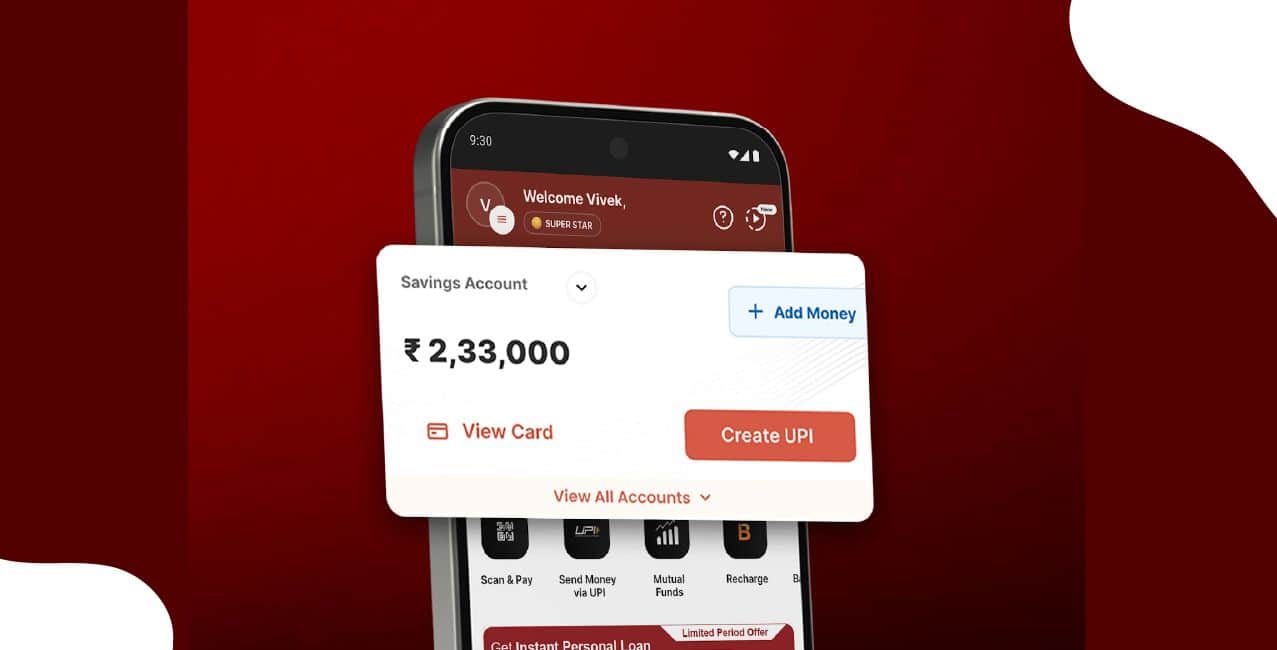
You can carry out necessary transactions using the IndusInd Mobile Banking app without going to a branch.
Here are a few easy steps to register:
You can activate mobile banking without going to a branch by following these steps.
It's simple to log in to the InusInd Bank mobile banking app by following these simple steps:
Always log out or close the application when you are done.
*T&C Apply
Bonus Tip: You can customise your banking experience with the INDIE app by selecting your own rewards brands and exchanging points for your preferred brands.
IndusInd Bank establishes daily transaction limits when you use its mobile banking app to maintain safe and efficient operations.
These limits protect your account while assisting you in efficiently managing your money.
Contact IndusInd Bank's toll-free helpline at 1860 267 7777, which is open 24/7 for Mobile Banking support. You can also reach customer support through the IndusMobile app’s “Help & Support” section if you prefer assistance without calling.
You can check balances, make transfers, settle bills, and open deposits without going to a branch. You can make payments with confidence from your mobile device with its secure login, easy-to-use features, and transparent limits. Get the app now!
A UPI payment via the INDIE app to my IndusInd credit card was debited, but not showing up. What to do?
Raise a service request, and IndusInd Bank will process it securely. Transactions may take a few hours to reflect.
Can NRIs (non‑India mobile numbers) use the INDIE app for IndusInd Bank?
Yes, NRIs can use the INDIE app. Make sure your number is linked to your account and contact customer support if needed.
Did IndusInd Bank unveil a mobile app specifically for merchants and retailers?
Yes. IndusInd Bank launched the “IndusDirect Mobile App”, designed for business users, including merchants and retailers, to manage trade transactions, view their accounts, and handle payment authorisations.
Can I open a bank account using a mobile without visiting a branch with IndusInd Bank?
Yes, you can open a savings account online with IndusInd Bank using their digital process. You can register via the INDIE app or their website, complete KYC, and set up the account without visiting a branch.
Can I register for IndusInd Bank Mobile Banking without visiting a branch?
Yes. You can register directly through the IndusMobile (INDIE) app using your credentials. Once verified through OTP, you can set your MPIN and start banking instantly.