By continuing, you agree to LoansJagat's Credit Report Terms of Use, Terms and Conditions, Privacy Policy, and authorize contact via Call, SMS, Email, or WhatsApp
Disclaimer: The information published on LoansJagat is intended for general informational and educational purposes only and should not be considered financial, legal, or investment advice. Interest rates, loan terms, statistics, and other data may change over time and may vary by lender or source. Please verify the latest information and consult a qualified financial advisor or the respective Bank/NBFC before making any financial decisions.
Apply for Loans Fast and Hassle-Free
Subscribe Now
About the author

LoansJagat Team
‘Simplify Finance for Everyone.’ This is the common goal of our team, as we try to explain any topic with relatable examples. From personal to business finance, managing EMIs to becoming debt-free, we do extensive research on each and every parameter, so you don’t have to. Scroll up and have a look at what 15+ years of experience in the BFSI sector looks like.
Related Blog Post
Simplify All Your Loans Into One Affordable EMI

Customers Served

Debt Consolidated

1200+ Reviews

Locations in India
Club all Loans & Credit Card Bills into Single EMI

Quick Apply Loan
Consolidate your debts into one easy EMI.

Takes less than 2 minutes. No paperwork.

10 Lakhs+
Trusted Customers

2000 Cr+
Loans Disbursed

4.7/5
Google Reviews

50+
Banks & NBFCs Offers
Other services mentioned in this article
Key Takeaways
Imagine managing all your banking needs from the comfort of your home or while on the move. Picture checking balances, transferring funds, and paying bills in just a few taps on your smartphone anytime, anywhere.
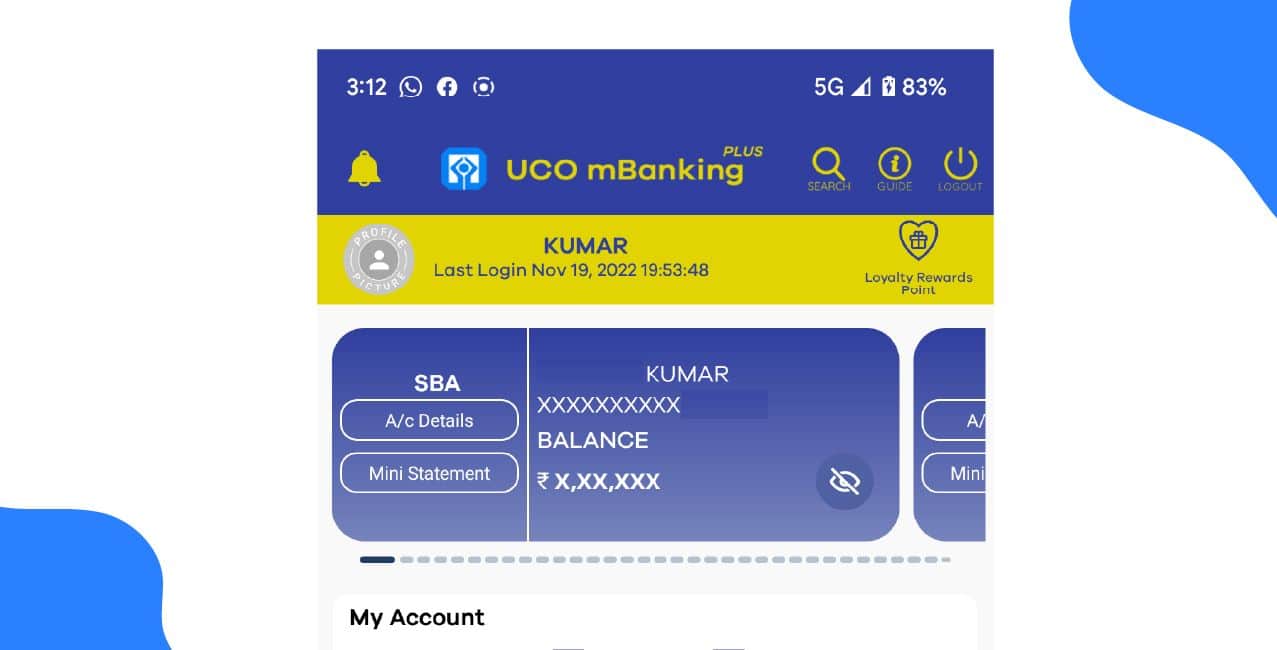
UCO Bank mobile banking lets customers handle their banking needs anytime using their smartphones. It offers safe and easy access to fund transfers, bill payments, and account management.
For example, my friend Riya, a working professional, uses the UCO mBanking Plus app to check her balance, pay electricity bills, and transfer money to her family without visiting the branch. She saves time and manages all her banking from one place.
This blog explains the key features, registration process, and benefits of UCO Bank mobile banking for both personal and business users.
UCO Bank mobile banking apps make it easy to do banking on your phone.
Below is a table showing the different UCO Bank mobile banking apps and their features:
These UCO Bank mobile banking apps help you manage your accounts safely and conveniently.
You can register for UCO Bank mobile banking in two ways: through the UCO mBanking Plus app or by visiting a UCO Bank branch, ATM, or the UCO Bank internet banking portal.
Method 1: Register through the UCO mBanking Plus App
Method 2: Register through Branch, ATM, or Internet Banking
Once you complete registration, you can use your UCO Bank mobile banking login to access and manage your bank account anytime, anywhere.
UCO Bank mobile banking allows you to transfer funds and make payments safely within set transaction limits. The limits vary for retail and corporate users depending on the type of transaction.
*T&C Apply
UCO Bank mobile banking offers flexible limits for both retail and corporate users, allowing safe and convenient fund transfers, bill payments, and account management anytime.
Bonus Tip: UCO Bank does not give a one-time bonus for activating mobile banking, but you can earn loyalty reward points for registering and using UCO Bank mobile banking regularly.
UCO Bank mobile banking helps customers manage their accounts, transfer money, and pay bills easily from their phones. It saves time and offers secure access to banking services anytime, anywhere. Along with UCO Bank's net banking, it gives users a smooth and convenient digital banking experience.
It is user-friendly and supports both personal and business banking needs. Customers can rely on UCO Bank mobile banking for safe, quick, and paperless transactions anytime they need.
Q: Is UCO Bank mobile banking safe to use?
A: Yes, UCO Bank mobile banking is safe when you use it carefully. The app uses secure login, MPIN, and OTP verification to protect your account and transactions.
Q: How can I register for UCO Bank Net Banking at home?
A: You can register online by visiting the official UCO Bank website, selecting New Registration, entering your account and debit card details, verifying with OTP, and setting your login and transaction passwords. After 1–2 days, your account will be activated.
Q: Can I access my account on mobile after registering for UCO Bank Net Banking?
A: Yes, once registered, you can use the UCO Bank Mobile Banking App to manage your account. Simply download the app, use your credentials for UCO Bank Mobile Banking login, and start banking from your phone.
Q: Which bank has a modern and easy-to-use online banking app?
A: Many users find international banks like Citibank offer smoother online banking experiences with fewer disruptions, easy navigation, and reliable transaction management compared to some domestic banks.
Q: How do banks handle suspicious transactions for international travellers?
A: Good banks typically notify you via email, call, or SMS before blocking a card. This prevents inconvenience while still protecting your account, unlike some banks that block first and inform later.