By continuing, you agree to LoansJagat's Credit Report Terms of Use, Terms and Conditions, Privacy Policy, and authorize contact via Call, SMS, Email, or WhatsApp
Disclaimer: The information published on LoansJagat is intended for general informational and educational purposes only and should not be considered financial, legal, or investment advice. Interest rates, loan terms, statistics, and other data may change over time and may vary by lender or source. Please verify the latest information and consult a qualified financial advisor or the respective Bank/NBFC before making any financial decisions.
Subscribe Now
About the author

LoansJagat Team
Contributor‘Simplify Finance for Everyone.’ This is the common goal of our team, as we try to explain any topic with relatable examples. From personal to business finance, managing EMIs to becoming debt-free, we do extensive research on each and every parameter, so you don’t have to. Scroll up and have a look at what 15+ years of experience in the BFSI sector looks like.
Related Blog Post
Simplify All Your Loans Into One Affordable EMI

Customers Served

Debt Consolidated

1200+ Reviews

Locations in India
Club all Loans & Credit Card Bills into Single EMI

Quick Apply Loan
Consolidate your debts into one easy EMI.

Takes less than 2 minutes. No paperwork.

10 Lakhs+
Trusted Customers

2000 Cr+
Loans Disbursed

4.7/5
Google Reviews

20+
Banks & NBFCs Offers
Other services mentioned in this article
Aman was happy. His son’s birthday was coming, and he wanted to give his family a treat. He had ₹1,00,000 in his Axis Bank account. First, they went shopping in the mall and spent ₹13,434. Then, they watched a movie for ₹6,543. At last, they enjoyed dinner for ₹7,648. Now, Aman wanted to check his balance to see how much money was left.
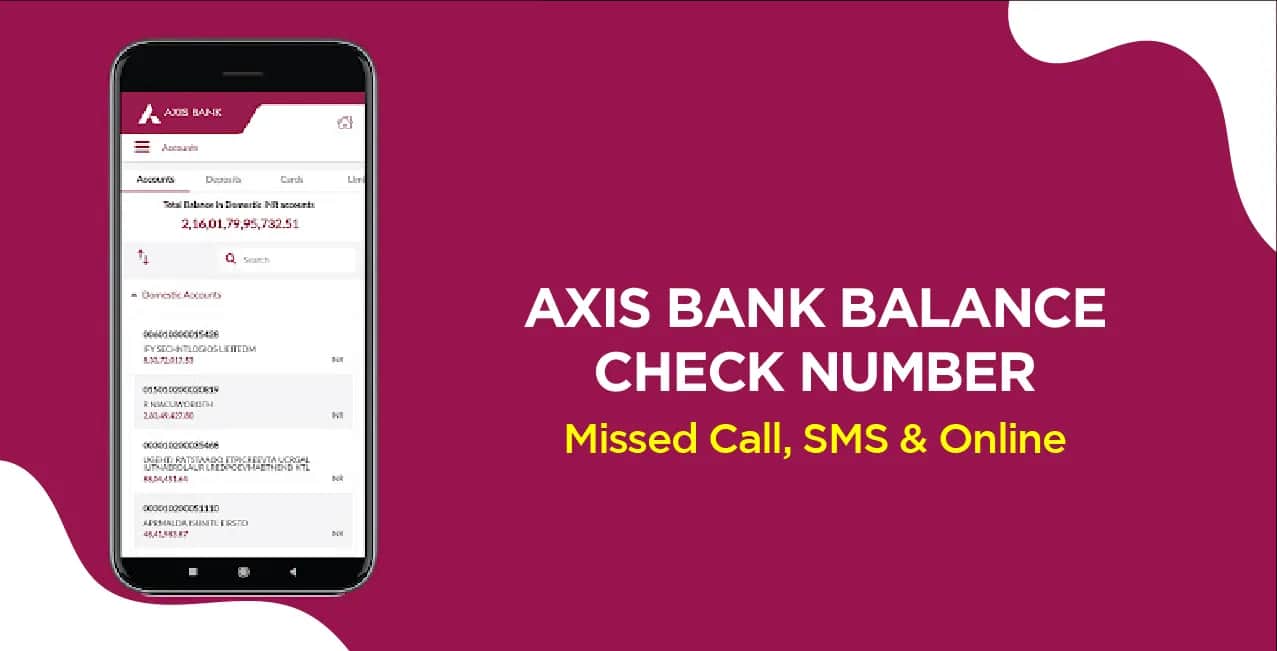
Aman knew many easy ways to check his Axis Bank balance:
Aman was happy because checking his balance was so easy. He didn’t waste time standing in lines. He could check anytime, anywhere. The missed call and SMS service was free. The mobile app was safe and fast.
Now, Aman could enjoy his son’s birthday without worrying about money. He knew exactly how much was left in his account. Axis Bank made his life simple!
Aman wanted to check his Axis Bank balance quickly after spending on his son’s birthday. He used the missed call service, the easiest way!
Instant: No waiting, balance in seconds.
Free: No charges for missed call service.
Free: No charges for missed call service.
Easy: No login or password required.
Aman loved this method, fast, free, and hassle-free! Now he checks his balance time without worry.
Aman needed to check his bank balance after his son’s birthday celebration. He used SMS banking, super quick and easy!
No App Needed: Works on any basic phone.
Quick: Balance comes in seconds.
No Charges: Free service from Axis Bank.
Safe: Only works with a registered number.
Aman wanted to check his account balance after his son’s birthday expenses. He used Axis Bank’s toll-free number, it is super easy!
Free Service: No call charges, 24/7 support
No Internet Needed: Works on any phone
Instant & Safe: No sharing of details, balance in seconds
SMS Backup: Even if the call drops, SMS arrives
Aman loves this method app, no ATM visit, just a free call for balance! Perfect for quick checks anytime.
Aman wanted to check his account balance after his son's birthday shopping. He used Axis Mobile Banking in the smartest way to check his balance anytime!
Fastest Method - Balance shows in 2 seconds
All-in-One - Check balance, transfer money, pay bills in the same app
Safe & Secure - No one else can see details without MPIN
Transaction History - Can see where money was spent (like mall, movie, dinner)
Works Anytime - Check balance at 3 AM also if needed!
Aman loves this because he can check his balance while eating dinner or travelling on the metro. No need to remember numbers or visit the ATM. Just open the app and see!
Aman needed to check his account balance after his son's birthday celebrations. He used Axis Bank Net Banking – a quick and secure way to check his money anytime!
Detailed View: Can see balance, statements, and more
Safe & Private: Only he can access with his password
No App Needed: Works on any computer or phone browser
24x7 Access: Check balance even at midnight
Aman finds net banking useful because he can download statements and track all expenses easily. No need to visit the bank or ATM!
Aman wanted to check his account balance after his son's birthday party. He used Axis Bank WhatsApp Banking, the easiest method he knows!
Checked SMS
Also received an SMS confirmation
*T&C Apply
No New App: Uses WhatsApp, he already has
Works in 2 Clicks: Just type "Balance" and get info
Always Available: Works 24 hours, even on Sundays
Super Safe: Needs registered mobile number only
More Than Balance: Can block the card, get a statement
Aman loves this because he can check his balance while chatting with friends. No need to remember numbers or passwords, just simple WhatsApp messages!
After his son's birthday celebrations, Aman wanted to check his exact bank balance. He used the Axis Bank ATM, a method that never fails!
No Phone Needed: Works even without a mobile
Get Printed Receipt: Physical proof of balance
100% Accurate: Shows the exact available amount
Withdraw Cash Too: Can take money if needed
Works Anytime: ATMs are open 24 hours
Aman likes this method because he gets a paper record of his balance. Sometimes he keeps the receipt to track his spending. The ATM never lies; it always knows exactly how much money it has!
After his son's birthday expenses, Aman wanted to confirm his balance in person. He visited his nearest Axis Bank branch, the most reliable way he knows!
Face-to-Face Service: Can ask questions directly
Passbook Update: Complete record of all transactions
No Tech Needed: Good for those who don't use phones
Other Services Too: Can deposit/withdraw cash same time
Aman prefers this when he needs a detailed transaction history or has other bank work. Though it takes more time, he gets everything done at once and leaves with an updated passbook in hand!
Aman uses a third-party app like PhonePe or Google Pay to check his Axis Bank balance. It’s quick and easy.
Example:
Balance Check:
Table:
Benefits for Aman:
Aman avoids overspending by checking his balance anytime. Simple and useful!
Checking your Axis Bank balance is easy and can be done in many ways. Aman found the best method that worked for him after his son’s birthday expenses. If you like quick options, use missed calls, SMS, or WhatsApp, just a click or message gives your balance instantly.
For tech-savvy users, mobile banking and net banking show a balance with extra details like transactions. If you want a printed slip, visit an ATM, which also lets you withdraw cash. For those who prefer personal help, visiting the Axis Bank branch updates your passbook while answering any questions.
Each method is safe, free, and works 24/7. Choose what suits you best, whether at home, in a mall, or on the go. Aman now checks his balance without worry, and you can too! No need to remember all ways, just pick one and keep track of your money easily. Banking is now simple for everyone!