By continuing, you agree to LoansJagat's Credit Report Terms of Use, Terms and Conditions, Privacy Policy, and authorize contact via Call, SMS, Email, or WhatsApp
The information published on LoansJagat is intended for general informational and educational purposes only and should not be considered financial, legal, or investment advice. Interest rates, loan terms, statistics, and other data may change over time and may vary by lender or source. Please verify the latest information and consult a qualified financial advisor or the respective Bank/NBFC before making any financial decisions.
Subscribe Now
About the author
Diwaker Sharma is a finance content specialist with expertise in banking, personal finance, credit cards, loans, fintech, and financial news. An MBA in Finance with prior experience in the banking sector, he combines industry knowledge with SEO and content strategy to produce insightful, research-backed articles. Passionate about making finance accessible, he transforms complex financial concepts into clear, engaging content that empowers readers to make smarter financial decisions with confidence.
Related Blog Post
Simplify All Your Loans Into One Affordable EMI

Customers Served

Debt Consolidated

1200+ Reviews

Locations in India
Club all Loans & Credit Card Bills into Single EMI

Quick Apply Loan
Consolidate your debts into one easy EMI.

Takes less than 2 minutes. No paperwork.

10 Lakhs+
Trusted Customers

2000 Cr+
Loans Disbursed

4.7/5
Google Reviews

50+
Banks & NBFCs Offers
Other services mentioned in this article
If you want to know how to Download Masked Aadhaar Log into myaadhaar.uidai.gov.in and type in your Aadhaar number. Once you tick the masked Aadhaar box and verify the OTP, downloading starts right there, no extra clicks. You'll get a file with just the last 4 digits showing, the other 8 stay covered.
Key Takeaways
Landlords ask for ID proof. Hotels want it too. Coworking spaces, telecom stores, plenty of places ask without really needing your full 12-digit number, and giving it out anyway just creates unnecessary risk.
That is the gap UIDAI, under the Ministry of Electronics and Information Technology, set out to close with masked Aadhaar. You can have a masked copy downloaded in a few minutes from the myAadhaar portal with your Aadhaar number and linked mobile. Let’s discuss the download steps, the file password, and the places it actually gets accepted.
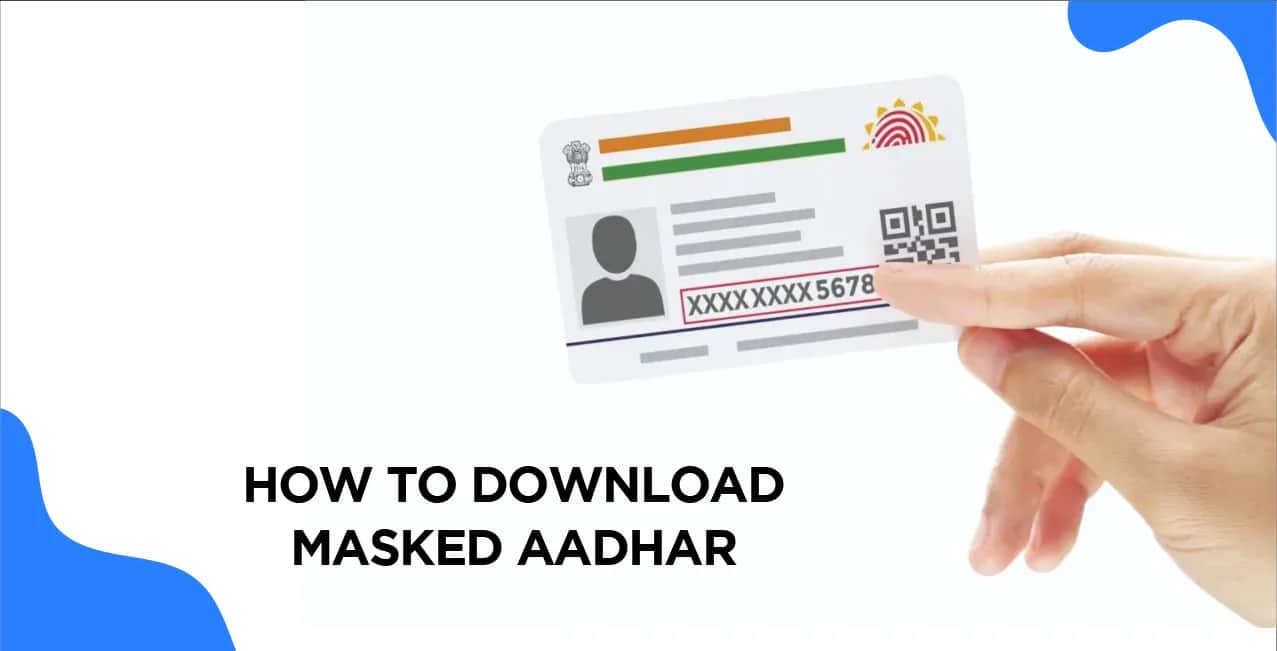
A masked aadhar is your regular e-Aadhaar with the first 8 digits blanked out. UIDAI states it's digitally signed and holds the same legal validity as the unmasked version, wherever a full number isn't specifically demanded.
Nothing else on the document changes. Photo, name, address, date of birth, QR code prints exactly like it would on your full Aadhaar. Only the number gets partly covered, which is why most banks, telecom outlets and property owners accept it.
Here is how to Download Masked Aadhaar online:
You can do the same from the mAadhaar app on your phone.
Capitalise and type the first 4 letters of your name and your birth year right after. UIDAI spells out this format on its FAQ page. Here are some examples of what your PDF password looks like in practice:
For names with fewer than four letters, use the available letters followed by the year of birth, as shown in UIDAI’s example: RIA1990. Opening the file and checking its digital signature also needs Adobe Reader installed on your device.
If you've got an Aadhaar number and a registered mobile, you can pull your own copy, free, whenever you need it. The rule applies to all adults, minors enrolled by a guardian, or NRIs with an Aadhaar.
If your mobile number is not linked with your Aadhar, then OTP verification simply won't work for you online. You'll need to visit an Aadhaar Enrolment Centre, where biometrics replace the OTP step and a ₹30 charge applies for the printed copy.
Anywhere identity matters more than the number itself. That covers most day-to-day KYC situations:
Masked Aadhaar may be accepted for certain identity-verification purposes, but lenders may require additional KYC documents or verification depending on their requirements. So, you should keep both the versions with yourself.
Find below the basic differences:
 Apply Now
*T&C Apply
A masked aadharcopy is a few clicks away on UIDAI's own portal,where your full aadhar number stays hidden from anyone who has no real need for it. Treat it as your default ID for landlords, hotels and routine KYC.
There's no charge and no limit, whether you're on the myAadhaar portal or using the app.
UIDAI confirms it's digitally signed and valid wherever the full Aadhaar number isn't specifically required.
Not online. OTP verification needs a linked mobile number. Without one, a visit to an Aadhaar Enrolment Centre becomes necessary.
Take the first 4 letters of your name in capitals and add your birth year after it. Suresh Kumar born in 1990 would type SURE1990.
The first 8 digits are replaced with "xxxx-xxxx." Only the last 4 stay visible.
Some lenders insist on full Aadhaar e-KYC for final sanction, even though masked Aadhaar works fine at the initial stage.
Yes. Photo, name, address, date of birth and QR code all stay fully visible. Only the number gets partly hidden.
Yes, the app can generate and store your Aadhar masked copy straight from your phone.
An Aadhaar Seva Kendra is the place to go, and carry your Aadhaar number with you. They'll handle the biometric download and printout there.
Yes, ₹30 covers the download and coloured print service there.