By continuing, you agree to LoansJagat's Credit Report Terms of Use, Terms and Conditions, Privacy Policy, and authorize contact via Call, SMS, Email, or WhatsApp
Disclaimer: The information published on LoansJagat is intended for general informational and educational purposes only and should not be considered financial, legal, or investment advice. Interest rates, loan terms, statistics, and other data may change over time and may vary by lender or source. Please verify the latest information and consult a qualified financial advisor or the respective Bank/NBFC before making any financial decisions.
Apply for Loans Fast and Hassle-Free
Subscribe Now
About the author

LoansJagat Team
‘Simplify Finance for Everyone.’ This is the common goal of our team, as we try to explain any topic with relatable examples. From personal to business finance, managing EMIs to becoming debt-free, we do extensive research on each and every parameter, so you don’t have to. Scroll up and have a look at what 15+ years of experience in the BFSI sector looks like.
Related Blog Post
Simplify All Your Loans Into One Affordable EMI

Customers Served

Debt Consolidated

1200+ Reviews

Locations in India
Club all Loans & Credit Card Bills into Single EMI

Quick Apply Loan
Consolidate your debts into one easy EMI.

Takes less than 2 minutes. No paperwork.

10 Lakhs+
Trusted Customers

2000 Cr+
Loans Disbursed

4.7/5
Google Reviews

50+
Banks & NBFCs Offers
Other services mentioned in this article
Key Insights
“Do you think setting your HDFC credit card PIN is complicated? Wait till you see how simple it actually is.”
You can secure your HDFC credit card to generate a PIN. Just create it instantly via Net Banking or the HDFC Mobile App to keep your credit card secure at all times.
The HDFC credit card PIN generation is no longer hard for you because of this blog. You can easily generate a credit card PIN online and through HDFC NetBanking.
Example
When I needed cash recently, I used the HDFC Mobile App to create a new PIN. After logging in and choosing my card, I set a 4-digit code for my credit card PIN generation online. The PIN worked right away, and I was able to withdraw money safely at an HDFC ATM.
Methods to Generate or Reset the HDFC Credit Card PIN
“Do you want full control over your HDFC credit card? Learn 5 secure ways to create or reset your PIN anytime, anywhere.”
There are specific methods you can use to generate HDFC Credit Card PINs. All methods are secure and reliable for HDFC Bank customers.
Here is the list of the methods to generate or reset the HDFC Credit Card PIN.
These methods are secure and fast. You can use it to reset a credit card PIN or generate a PIN.
“Baithe baithe kya kare karna hai kuch kaam? Simply create your HDFC credit card PIN from the comfort of your home, no branch visit, no paperwork.”
Online credit card PIN generation methods are easy to use from anywhere, saving your time. Now you can learn step-by-step guidelines for the HDFC Credit Card PIN generation Online Method.
HDFC Netbanking allows you to generate or reset your HDFC credit card PIN.
Step 1: Log in to NetBanking using your User ID and password.
Step 2: After logging in, click the “Cards” tab at the top of the page.
Step 3: On the left side, under the Request section, select “Instant PIN Generation.”
Step 4: Choose your credit card number from the dropdown menu and enter a 4-digit PIN of your choice.
Step 5: Re-enter your PIN and click "Continue."
Follow these simple steps to generate a PIN using HDFC Bank's internet banking.
You can use the HDFC mobile app to reset or generate a credit card PIN.
Here is the step-by-step guide to generating a credit card PIN through the Mobile App.
Step 1: Log in to https://mycards.hdfcbank.com/
Step 2: Register your credit card using the last four digits.
Step 3: Select ‘Set PIN.’
Step 4: Enter a four-digit PIN of your choice.
Step 5: Re-enter your chosen four-digit PIN, enter the card expiration date, and click “Confirm.”
Here’s how you can generate a PIN in the HDFC mobile app.
If you don’t use internet banking or don’t want to use the mobile app, then you can use IVR to generate your credit card PIN.
Here is the step-by-step guide to generating a credit card PIN through IVR.
Step 1: Enter the last four digits of your credit card at the IVR toll number 1860 266 0333, then press the hash (#) key.
Step 2: Press 1 to generate your credit card PIN.
Step 3: When prompted, press 1 to receive a one-time password (OTP) via SMS on your mobile.
Step 4: Enter the six-digit OTP.
Step 5: After entering the OTP, the IVR will confirm validation and prompt you to set your 4-digit PIN. Then press the hash (#) key.
These are the straightforward steps to generate a PIN for the HDFC Credit Card via IVR Banking.
Bonus Tip: To keep your card active, please give a missed call to 9966027100 to confirm your consent.
These are among the fastest online methods for the HDFC Credit Card.
HDFC Credit Card Pin Generation Offline Method
SMS
*T&C Apply
There are some offline methods to help you with HDFC Credit Card PIN Generation.
The offline method is more secure and trustworthy, but it takes little effort.
This is a step-by-step guide to help you generate a credit card PIN at a branch.
If you don’t know how to generate your HDFC credit card PIN, these steps to visit the branch will help you use the PIN generator. Please read them carefully.
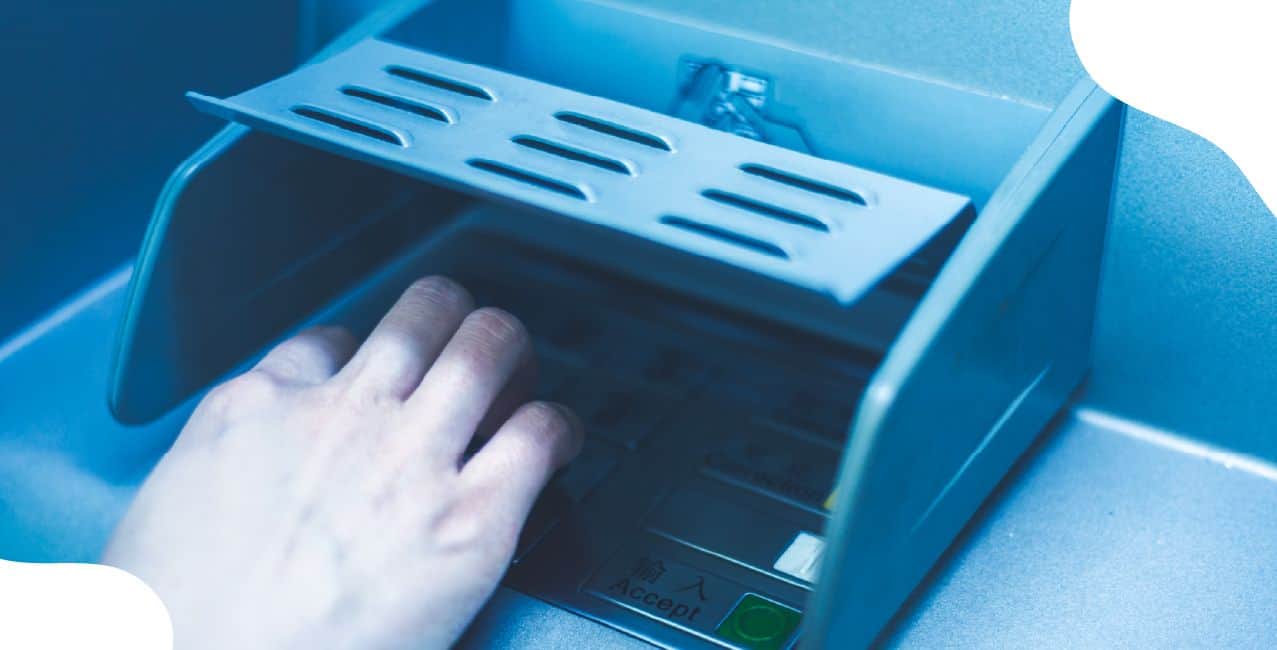
Here is a step-by-step guide to generating a credit card PIN at HDFC ATMs.
Step 1: Call the IVR 1860 266 0333 to receive an OTP on your registered mobile number to generate a PIN at the ATM.
Step 2: Insert your credit card at the HDFC Bank ATM. On the language selection screen, make your choice.
Step 3: Select the 'Create new ATM PIN using OTP' option.
Step 4: Enter the OTP received on your mobile.
Step 5: Enter your registered mobile number.
Step 6: Set your 4-digit PIN.
Follow these simple steps to generate a PIN for your HDFC Credit Card at an ATM.
Things to Keep in Mind While Setting PIN
“Have you ever used your birthday or ‘1234’ as your card PIN? Time to stop, here’s what you really need to remember.”
There are certain things you need to keep in mind when setting a credit card PIN at the HDFC Bank.
Here is the list of things.
These are the things you need to keep in mind if you have an HDFC Bank credit card.
“Your credit card is only as powerful as your PIN, now that you know the process, it’s time to activate it securely.”
Generating your HDFC Credit Card PIN via HDFC Net Banking is quick and straightforward. Similarly, creating a PIN over the phone is simple: just log in to your HDFC Credit Card account to generate your PIN online.
I recently received a new HDFC credit card as my previous card expired. Would I receive a new PIN?
No, you can keep using your previous PIN with your new or renewed credit card.
I didn't receive the OTP for generating the PIN for my HDFC credit card. What should I do?
If you did not receive the OTP, check your mobile number. If it is correct and you still haven't received OTP, then contact HDFC customer care at 9966027100.
Is there any charge for generating an HDFC credit card PIN?
No, there are no charges for generating an HDFC Credit Card PIN.
Can I generate my PIN from a non-HDFC ATM?
No, you cannot generate a PIN at a non-HDFC ATM.