By continuing, you agree to LoansJagat's Credit Report Terms of Use, Terms and Conditions, Privacy Policy, and authorize contact via Call, SMS, Email, or WhatsApp
Disclaimer: The information published on LoansJagat is intended for general informational and educational purposes only and should not be considered financial, legal, or investment advice. Interest rates, loan terms, statistics, and other data may change over time and may vary by lender or source. Please verify the latest information and consult a qualified financial advisor or the respective Bank/NBFC before making any financial decisions.
Apply for Loans Fast and Hassle-Free
Subscribe Now
About the author

LoansJagat Team
‘Simplify Finance for Everyone.’ This is the common goal of our team, as we try to explain any topic with relatable examples. From personal to business finance, managing EMIs to becoming debt-free, we do extensive research on each and every parameter, so you don’t have to. Scroll up and have a look at what 15+ years of experience in the BFSI sector looks like.
Related Blog Post
Simplify All Your Loans Into One Affordable EMI

Customers Served

Debt Consolidated

1200+ Reviews

Locations in India
Club all Loans & Credit Card Bills into Single EMI

Quick Apply Loan
Consolidate your debts into one easy EMI.

Takes less than 2 minutes. No paperwork.

10 Lakhs+
Trusted Customers

2000 Cr+
Loans Disbursed

4.7/5
Google Reviews

50+
Banks & NBFCs Offers
Other services mentioned in this article
Key Takeaways
Ever been stuck at a toll booth because your FASTag suddenly stopped working? Or has your bank ever notified you that your KYC is still pending?
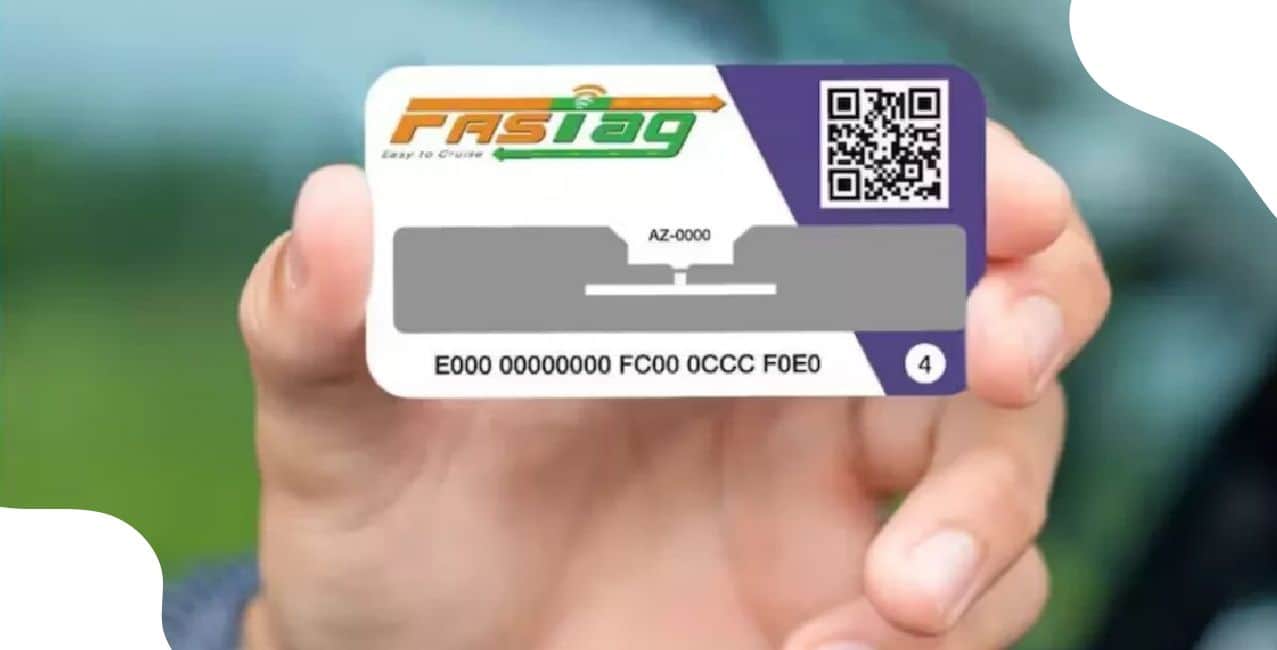
A FASTag KYC update ensures your tag stays active and your toll payments remain smooth. It helps verify your identity and prevent transaction issues.
For example, I was driving on the Mumbai–Pune Expressway when my FASTag stopped working. I checked my account and realised my KYC was incomplete. I updated it online, uploaded my documents, and my FASTag started working again within a day.
This blog explains how to complete your FASTag KYC update through different channels, the documents required, and the simple steps to follow for a quick and successful verification.
You can update your FASTag KYC through two main channels. Each option gives you a convenient way to submit your details, depending on what suits you best.
Both online and offline channels make FASTag KYC updates quick and accessible. Choose the method that fits your comfort and complete the process to keep your FASTag running smoothly on every journey.
Read More - SBI KYC Update
Required Documents for Fastag KYC Update
You must submit valid documents to complete your FASTag KYC update. Make sure the information matches the details in your FASTag account to avoid any delay.
Clear and correct documents help your FASTag KYC get approved faster and keep your tag active on every trip.
Also Read - Bank of Baroda KYC Update
Step-by-Step Process for Fastag KYC Update
Follow these simple steps to complete your FASTag KYC update quickly. You can do the
*T&C Apply
This quick online process ensures your FASTag stays active for smooth and hassle-free travel.
Bonus Tip:
If your vehicle regularly runs on highways with a FASTag, here’s good news. NHAI has now simplified the entire KYC process and introduced the new KYV (Know Your Vehicle) system. This update gives you more time, easier options, and a faster, more transparent verification experience.
FASTag KYC update is essential to keep your tag active and avoid payment issues at toll plazas. If you are an HDFC Bank customer, you can easily complete your FASTag KYC update HDFC online through the bank’s FASTag portal. The process is simple, secure, and takes only a few minutes.
By finishing your FASTag KYC update HDFC on time, you ensure uninterrupted toll payments and hassle-free travel across national highways. Keep your details up to date. It also helps maintain a smooth link between your bank account and FASTag balance.
Why does NHAI require KYC for FASTag validation?
NHAI requires FASTag KYC updates to ensure each FASTag is linked to the correct vehicle and owner. This helps prevent misuse, such as using one FASTag for multiple vehicles, and eliminates fake or duplicate entries.
What is the NHAI FASTag rule?
The FASTag rule by NHAI makes electronic toll collection mandatory for most vehicles on national highways. FASTag uses RFID technology to deduct toll charges directly from the linked prepaid or savings account, allowing vehicles to pass through toll plazas without stopping. The tag, fixed on the vehicle’s windscreen, has unlimited validity and can be recharged as needed.
Can I transfer my FASTag to another vehicle?
No, you cannot transfer your FASTag to another vehicle. Each tag is registered and linked to a specific vehicle’s registration number to ensure accurate toll collection and prevent misuse. If you sell your vehicle or buy a new one, you must close the old FASTag and apply for a new one for the new vehicle.
What does KYV mean in a FASTag application?
KYV (Know Your Vehicle) means you must update your FASTag with your vehicle’s official details. Sometimes the car isn’t registered at the time of purchase, so the FASTag is issued using the chassis or engine number. Once your RC is ready, you must update those details so the FASTag matches your registered vehicle correctly.
What should I do if my FASTag is 3 years old and the new rules start tomorrow?
If your FASTag is 3 years or older, you should contact the bank that issued your FASTag. They will tell you whether you need to update your KYC, replace the tag, or follow any new rules so your FASTag continues to work smoothly.
Other Related Pages | |||












