By continuing, you agree to LoansJagat's Credit Report Terms of Use, Terms and Conditions, Privacy Policy, and authorize contact via Call, SMS, Email, or WhatsApp
Disclaimer: The information published on LoansJagat is intended for general informational and educational purposes only and should not be considered financial, legal, or investment advice. Interest rates, loan terms, statistics, and other data may change over time and may vary by lender or source. Please verify the latest information and consult a qualified financial advisor or the respective Bank/NBFC before making any financial decisions.
Apply for Loans Fast and Hassle-Free
Subscribe Now
About the author

LoansJagat Team
‘Simplify Finance for Everyone.’ This is the common goal of our team, as we try to explain any topic with relatable examples. From personal to business finance, managing EMIs to becoming debt-free, we do extensive research on each and every parameter, so you don’t have to. Scroll up and have a look at what 15+ years of experience in the BFSI sector looks like.
Related Blog Post
Simplify All Your Loans Into One Affordable EMI

Customers Served

Debt Consolidated

1200+ Reviews

Locations in India
Club all Loans & Credit Card Bills into Single EMI

Quick Apply Loan
Consolidate your debts into one easy EMI.

Takes less than 2 minutes. No paperwork.

10 Lakhs+
Trusted Customers

2000 Cr+
Loans Disbursed

4.7/5
Google Reviews

50+
Banks & NBFCs Offers
Other services mentioned in this article
Key Takeaways
“A basic banking rule is to always know your account number. Let’s learn how to find it easily.”
Kotak Mahindra bank account number is a special combination of digits that uniquely identifies your account in Kotak's system and enables money transfers. No two accounts have the same number, just as each individual has a distinct fingerprint. You can't do fund transfers, set up UPI, or get paid without it.
I found a 12-digit Kotak Mahindra bank account number by logging into the Kotak mobile app upon opening my Kotak Mahindra savings account. My salary credits, IMPS transfers, and UPI linking are now all smoothly supported by that number.
Bonus Tip: Do you know? Bollywood superstar Ranveer Singh is the primary brand ambassador for Kotak Mahindra Bank.
Bhai Kotak app open kiya par number nahi dikh raha? Dude, you are looking in the wrong place. This section explains exactly where the Kotak Mahindra bank account number appears in the app, web, and chequebook.
This is an easy-to-follow table that lists all the methods I use to quickly find my Kotak account number:
Read More – Federal Bank Account Number
These four methods cover all the main ways to reliably retrieve your account number without having to ask repeatedly.
Your Kotak Mahindra bank account number drives numerous important banking services. I use mine in the following way:
All of my regular and daily banking activities revolve around the Kotak Mahindra Bank account number.
I follow these security measures because my Kotak Mahindra Bank account number is sensitive:
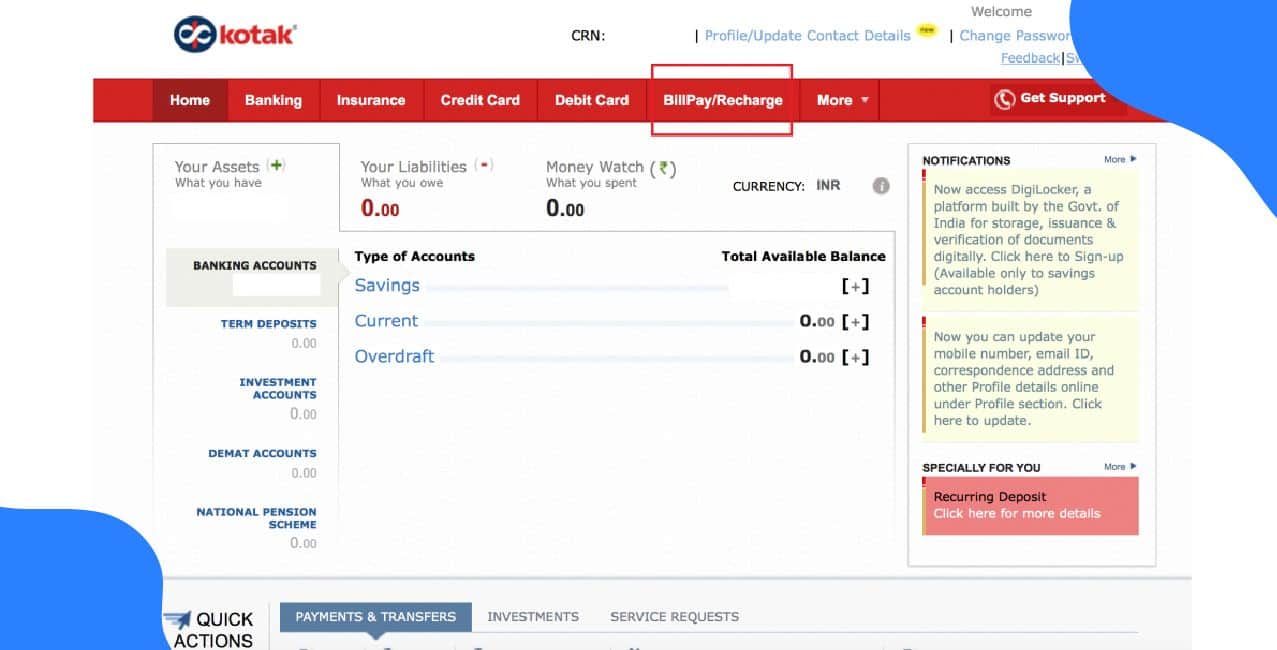
1. Log in to Kotak net banking
2. Navigate to “Account Overview/Profile”.
3. Your account number is displayed there.
*T&C Apply
The above-mentioned security tips can also help you keep your account number safe.
The following table explains the structure of Kotak account numbers based on the bank's guidelines:
Also Read – City Union Bank Account Number
Your 12-digit Kotak account number is a simple but efficient way to connect your account to Kotak's systems.
Your banking transactions are based on your Kotak Mahindra Bank account number. It's important and needs to be handled carefully, whether you check it through the app, net banking, checks, or statements. Use Kotak's reliable channels, keep it confidential, and ask for help if you're ever unsure.
Is my Kotak CRN the same as my account number?
No. CRN is your Customer Relationship Number. Your bank account number is different and used for transactions.
You can open a digital savings account through apps that offer instant eKYC; many provide an account number within minutes.
They cannot withdraw money, but they may attempt phishing or unauthorised debit requests, so keeping an eye on alerts is important.
How do I change my registered mobile number in Kotak Mahindra Bank online?
You can update your mobile number through Kotak Net Banking or the Kotak Mobile App. Go to the “Profile” or “Service Requests” section, choose “Update Mobile Number,” and follow the verification steps.
How can I check my account number in Kotak Mahindra Bank?
View it on the Mobile App, Net Banking dashboard, account statement, or by visiting a branch with ID. This also helps with Kotak Mahindra bank account number check, how to find Kotak Mahindra bank account number, or how to know Kotak account number by sms queries.












