Check AI Loan Optimisation Plans to Reduce Your EMI

Disclaimer: The information published on LoansJagat is intended for general informational and educational purposes only and should not be considered financial, legal, or investment advice. Interest rates, loan terms, statistics, and other data may change over time and may vary by lender or source. Please verify the latest information and consult a qualified financial advisor or the respective Bank/NBFC before making any financial decisions.
Subscribe Now
About the author

Vidhi Chauhan is a copywriter and content writer with extensive experience creating high-quality, SEO-driven content across multiple industries, with a strong focus on fintech. She has written extensively on GST, banking, personal loans, business loans, credit cards, income tax, insurance, and other financial topics, helping Indian readers understand complex concepts through clear, accurate, and engaging content.
Related Blog Post
Simplify All Your Loans Into One Affordable EMI

Customers Served

Debt Consolidated

1200+ Reviews

Locations in India
Club all Loans & Credit Card Bills into Single EMI

Quick Apply Loan
Consolidate your debts into one easy EMI.

Takes less than 2 minutes. No paperwork.

10 Lakhs+
Trusted Customers

2000 Cr+
Loans Disbursed

4.7/5
Google Reviews

50+
Banks & NBFCs Offers
Filing an Income Tax Return (ITR) lets taxpayers report their income, claim eligible deductions, and calculate their tax liability for a financial year. You can complete the process online through the Income Tax Department's e-Filing portal. However, you must select the correct ITR form, report income from all applicable sources, and verify the details before submission. Knowing how to file an ITR online can help you complete the process accurately and avoid common filing mistakes.
Key Takeaways
Not every individual earning an income is automatically required to file an Income Tax Return. The requirement depends on the applicable provisions of the Income-tax Act, 1961, including the taxpayer's total income and certain specified conditions.
You may need to file an ITR if:
Filing an ITR may also be useful when applying for a loan, visa or other financial services, as it provides an official record of your reported income. However, the requirement to file should always be assessed based on the applicable tax provisions.
Keep the necessary documents and financial information ready before starting the filing process. This helps you report your income correctly and identify discrepancies in the tax details available on the portal.
The following documents and information may be required:
Form 26AS and AIS serve different purposes. Form 26AS primarily displays TDS and TCS-related information, while AIS provides a broader view of financial transactions reported to the Income Tax Department. Compare both with your own records before filing.
Also, do not rely only on Form 16 when reporting your income. Interest from savings accounts, fixed deposits, capital gains and other taxable income may need to be reported separately.
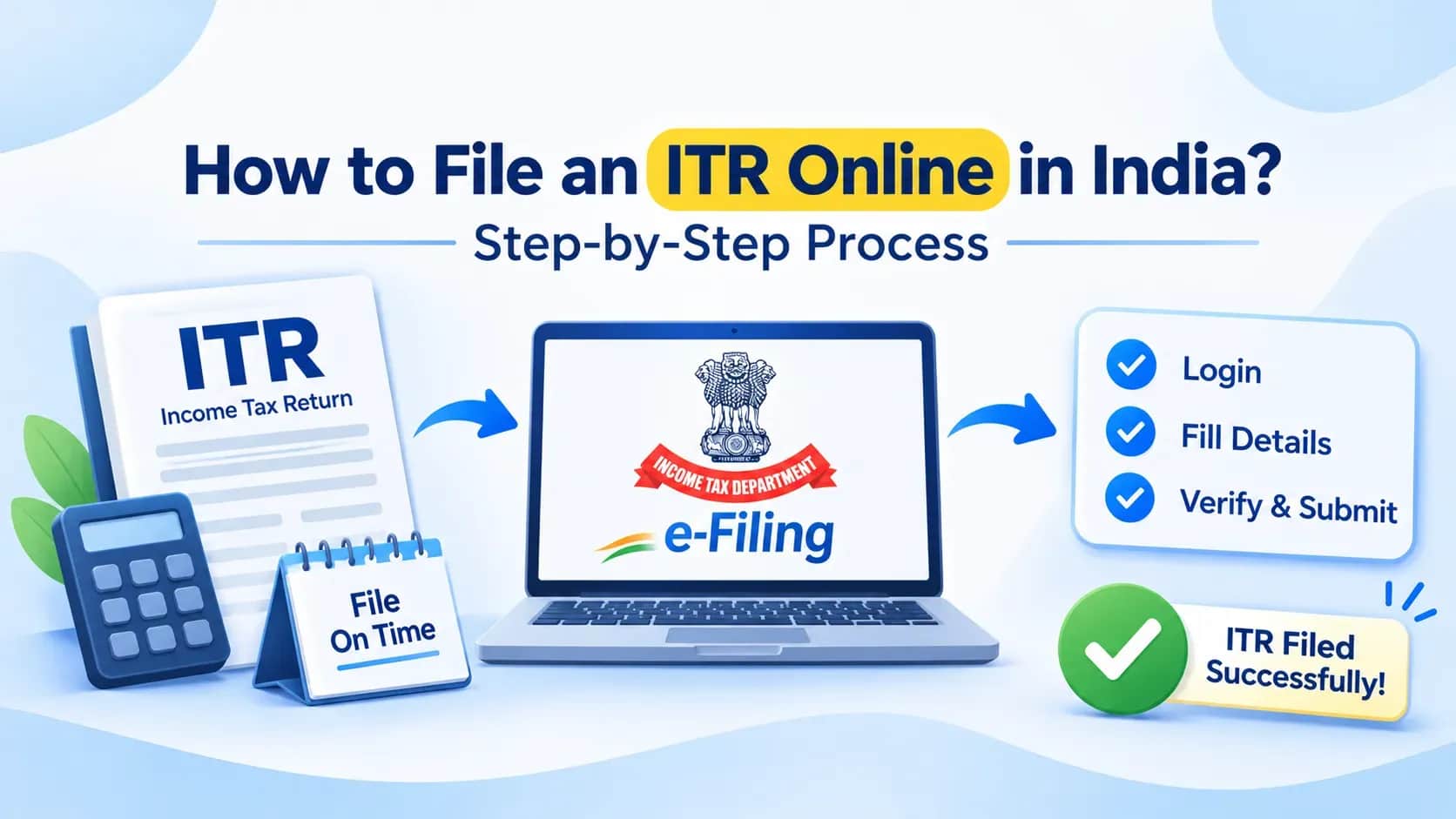
You can file your Income Tax Return through the Income Tax Department's e-Filing portal. The online process involves entering your income details, checking tax information, calculating your liability and verifying the submitted return. Follow these steps to file your ITR online.
Visit the Income Tax Department's e-Filing portal. Log in using your PAN as the user ID and enter your password. Complete the required authentication to access your account. If you do not have an account, register on the portal using your PAN and the required personal details.
After logging in, navigate to e-File > Income Tax Returns > File Income Tax Return. Select the relevant assessment year for which you are filing the return.
For example, income earned between 1 April 2025 and 31 March 2026 belongs to Financial Year (FY) 2025–26. You must select Assessment Year (AY) 2026–27 to file the return for this income.
The financial year refers to the period in which you earn income, while the assessment year is the following year in which that income is assessed for tax purposes.
Select the online filing mode and choose your taxpayer status, such as Individual, Hindu Undivided Family (HUF) or Firm, as applicable.
Next, select the appropriate ITR form based on your income sources and eligibility. The commonly used forms for individuals and HUFs include:
For example, an eligible salaried individual with income from salary, one or two house properties and specified other sources may be able to file ITR-1. However, individuals with business income or certain capital gains may need another form.
Check the latest eligibility conditions before selecting a form. Choosing an incorrect ITR form can result in your return being treated as defective.
The portal may display pre-filled information such as your name, PAN, Aadhaar details, address, bank accounts, salary and tax-related information.
Review these details carefully and correct any discrepancies before proceeding. Also, check whether your bank account is correctly reported and pre-validated if you expect an income tax refund. Incorrect bank information can create problems when the refund is credited.
Enter your income details under the relevant heads. Depending on your financial activities, these may include:
Cross-check the information with AIS, Form 26AS, bank statements and other supporting records. If you find a discrepancy, investigate it and provide feedback through the appropriate portal facility, where applicable.
Choose the applicable tax regime after reviewing your income, deductions and exemptions. For eligible individuals, the new tax regime is the default regime. However, taxpayers who meet the prescribed conditions can opt for the old tax regime.
The deductions and exemptions available depend on the selected regime and the applicable provisions.
For example, eligible investments, insurance premiums and other specified payments may qualify for deductions under the old tax regime. Do not claim deductions without checking their eligibility and supporting requirements. Compare your tax liability under the available options before making a selection.
Once you enter your income, deductions and tax details, the portal calculates your tax liability based on the information provided. Review the calculation and check whether TDS, TCS and advance tax payments have been correctly accounted for.
If you have additional tax to pay, you may need to pay self-assessment tax through the e-Pay Tax facility. After completing the payment, return to the filing process and confirm that the payment details are reflected correctly.
If excess tax has been paid, you may be eligible for a refund after the return is processed, subject to verification and applicable adjustments.
Before submitting the return, review the information entered in every applicable section. Check your income details, deductions, tax payments, bank account information and final tax calculation. Correct any errors identified during the validation process. Once the details are accurate, submit your Income Tax Return through the portal.
Submitting your ITR does not complete the filing process. You must also verify your return. The Income Tax Department provides several e-verification methods, including:
You can also download the ITR-V acknowledgement and submit the signed document to the Centralised Processing Centre (CPC) through the prescribed postal process.
Important: E-verification or submission of ITR-V must be completed within 30 days of uploading the return. If you miss this timeline, the date of verification may be treated as the date of filing, and the return may attract late-filing consequences. An unverified return is treated as invalid.
Even small errors in an Income Tax Return can create discrepancies or delay its processing. Review the following points before submitting your return:
If you discover an error after submitting your return, you may be able to file a revised return within the applicable statutory timeline and conditions.
The ITR filing due date depends on the taxpayer's category, nature of income and applicable audit requirements. For AY 2026–27, which covers income earned during FY 2025–26, the relevant deadlines include:
The Income Tax Department has also issued extensions for specified taxpayer categories. Therefore, check the latest official notifications to confirm the due date applicable to your circumstances.
Missing the applicable due date may result in the following consequences:
For AY 2026–27, a belated return may generally be filed by 31 December 2026 or before completion of assessment, whichever is earlier, subject to applicable provisions.
A revised return for this assessment year may generally be filed by 31 March 2027 or before completion of assessment, whichever is earlier. Additional fees may apply to certain revised returns filed after 31 December 2026.
If the tax paid by you exceeds your final tax liability, you may be eligible for an income tax refund. The refund is processed after the Income Tax Department verifies and processes your return.
You can check the refund status online by following these steps:
The portal also displays the processing details and relevant updates related to your filed return.
If your refund has not been credited, check the following:
If the refund has failed or the issue remains unresolved, follow the instructions available on the portal or raise a grievance with the Income Tax Department.
Filing an Income Tax Return involves more than entering your income details and submitting a form. You need to select the correct ITR form, report income from all applicable sources, verify tax payments and complete e-verification within the prescribed timeline.
Keeping your documents ready and reviewing the information available on the Income Tax Department's portal can help you avoid common errors. If you have complex income sources or are unsure about your tax obligations, consider consulting a qualified tax professional before filing.
You can file your Income Tax Return yourself through the Income Tax Department's e-Filing portal. However, if you have multiple income sources, capital gains, foreign assets or complex tax matters, professional assistance may help you report the details accurately.
TDS deduction does not automatically remove your responsibility to file an ITR. You may still need to file a return based on your income and the applicable filing conditions. Filing also allows you to claim a refund if excess tax has been deducted.
You may file a belated return within the prescribed time limit, subject to applicable conditions and late-filing fees. For AY 2026–27, the general deadline for filing a belated return is 31 December 2026 or before completion of assessment, whichever is earlier.
An Income Tax Return that is not verified within the prescribed period is treated as invalid. You must complete e-verification or submit the ITR-V acknowledgement within 30 days of uploading the return.
You may voluntarily file a Nil ITR if you are not required to file a return under the applicable provisions. It can also provide an official record of your reported income for financial documentation purposes.
If you identify an error after filing, you may be able to submit a revised return within the applicable time limit. For AY 2026–27, the general revised return deadline is 31 March 2027 or before completion of assessment, whichever is earlier, subject to applicable provisions.
The time taken depends on the processing of your return and verification of the details. The Income Tax Department indicates that refunds are often credited within four to five weeks after e-verification, although the actual time may vary.
Start your journey today
Apply Now*T&C apply