By continuing, you agree to LoansJagat's Credit Report Terms of Use, Terms and Conditions, Privacy Policy, and authorize contact via Call, SMS, Email, or WhatsApp
Disclaimer: The information published on LoansJagat is intended for general informational and educational purposes only and should not be considered financial, legal, or investment advice. Interest rates, loan terms, statistics, and other data may change over time and may vary by lender or source. Please verify the latest information and consult a qualified financial advisor or the respective Bank/NBFC before making any financial decisions.
Apply for Loans Fast and Hassle-Free
Subscribe Now
About the author

LoansJagat Team
‘Simplify Finance for Everyone.’ This is the common goal of our team, as we try to explain any topic with relatable examples. From personal to business finance, managing EMIs to becoming debt-free, we do extensive research on each and every parameter, so you don’t have to. Scroll up and have a look at what 15+ years of experience in the BFSI sector looks like.
Simplify All Your Loans Into One Affordable EMI

Customers Served

Debt Consolidated

1200+ Reviews

Locations in India
Club all Loans & Credit Card Bills into Single EMI

Quick Apply Loan
Consolidate your debts into one easy EMI.

Takes less than 2 minutes. No paperwork.

10 Lakhs+
Trusted Customers

2000 Cr+
Loans Disbursed

4.7/5
Google Reviews

50+
Banks & NBFCs Offers
Other services mentioned in this article
Key Takeaways
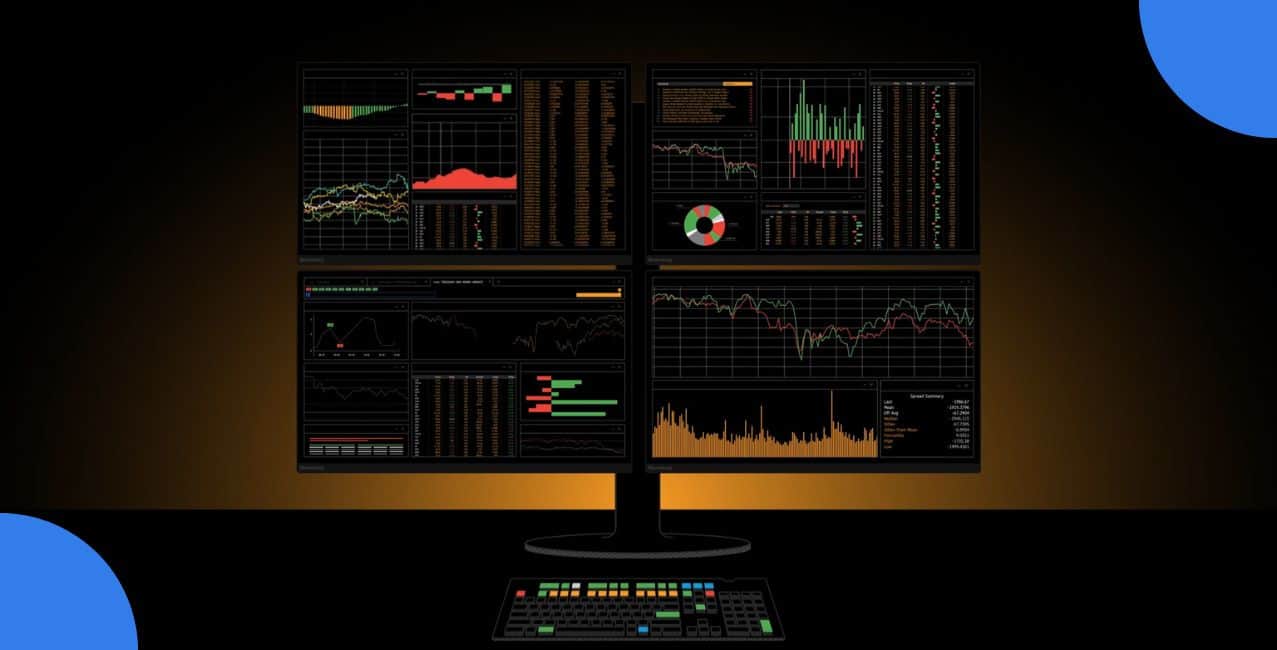
Bonus tip: The Bloomberg Terminal's famous black screen (with amber text) has barely changed since it launched in 1982. It still powers desks for around 350,000 finance pros around the world today.
Raj works as a trader in a fund company. He used to stare at his regular computer. In trading, prices jump every few seconds, news alerts keep popping up, and charts load slowly in different tabs. He switches windows again and again. One small delay, and a trade slips away. Big banks, trading rooms, and fund companies avoid this mess. They use a Bloomberg Terminal (also called Market Terminal) instead. It acts like a fast, all-in-one setup made just for money markets.
This blog covers what it does, how it runs, main tools, keyboard, good points, bad points, and how much does a Bloomberg terminal costs.
A Bloomberg Terminal is a paid tool. You need to pay a Bloomberg Terminal subscription to get quick access to market prices, company info, latest news, and research options. Traders and analysts who want fast, full details use it every single day. You log in with safe software on a regular PC, laptop, or even through the cloud these days. No need for any special machine now.
It gathers different kinds of financial info. Then it shows everything in one clear spot. You skip opening lots of separate apps.
Key parts
The terminal connects to many data sources. Those sources send updates all the time. The software puts the fresh info into windows. You move or resize those windows however you want.
This way helps people jump on market shifts quickly. They also check old events when they need to.
The terminal holds lots of tools. You use them to watch markets, study risks, and talk to others.
Tools are:
Secure chat gets used a lot. It lets pros talk straight to each other in a safe spot people trust.
Some versions have a special keyboard. It speeds things up. Keys come in colors so you spot them quickly. Some add extra bits too.
Here is the breakdown:
Headlines and full reports
*T&C Apply
These keyboards often include spots for speakers, mics, and fingerprint login. That keeps access safe.
A terminal gives real help to anyone who depends on market info.
Overall, a terminal makes market research faster, deeper, and more reliable.
It brings power, but it has real downsides.
You can also check Bloomberg Terminal alternatives: Koyfin, FactSet, and YCharts.
A Bloomberg Terminal becomes key for people who need fast and deep market facts. It packs live prices, good research, clear charts, and safe chat all together. The price and learning part deserve real thought. If quick action and full details matter in your job, this tool proves very useful. It helps you stay ahead when markets get busy.
How do I use the Bloomberg terminal efficiently?
Learn shortcuts, use the special keyboard, hit twice for support, and customise your screens fast.
What does Bloomberg Terminal offer that you don’t get anywhere else?
Its secure chat network, unmatched bond data depth, and instant dealer connections stand out most.
What are some alternatives to Bloomberg terminals?
Koyfin, Refinitiv Eikon, FactSet, Capital IQ, and Benzinga Pro work well for many needs.
Is a Bloomberg Terminal a worthwhile investment?
Yes for big firms and pros needing speed and depth; no for small users or individuals.
How much does a Bloomberg Terminal cost per year?
It costs around $28,000 to $32,000 per person each year in 2026.




