By continuing, you agree to LoansJagat's Credit Report Terms of Use, Terms and Conditions, Privacy Policy, and authorize contact via Call, SMS, Email, or WhatsApp
Disclaimer: The information published on LoansJagat is intended for general informational and educational purposes only and should not be considered financial, legal, or investment advice. Interest rates, loan terms, statistics, and other data may change over time and may vary by lender or source. Please verify the latest information and consult a qualified financial advisor or the respective Bank/NBFC before making any financial decisions.
Subscribe Now
About the author

Ananya Shrivastava is a Content Writer specialising in finance-focused news, blogs, and long-form articles on Indian markets, RBI policy, personal finance, and lending. She has authored over 450 blogs and 250 news pieces, combining technical knowledge with rigorous research to simplify complex financial concepts into clear, engaging content. With a marketing-driven lens and sharp editorial judgment, she consistently achieves top Google rankings while ensuring every claim is backed by verified data.
Related Blog Post
Simplify All Your Loans Into One Affordable EMI

Customers Served

Debt Consolidated

1200+ Reviews

Locations in India
Club all Loans & Credit Card Bills into Single EMI

Quick Apply Loan
Consolidate your debts into one easy EMI.

Takes less than 2 minutes. No paperwork.

10 Lakhs+
Trusted Customers

2000 Cr+
Loans Disbursed

4.7/5
Google Reviews

50+
Banks & NBFCs Offers
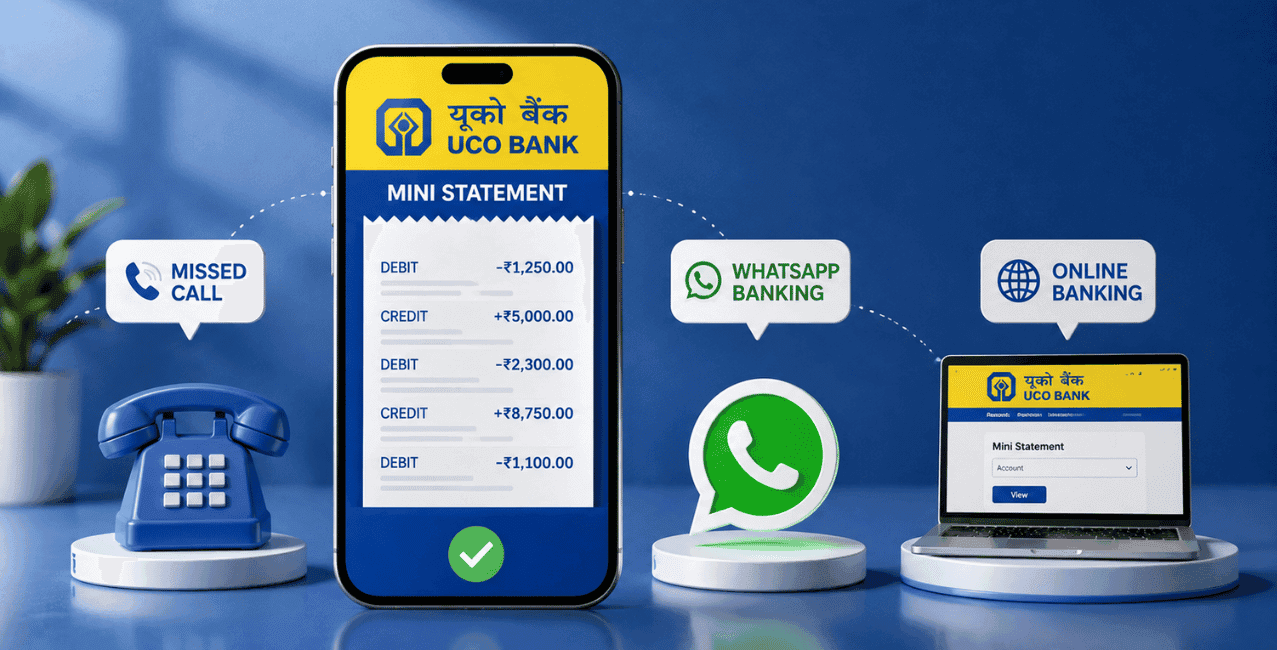
You can get your UCO Bank savings account mini statement by giving a missed call to 9213125125 from your registered mobile number, and the bank sends your recent transaction details straight back via SMS. You can verify the same via WhatsApp Banking on 8334001234, the UCO mBanking Plus mobile application, net banking, or any of the UCO Bank ATMs.
UCO Bank mentions that the correct number for getting a mini statement through missed calls is 9213125125, and you will get transaction details via SMS immediately.
A person who has an account in UCO Bank always wishes to view their transactions without having to log in through net banking or visit the bank branch. The following guide will help the customers of UCO Bank who wish to know how they can easily view their mini statement in an easy, step-by-step method. The steps have been provided through every official medium provided by the bank.
The UCO Bank Savings Account Mini Statement refers to a concise document that provides an overview of all of your recent transactions without having to get a detailed account statement.
As opposed to the complete account statements, which usually cover several months' worth of activity, the mini statement highlights only the recent transactions that have taken place in your account.
Customers at UCO Bank are able to make use of the m-passbook service provided by the bank to view details of the last five transactions in their accounts.
You get a UCO Bank mini statement through a missed call by dialling 9213125125 from your registered mobile number, and the bank sends your recent transactions back through SMS.
Here's the process based on UCO Bank:
Since this method requires no internet connection and works entirely through your registered mobile number, it remains one of the fastest ways to check your account activity when you're away from a computer or don't have data access.
Send a message to the UCO Bank WhatsApp number 8334001234 and then choose the recent transaction menu to obtain your mini statement from UCO Bank via WhatsApp:
This is done as follows:
According to UCO Bank's WhatsApp Banking page, this service covers a wide range of account information beyond just mini statements, including account balance enquiry, Fixed Deposit and Recurring Deposit details, and even applying for loans, all through the same WhatsApp number.
You get your UCO Bank mini statement through the mBanking Plus app by logging in with your credentials and navigating to the account statement or m-passbook section.
Here's the process:
According to UCO Bank's page on Mobile Banking Service, this app requires customers to accept the Terms and Conditions governing the service before use, and the bank notes that telecom charges for SMS, calls, or data usage tied to this service are the customer's responsibility, not the bank's.
You check your UCO Bank mini statement through net banking by logging into your account on the official portal and viewing your recent transaction history under your account summary.
Here's how to access this:
According to UCO Bank's own internet banking page, UCO NetBanking is available to individual customers holding at least 1 operative account, including a Savings Bank account, and offers 24x7 access to your account details from anywhere with an internet connection.
You get a mini statement at a UCO Bank ATM by inserting your debit card, entering your PIN, and selecting the mini statement option from the transaction menu.
Here's the process:
This method works well if you're already at an ATM for a withdrawal or balance check and want a printed record of your recent transactions on the spot, without needing your phone or an internet connection.
A UCO Bank mini statement gives you a quick summary of your recent account activity. It typically includes:
Each method suits a different situation, whether you need speed, no internet access, or a printed copy.
Choose a missed call to 9213125125 if you have no internet access and want a quick update. Use WhatsApp Banking on 8334001234 if you want mini statements along with other banking services in one place. Opt for net banking or the mBanking Plus app if you want a more complete view of your account, not just recent transactions.
Missed call to 9213125125 from your registered mobile number, and the bank will send you your latest transactions through SMS.
Yes, message 8334001234 on WhatsApp and select "Recent Transaction (Mini Statement)" from the available services.
It shows your latest transactions, not all transactions of your account history.
No, the missed call method and ATM based mini statements both work without an internet connection.
Yes, log in with your mPIN or OTP, then go to the Banking menu and select Account Statement or use the m-passbook feature.
Go to the net banking site of UCO Bank and login there with the help of your user ID and password.
Yes, insert your debit card, enter your PIN, select your account type, and choose the mini statement option to view or print it.
Standard telecom charges from your service provider may apply, though UCO Bank itself does not levy a separate fee for the missed call.
Account balance enquiry, Fixed Deposit and Recurring Deposit details, debit card services, loan applications, and more, all through the same WhatsApp number.
Yes, your mobile number needs to be registered with UCO Bank for the missed call, WhatsApp, and SMS based services to work correctly.












