By continuing, you agree to LoansJagat's Credit Report Terms of Use, Terms and Conditions, Privacy Policy, and authorize contact via Call, SMS, Email, or WhatsApp
Disclaimer: The information published on LoansJagat is intended for general informational and educational purposes only and should not be considered financial, legal, or investment advice. Interest rates, loan terms, statistics, and other data may change over time and may vary by lender or source. Please verify the latest information and consult a qualified financial advisor or the respective Bank/NBFC before making any financial decisions.
Subscribe Now
About the author

Diwaker Sharma is a finance content specialist with expertise in banking, personal finance, credit cards, loans, fintech, and financial news. An MBA in Finance with prior experience in the banking sector, he combines industry knowledge with SEO and content strategy to produce insightful, research-backed articles. Passionate about making finance accessible, he transforms complex financial concepts into clear, engaging content that empowers readers to make smarter financial decisions with confidence.
Related Blog Post
Simplify All Your Loans Into One Affordable EMI

Customers Served

Debt Consolidated

1200+ Reviews

Locations in India
Club all Loans & Credit Card Bills into Single EMI

Quick Apply Loan
Consolidate your debts into one easy EMI.

Takes less than 2 minutes. No paperwork.

10 Lakhs+
Trusted Customers

2000 Cr+
Loans Disbursed

4.7/5
Google Reviews

50+
Banks & NBFCs Offers
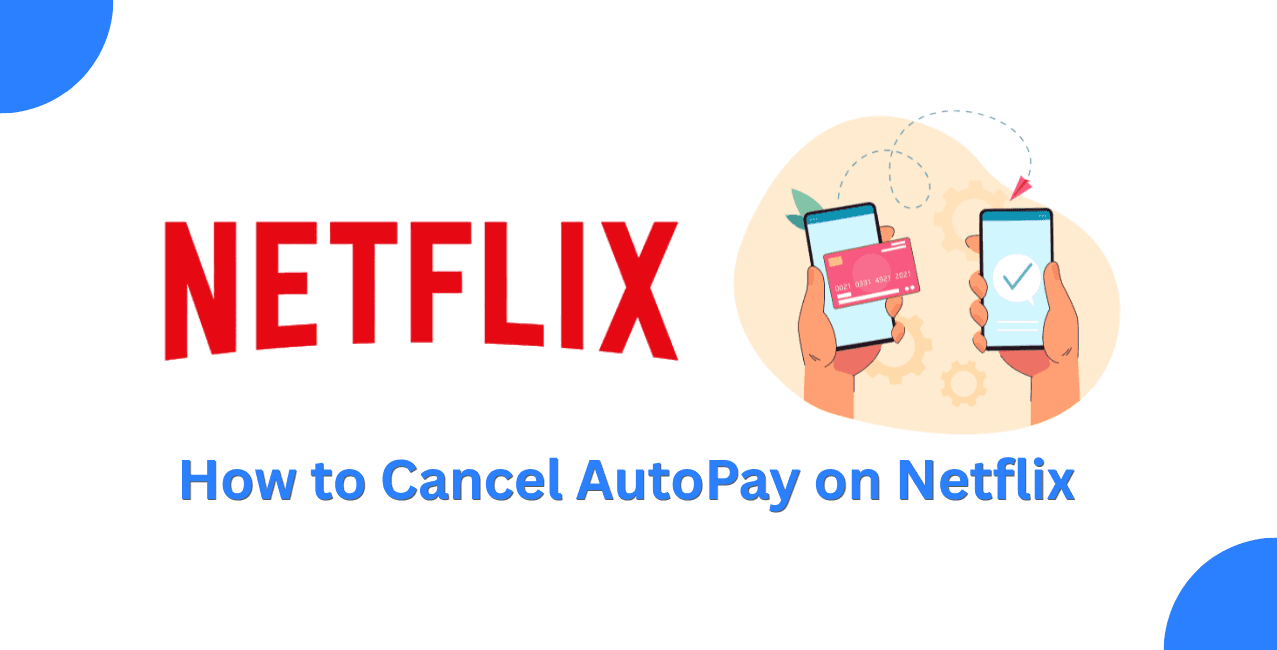
If you wish to deactivate the automatic payment for Netflix, then you need to visit netflix.com/cancelplan and choose the “Finish Cancellation” choice. The account will remain active till the end of your billing period, after which there won't be any additional billing.
Netflix memberships are generally billed according to the applicable membership and payment arrangement. Customers whose membership is billed through a package or payment partner may have different billing arrangements. Any person who is not interested in receiving such payments due to the fact that they are taking a break, are saving money every month, or just changing platforms should go ahead and unsubscribe. It goes for both Netflix billing subscribers and third-party billers like app stores and telecoms bundling Netflix subscriptions. This article will tell you how to unsubscribe from automatic payment on Netflix on browser, mobile, or any other third-party billing.
Netflix autopay is simply the automatic monthly charge on the payment method linked to your account, and it continues until you cancel your membership.
There's no separate autopay toggle inside Netflix settings. The subscription itself is the autopay. For directly billed memberships, Netflix charges the applicable payment method according to the membership billing cycle. If Netflix is included through a partner package, billing may be handled according to that provider's arrangement. The only way to stop the charge is to cancel the membership itself, which Netflix allows online in 2 clicks with no cancellation fees.
You turn off autopay on Netflix by cancelling your membership through the Manage Membership page on the website.
Follow these steps as listed on Netflix's official Help Centre:
That's the entire process. Netflix notes on its Help Centre that this is the only way to cancel your account and end your membership. Your account remains watchable until your current billing period runs out.
You can check your Account settings in the Netflix app for membership options. Depending on your device and billing arrangement, Netflix may direct you to the appropriate cancellation page or payment partner.
The available cancellation steps may vary depending on your device, app version, and billing arrangement. In case you do not see a “Cancel Membership” button, you are being charged by an external service provider as discussed below.
What If Netflix Is Charged By Apple, Google Or Telecom Bundles?
In case your Netflix account is charged by a third party, you need to cancel membership from the third party.
 Apply Now
*T&C Apply
You can confirm your billing route on the Account page, which shows who charges you each month. Cancelling only the Netflix profile while a telecom pack keeps paying for the bundle won't stop the underlying charge.
Your account stays active until the end of the billing period you've already paid for, and no fresh charge hits after that.
Example:
If Vikram's next billing date is August 5 and he cancels on July 18, he can generally continue using Netflix until the end of his current billing period. His account will not reflect any deduction on August 5. If Vikram would otherwise have continued paying ₹649 per month for another 12 months, the potential annual cost would be ₹7,788. Netflix also notes that if you're still seeing charges after cancelling, someone with your password may have restarted the account, so changing your password and signing out of all devices is worth doing.
Turning off autopay on Netflix means cancelling the membership itself, done in 2 clicks at netflix.com/cancelplan with no fee. Check whether Netflix or a third party bills you first, since app store and telecom subscriptions must be cancelled at the source. Access continues until your paid period ends, so there's no reason to wait for the billing date.
Cancelling a directly billed Netflix membership is generally a simple online process. First, check the billing source from the Account page. Since access runs until your paid period ends anyway, cancelling early costs you nothing and guarantees the next charge never lands.
Cancel your membership at netflix.com/cancelplan by selecting Finish Cancellation. This stops all future automatic charges.
Netflix imposes no cancellation fee.
Yes, you can access Netflix as you have already paid for Netflix.
If you are still seeing charges after cancelling, check whether your membership was restarted or whether you are being billed through a payment partner. If someone else may have restarted your account, change your password and sign out of all devices.
To cancel my Netflix subscription, I simply need to go to the Play Store app and then cancel my Netflix subscription through Subscriptions>Netflix.
Netflix keeps your Viewing Activity, recommendations, ratings, and certain account information for 24 months after your account closes, allowing you to access them if you restart your membership within that period.
It is possible that the Netflix cancellation process allows for putting on pause depending upon my location and mode of payment.
The cost of Netflix in India varies between ₹149 and ₹649.
As my subscription ends on the same day, Netflix doesn’t give any refunds once I cancel it.
Yes, you will be able to login and subscribe anytime to restart Netflix. The billing period begins on the day of renewal.