By continuing, you agree to LoansJagat's Credit Report Terms of Use, Terms and Conditions, Privacy Policy, and authorize contact via Call, SMS, Email, or WhatsApp
Disclaimer: The information published on LoansJagat is intended for general informational and educational purposes only and should not be considered financial, legal, or investment advice. Interest rates, loan terms, statistics, and other data may change over time and may vary by lender or source. Please verify the latest information and consult a qualified financial advisor or the respective Bank/NBFC before making any financial decisions.
Subscribe Now
About the author

Arshathul Afia
Arshathul Afia is a journalism graduate and fintech content writer with 4+ years of experience in digital publishing and research-led writing. She has written 200+ articles covering personal finance, lending, banking, digital payments, credit, insurance, and major financial developments in India. At LoansJagat, she focuses on simplifying complex fintech news, RBI updates, loan-related changes, policy developments, and industry trends for everyday readers. Her journalism background helps her approach stories with research, context, and clarity, while her SEO experience ensures content remains discoverable and relevant. She aims to make financial news easier to understand, practical, and useful for readers across India.
Related Blog Post
Simplify All Your Loans Into One Affordable EMI

Customers Served

Debt Consolidated

1200+ Reviews

Locations in India
Club all Loans & Credit Card Bills into Single EMI

Quick Apply Loan
Consolidate your debts into one easy EMI.

Takes less than 2 minutes. No paperwork.

10 Lakhs+
Trusted Customers

2000 Cr+
Loans Disbursed

4.7/5
Google Reviews

50+
Banks & NBFCs Offers
EPFO members must now activate or generate UANs through UMANG, using Aadhaar face authentication, after these services disappeared from the upgraded member portal in 2026.
The Employees’ Provident Fund Organisation has shifted activation of an existing Universal Account Number and direct allotment of a new UAN to UMANG. The change became visible after the Unified Member Portal returned from its July 2026 upgrade without the earlier activation and allotment options. The EPFO Member Portal now tells employees across India to use UMANG and Aadhaar face authentication for both services.
For workers, the immediate risk is delay. An inactive Aadhaar-linked mobile number, different personal details or a failed face scan can stop activation before a new employer completes PF onboarding. Over the longer term, EPFO expects Aadhaar-fed records to reduce duplicate UANs and incorrect entries. An activated UAN gives the member access to PF passbooks, KYC updates, transfers and eligible online claims.
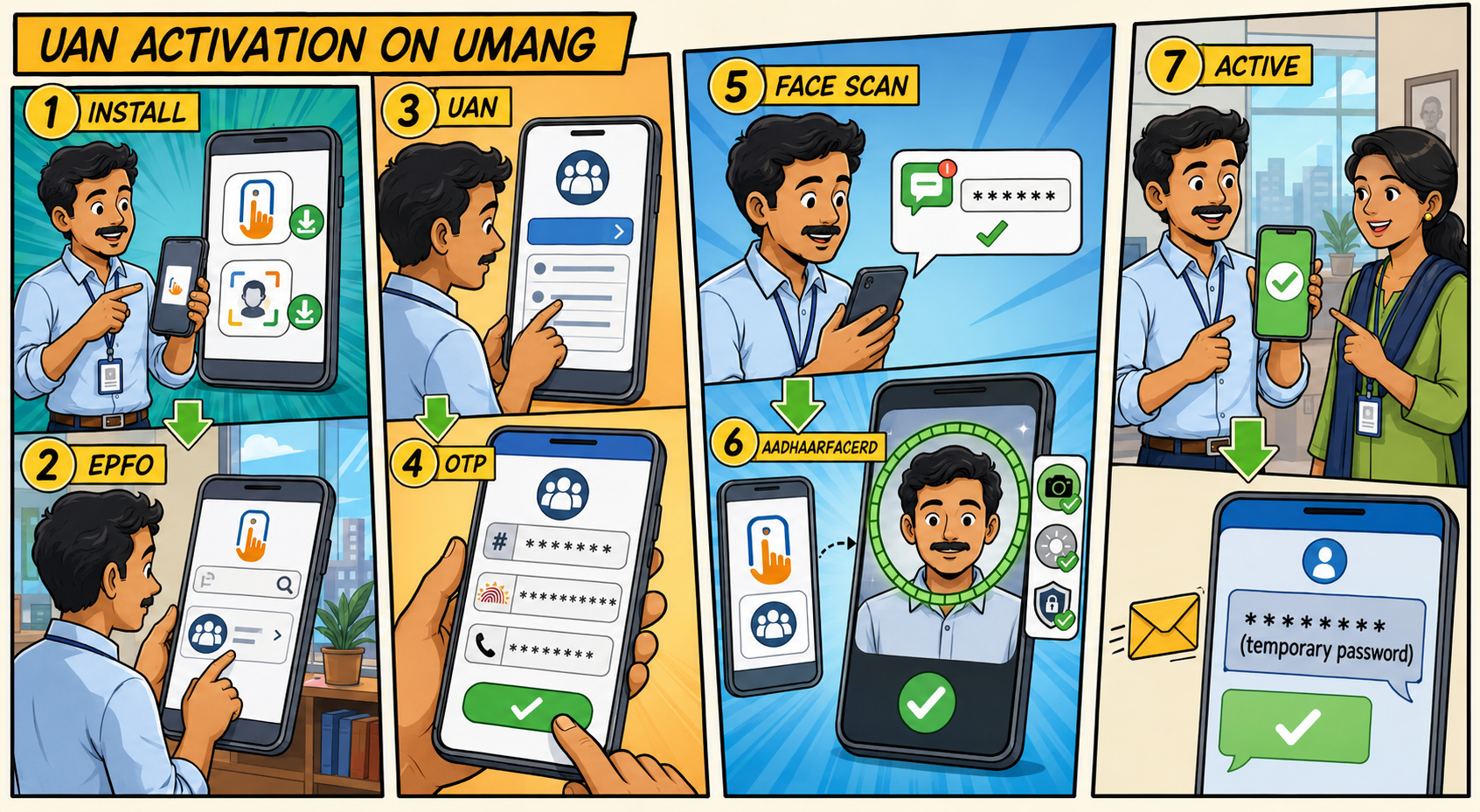
AadhaarFaceRD works behind UMANG and may not open as a regular application. The worker should install it, return to UMANG and continue from the face-authentication screen. The Aadhaar holder must complete the scan.
The mobile route can shorten the wait for employees whose Aadhaar records are current. A new worker can generate an active UAN, download the e-UAN card and give it to the payroll team. Existing members can activate an allotted UAN themselves. That helps employees in construction, retail, logistics and contract work, where job changes are common.
There is a money angle too. LoansJagat’s assessment is that delayed activation can leave a salaried worker unable to download a recent PF passbook or confirm employment-linked savings when organising financial documents. A PF statement alone does not decide a loan application, but missing records can make document preparation slower. After activation, members can follow this LoansJagat guide for checking PF balance with a UAN and confirm whether contributions appear under the correct member ID.
EPFO’s instructions require a valid Aadhaar number, access to the Aadhaar-linked mobile number, UMANG and AadhaarFaceRD. A member activating an existing account must also enter the correct 12-digit UAN. Before starting, the employee should compare the name, date of birth and mobile number in Aadhaar with the available EPFO record. A spelling difference or an old number may stop the request before the camera opens.
The fix depends on the error. A missing OTP requires a check of the Aadhaar-linked number and mobile network. An Aadhaar-UAN mismatch calls for record correction. Poor light, blocked camera permission or an outdated application can interrupt the scan. If the error continues, the employee can call EPFO at 14470 or raise a grievance through EPFiGMS.
UMANG shows 3 UAN options with similar names. The employee should first establish whether a UAN already exists and whether it is active. A forgotten UAN should be retrieved. Creating another number can split employment records and cause trouble during a later transfer or claim.
“UAN Allotment and Activation” creates and activates a number after EPFO checks whether Aadhaar is already connected to one. “Know Your UAN” retrieves an allotted number through identity and OTP verification.
A new employee must select “UAN Allotment and Activation," enter the Aadhaar number and linked mobile number, accept the consent terms and verify the OTP. EPFO then checks whether that Aadhaar already has a UAN. If the system finds one, it informs the member instead of producing another number.
When no UAN exists, UMANG starts the live face scan and fetches verified Aadhaar details. EPFO generates and activates the UAN during the same request, then sends the number by SMS. The employee can download the e-UAN card and share it with the employer for PF onboarding.
The standard app-only route has limited exceptions. EPFO Circular No. WSU/MemberProfile Pt1/E-965649/2025-26/22, dated 30 July 2025, retained employer-based generation for international workers and citizens of Nepal and Bhutan. Employees outside those categories should follow the Aadhaar face-authentication route.
The move began before the 2026 portal upgrade. EPFO Circular No. WSU/Member Profile/E-710137/2025-26/17, dated 8 April 2025, introduced direct UAN allotment and activation, activation for an existing UAN, and face authentication for an already activated UAN. It also allowed members to download an e-UAN card for employer onboarding.
EPFO issued Circular No. WSU/MemberProfilePt1/E-965649/2025-26/22 on 30 July 2025. It made Aadhaar-based face authentication through UMANG the standard route for UAN allotment from 1 August 2025. The Press Information Bureau’s Ministry of Labour and Employment Year-End Review 2025, released on 30 December 2025, recorded all 3 UMANG facilities and the immediate access they provide to digital EPFO services.
The July 2026 portal upgrade completed the visible split. UAN activation and direct allotment disappeared from the member website, while facilities such as UAN retrieval and password recovery remained available. Members following an old web guide may therefore reach a button that no longer exists.
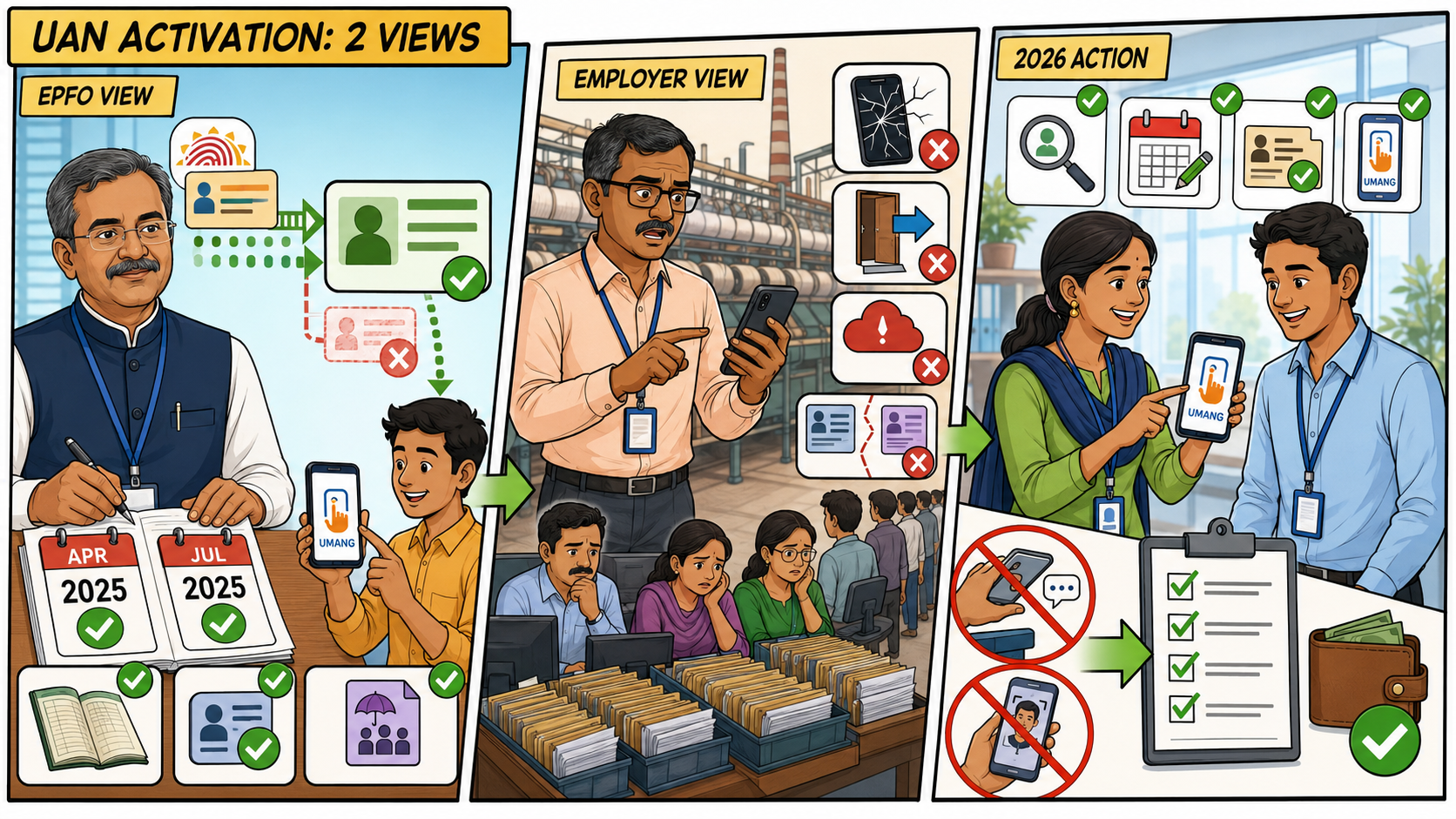
G. R. Suchindranath, Additional Central Provident Fund Commissioner in EPFO’s Web Services Unit, signed the April and July 2025 circulars. EPFO said Aadhaar-fed information would lower errors during UAN generation and allow employees to handle activation without routine intervention from EPFO staff or employers. The organisation also presented immediate access to passbook, KYC and claim services as a benefit of activation during allotment.
Employers reported a rougher experience after the mandate began. The Times of India reported on 11 August 2025 that Southern India Mills’ Association Secretary General K. Selvaraju had flagged app crashes, automatic logouts, server errors and failures while mapping an earlier UAN. SIMA asked EPFO to retain the old employer route until technical problems were addressed and employers received adequate guidance.
That response offers a lesson for payroll teams in 2026. UAN checks should begin during recruitment, not when monthly PF records are due. Employers can confirm whether a UAN exists, use official EPFO, UMANG and Press Information Bureau information, and allow time for Aadhaar corrections. They should never collect an employee’s OTP or perform the face scan.
EPFO has made UMANG the working route for UAN activation and direct allotment. The change can reduce dependence on employer desks when Aadhaar details are accurate. Yet an old mobile number, incorrect date of birth or failed scan can hold up access at the start.
Employees should check for an existing UAN, select the correct service and fix record differences early. Employers can help by explaining the process during recruitment. A few checks before payroll closes can prevent duplicate UANs and later delays during a PF transfer, passbook review or online claim.
No Aadhaar-linked phone means UMANG will not issue the UAN. First, update the mobile number in Aadhaar. If that is difficult, ask the employer or local EPFO office for help.
EPFO activates the existing UAN and sends a temporary login password to the Aadhaar-linked mobile number by SMS.
No. The worker should use “Know Your UAN” on UMANG or the member portal to retrieve the existing number.
The regular UMANG process needs access to the mobile number linked with Aadhaar for OTP verification before the live face scan.
AadhaarFaceRD usually runs through UMANG. The member should return to UMANG and start the face-authentication step from the EPFO service.








.png&w=3840&q=75)