.png&w=3840&q=65)
By continuing, you agree to LoansJagat's Credit Report Terms of Use, Terms and Conditions, Privacy Policy, and authorize contact via Call, SMS, Email, or WhatsApp
Disclaimer: The information published on LoansJagat is intended for general informational and educational purposes only and should not be considered financial, legal, or investment advice. Interest rates, loan terms, statistics, and other data may change over time and may vary by lender or source. Please verify the latest information and consult a qualified financial advisor or the respective Bank/NBFC before making any financial decisions.
Apply for Loans Fast and Hassle-Free
Subscribe Now
About the author

LoansJagat Team
‘Simplify Finance for Everyone.’ This is the common goal of our team, as we try to explain any topic with relatable examples. From personal to business finance, managing EMIs to becoming debt-free, we do extensive research on each and every parameter, so you don’t have to. Scroll up and have a look at what 15+ years of experience in the BFSI sector looks like.
Related Blog Post
Simplify All Your Loans Into One Affordable EMI

Customers Served

Debt Consolidated

1200+ Reviews

Locations in India
Club all Loans & Credit Card Bills into Single EMI

Quick Apply Loan
Consolidate your debts into one easy EMI.

Takes less than 2 minutes. No paperwork.

10 Lakhs+
Trusted Customers

2000 Cr+
Loans Disbursed

4.7/5
Google Reviews

50+
Banks & NBFCs Offers
Other services mentioned in this article
Key Takeaways
Bonus Tip: The Times of India shares a simple “Hack of the Day” that shows how employees can quickly check their PF balance using online and mobile services. It saves time and makes it easier to track savings and plan withdrawals when needed.
Want to know your PF savings in seconds? Checking your PF balance with your UAN helps you stay updated on contributions, interest, and readiness for withdrawals, all without paperwork or office visits.
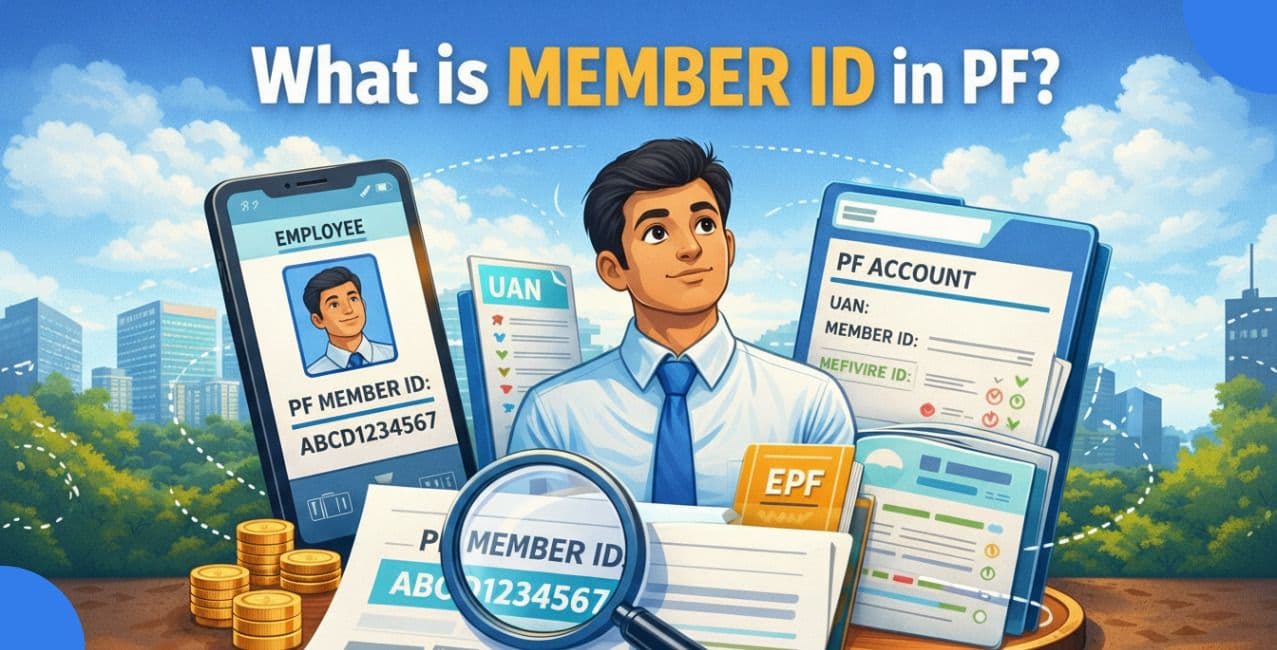
Your PF balance is like a digital piggy bank for retirement, where both you and your employer deposit money every month. The UAN works like a master key, unlocking all your PF accounts across jobs. Together, they make tracking and managing savings simple.
For Example, Rohit has switched three jobs in eight years. Each employer creates a new PF Member ID, but all are linked to one UAN. By logging in once, Rohit views his total PF balance, checks interest earned, and transfers funds seamlessly without manual follow-ups.
Your PF (Provident Fund) balance is the total savings in your EPFO account, including employee and employer contributions, plus interest. Checking it regularly helps you stay financially prepared and informed.
The table below explains the key reasons for checking your PF balance and how each one helps you manage retirement savings, compliance, and future financial needs more confidently.
Read More - How to Check PF Balance by Call
Regular checks keep your PF secure and accurate.
A Universal Account Number (UAN) is a 12-digit unique number issued by EPFO that stays with an employee for their entire career. It links all PF accounts from different employers into one place, making balance tracking, transfers, and withdrawals simple and transparent.
The table below highlights how a Universal Account Number (UAN) connects your PF accounts and simplifies balance tracking, access, and transfers across different employers.
By using a single UAN throughout your career, you can manage your PF smoothly, avoid duplication, and enjoy seamless access to all EPFO services in one place.
UAN ensures continuity, control, and hassle-free PF management.
Checking your Provident Fund (PF) balance using UAN is quick and convenient. Below are the four official methods, explained step-by-step, with a short intro and conclusion for each, so beginners can follow easily.
Method 1: EPFO Member Portal (Online)
This is the most detailed and commonly used method to check your PF balance and view your complete passbook online.
Steps:
This method is ideal if you want a full contribution history, interest breakup, and employer-wise PF details in one place.
*T&C Apply
Method 2: Missed Call Service
Also Read - How to Check My PF Balance
If you don’t have internet access, the missed call facility lets you check your PF balance instantly.
Steps:
This is the fastest offline method, perfect for quick balance checks without logging in anywhere.
Method 3: SMS Service
The SMS option allows you to receive PF details directly on your phone in your preferred language.
Steps:
This method is useful if you want PF details in regional languages without using apps or websites.
Method 4: UMANG App
The UMANG app provides mobile-friendly access to multiple government services, including PF balance checks.
Steps:
This is the best option for smartphone users who want all EPFO services easily accessible in one app.
Ensure your UAN is activated and linked with Aadhaar, bank account, and mobile number to use any of these PF balance checking methods smoothly.
Your PF balance is easy to track with your UAN. It helps you see your savings, confirm employer contributions, and plan for future needs. You can use the EPFO portal, missed call, SMS, or UMANG app anytime. Keep your UAN active and linked properly to avoid problems. Regular checks keep your retirement money safe and under your control during tough times or emergencies without stress.
FAQ:
Q: Can I check my PF balance without logging into the EPFO portal?
Yes, you can check it instantly using the missed call or SMS service from your UAN-registered mobile number.
Q: How do I know my EPF account balance?
You can check your EPF balance online through the EPFO Member Passbook portal by logging in with your activated UAN and OTP sent to your registered mobile number.
Q: How do I check my EPF balance using a PF number?
You can check your EPF balance by visiting the EPFO website, selecting “Know Your EPF Balance,” choosing your state and EPFO office, and entering your PF number to view details.
Q: How can I get my PF account number and UAN if I don’t have the details?
You can retrieve your UAN and PF details using your Aadhaar, PAN, or registered mobile number through EPFO’s UAN services or by contacting your former employer or the nearest EPFO office.
Q: How can I check my PF balance if the EPF/UAN portals or mobile app are not working?
You can still check your PF balance using the EPFO missed call (9966044425) or SMS service (EPFOHO UAN to 7738299899) from your UAN-registered mobile number.




.png&w=3840&q=75)