By continuing, you agree to LoansJagat's Credit Report Terms of Use, Terms and Conditions, Privacy Policy, and authorize contact via Call, SMS, Email, or WhatsApp
The information published on LoansJagat is intended for general informational and educational purposes only and should not be considered financial, legal, or investment advice. Interest rates, loan terms, statistics, and other data may change over time and may vary by lender or source. Please verify the latest information and consult a qualified financial advisor or the respective Bank/NBFC before making any financial decisions.
Subscribe Now
About the author

Anishka Bhadly
Anishka Bhadly is a content writer with a finance and business background. She has completed her bachelor's degree with a specialisation in finance and is currently pursuing an MBA in the finance field too. The knowledge she has gained from her studies and experience working with EdTech companies helped her combine theoretical knowledge with practical industry insight. Her expertise lies in creating well-researched, informative, and reader-friendly content in various banking, personal finance, loans, insurance, and investment-related topics.
Related Blog Post
Simplify All Your Loans Into One Affordable EMI

Customers Served

Debt Consolidated

1200+ Reviews

Locations in India
Club all Loans & Credit Card Bills into Single EMI

Quick Apply Loan
Consolidate your debts into one easy EMI.

Takes less than 2 minutes. No paperwork.

10 Lakhs+
Trusted Customers

2000 Cr+
Loans Disbursed

4.7/5
Google Reviews

50+
Banks & NBFCs Offers
Other services mentioned in this article
Your Universal Account Number (UAN) is a 12-digit unique number allotted by EPFO that links multiple EPF Member IDs to one account. The number remains the same when changing jobs; however, you can have multiple Provident Fund or PF Member IDs against your UAN. If you do not remember your UAN, you can find it out by logging on to the EPFO Member Portal and entering your Aadhaar, PAN, or PF Member ID and your registered mobile number. You can also find out your UAN through your employer or salary slips. Having found your UAN, you can use it to access online facilities related to your EPF account.
EPFO has changed the procedure for activation of UAN. As per the EPFO Member Portal, the facility of activating UAN through the EPFO portal has been discontinued. Members can activate their UAN via Aadhaar-based Face Authentication (FAT) on the UMANG app using their Aadhaar-linked details and face authentication.
Key Takeaway:
The Universal Account Number (UAN) is a unique number allotted by EPFO that links an employee’s multiple EPF Member IDs. It helps in linking all the PF accounts of an employee together. When an employee changes jobs, the new EPF Member ID can be linked to the existing UAN. The PF balance may still need to be transferred to the new account. The employee retains the same UAN, which helps manage multiple EPF Member IDs linked to it. The UAN is permanent, and it never changes, even if the employee’s job or establishment changes. This implies that whenever a person joins a new organisation, the UAN links his or her new EPF account to the previous one.
Finding your UAN need not be complicated. You can use the EPFO Member Portal’s ‘Know Your UAN’ facility or contact your employer/EPFO for assistance. Before you go ahead and try different EPFO services to locate it, check your salary slip first. In case you cannot find it there, here are a few methods that you can use to do so- EPFO portal, SMS, missed-call facility, or the physical office address details are a few ways you can track it down. EacMethod 2: Finding your UAN through SMS h one has been discussed below.
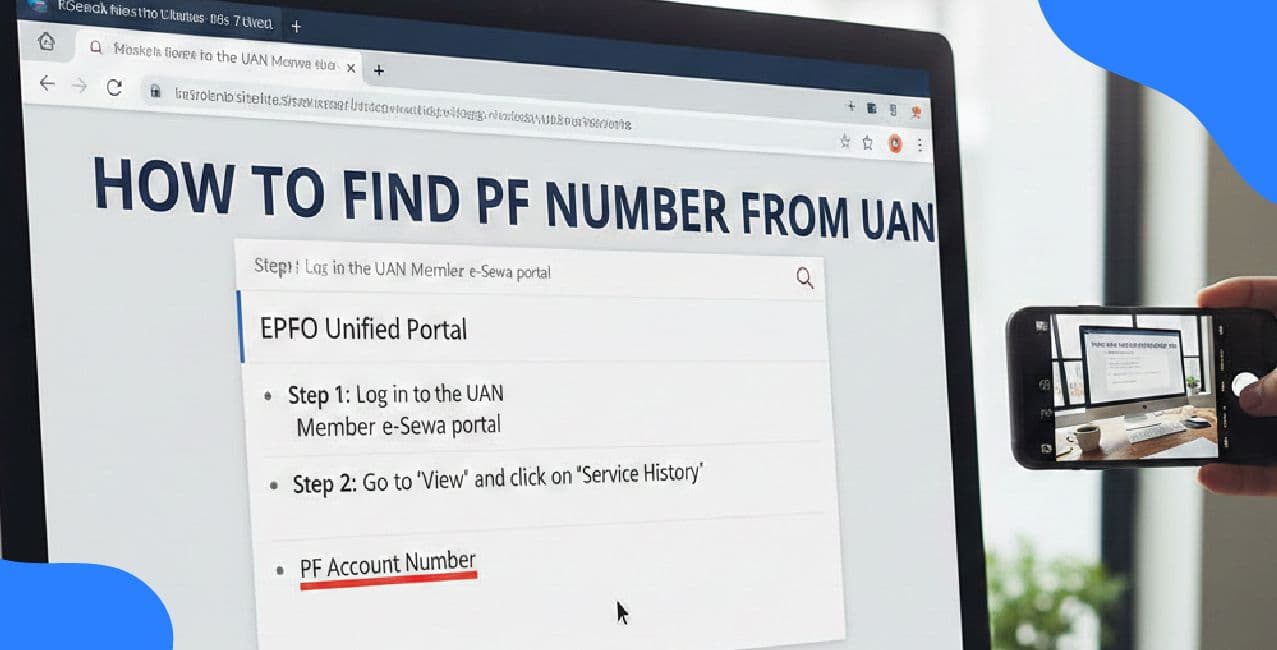
Before using the EPFO portal to search for your member ID online, you need to check your recent salary slip. The Universal Account Number (UAN) appears on your salary slip, along with details of your Provident Fund and other information as an employee.
If you cannot find the UAN number, you can try using the EPFO portal to find your member ID.
The EPFO member portal offers an option to know your UAN if you somehow fail to remember it.
How to go about:
Pro Tip: It is important to save your UAN details somewhere safe after obtaining it. You could also keep a soft copy of the same to prevent the hassle of tracing it all over again.
Another alternative to finding your UAN is through SMS. This facility is available for those who have registered their mobile number with the EPF account.
The SMS facility is handy in cases where one does not have a stable internet connection.
If you are looking for your UAN, EPFO currently provides a dedicated “Know Your UAN” facility on its Member Portal. The missed-call service has been documented by EPFO for accessing PF-related information, but it should not be presented as the current UAN-retrieval method without current confirmation from EPFO.
The steps are:
*T&C Apply
The missed call facility is handy in situations where the above-mentioned facilities are unavailable due to a lack of internet connection.
These are some of the best ways to find your UAN without going to the trouble of going to an EPFO office. It is always best to check your salary slip first and then go about searching for the UAN through the methods mentioned above.
While ideally an employee should have only 1 universal account number (UAN) throughout his working career, there could be multiple UANs for an individual in case of any mistake while registering for a new UAN on joining a new organisation.
Having multiple UANs makes it difficult to maintain the EPF accounts and keep track of the total amount saved under the scheme.
If you have two UANs, report the matter to your employer or EPFO so that the previous UAN can be blocked after verification. If you have two UANs, first report the issue to your employer or EPFO. After the duplicate UAN is blocked, you may need to submit a claim to transfer the service and PF balance to the active UAN. Ensure that your Aadhaar and other details match with the active UAN before you proceed to deactivate the other one. After deactivating, you can continue to use the other UAN to monitor your EPF.
Your UAN is not just your gateway key to access your EPF account. Once you get it, it is good practice to check if it is active and if your KYC details are up-to-date, as it may be required to access the services hassle-free.
A little time spent making sure that your details are correctly updated on your UAN portal login can save you a lot of trouble in the long run. And don't forget to double-check that your Aadhaar and bank details are correct as well!
It is simple to find out one’s UAN if an individual has their Aadhaar, PAN, or PF Member ID as well as their registered mobile number on hand. This is because one’s UAN is their unique identifier for all matters relating to their EPF accounts, across all employments. After locating it, it is important that a person confirms the details associated with it and ensures that their mobile number on record is updated. It is also a good idea to periodically check one’s EPF information to detect any irregularities and ensure that everything is in order so that one’s retirement corpus is well-protected.
The UAN, or Universal Account Number, is a unique 12-digit number that is assigned to an employee by EPFO (Employees Provident Fund Organisation). This number links all EPF Member IDs that are created by an employee during their career.
You can find your UAN on the EPFO Member Portal. You can select the choice to know your UAN and provide details like your Aadhaar, PAN or PF Member ID and your registered mobile number. After you enter the required details and they are verified, your UAN can be displayed.
Yes. You can find your UAN using your Aadhaar details on the EPFO portal, provided your Aadhaar is linked to your EPF account and your mobile number is registered for verification.
Yes. Your registered mobile number can be used to verify your UAN. However, it may sometimes be necessary to enter other details as well that may be asked by EPFO.
Yes. In some cases where you may not have your Aadhaar card linked to your EPF account, you may be able to choose the option of finding your UAN by PAN or PF Member ID, if the details are available in EPFO records.
No, your UAN generally stays the same when you switch employers. The new EPF Member ID generally gets mapped to your existing UAN, thereby linking your EPF accounts.
You can check your UAN status through the EPFO Member Portal. After logging into the Member Portal, you can check your UAN status and access various EPF services.
You can reset your password through the Member Portal if you have forgotten it. Generally, the portal asks me to provide my UAN and registered mobile number for verification and password reset.
By keeping my personal details such as my Aadhaar, bank account details and other Know Your Customer (KYC) documents up-to-date, it may be possible to access various EPF services easily. Maintaining correct and updated UAN details also prevents issues when claiming my EPF benefits.
Having more than one UAN can create difficulties while managing EPF accounts. If you have multiple UANs, report the issue to EPFO or your employer for resolution.




.png&w=3840&q=75)
.png&w=3840&q=75)