By continuing, you agree to LoansJagat's Credit Report Terms of Use, Terms and Conditions, Privacy Policy, and authorize contact via Call, SMS, Email, or WhatsApp
Disclaimer: The information published on LoansJagat is intended for general informational and educational purposes only and should not be considered financial, legal, or investment advice. Interest rates, loan terms, statistics, and other data may change over time and may vary by lender or source. Please verify the latest information and consult a qualified financial advisor or the respective Bank/NBFC before making any financial decisions.
Apply for Loans Fast and Hassle-Free
Subscribe Now
About the author

LoansJagat Team
‘Simplify Finance for Everyone.’ This is the common goal of our team, as we try to explain any topic with relatable examples. From personal to business finance, managing EMIs to becoming debt-free, we do extensive research on each and every parameter, so you don’t have to. Scroll up and have a look at what 15+ years of experience in the BFSI sector looks like.
Related Blog Post
Simplify All Your Loans Into One Affordable EMI

Customers Served

Debt Consolidated

1200+ Reviews

Locations in India
Club all Loans & Credit Card Bills into Single EMI

Quick Apply Loan
Consolidate your debts into one easy EMI.

Takes less than 2 minutes. No paperwork.

10 Lakhs+
Trusted Customers

2000 Cr+
Loans Disbursed

4.7/5
Google Reviews

50+
Banks & NBFCs Offers
Other services mentioned in this article
Key Takeaways
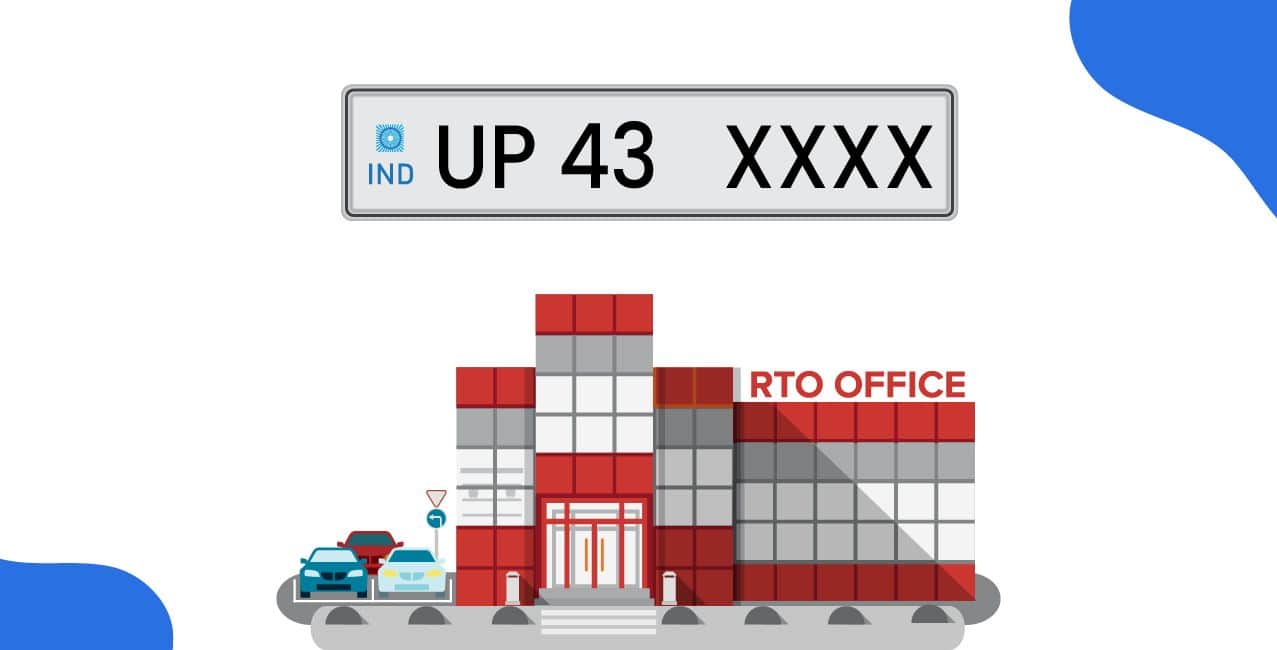
RTO Gonda (code UP-43) is the Regional Transport Office for the Gonda district in Uttar Pradesh. It manages transport‐related duties like vehicle registration, driving licences, road tax collection, issuing fitness certificates, permits, and following traffic rules.
Let’s take the example of Anjana. She is a Gonda resident who commutes every day and recently switched to a scooter for work. She got her permanent license after scheduling her learner's license online without making multiple visits to the office. This explains how RTO Gonda uses both online and in-person services to simplify processes for residents.
This blog explains all of RTO Gonda’s main services, document requirements, cost schedule, and much more.
Here are the key contact and location details of RTO Gonda (UP-43)
You can easily locate or communicate with RTO Gonda when handling registrations, licences, or any transport-related queries with these details.
RTO Gonda carries out many important duties to keep the district's road transportation efficient and legal:
RTO Gonda ensures all vehicles and drivers follow legal rules and safety standards across the district.
RTO Gonda (UP-43) manages the registration of both private and commercial vehicles to ensure all vehicles are legally registered and follow all the rules.
Follow these steps to register your personal vehicle in Gonda:
Step 1: Visit your zonal RTO office in Gonda or apply online through the Parivahan Portal.
Step 2: Submit all required documents that are Form 20 (application), Form 21 (sale certificate), Form 22 (roadworthiness), insurance copy, and address proof.
Step 3: The RTO officer will inspect the vehicle’s engine and chassis number to verify the details.
Step 4: Pay the registration fee and road tax as applicable based on the vehicle type.
Step 5: Once approved, you will receive a fee receipt as proof of registration.
Step 6: Collect your Registration Certificate (RC smart card) and number plate after processing.
Commercial vehicles such as taxis, goods carriers, and buses require additional checks before registration.
1: Apply at the RTO Gonda (Headquarters) or through the official Parivahan portal.
2: Submit all documents, including Form 20, Form 21, Form 22, insurance, address proof, and permit details (if applicable).
3: Pay the registration and road tax based on vehicle category and load capacity.
4: The vehicle will undergo a fitness inspection to ensure it meets commercial operation standards.
5: After approval, receive the registration receipt, followed by the RC (smart card).
Follow these steps accurately to ensure your vehicle is legally registered in Gonda without delays.
Make sure you have all the required documents ready to complete the process quickly before registering your vehicle at RTO Gonda:
Submit attested copies of all documents to avoid rejection or processing delays
You can apply online through the Parivahan Sewa portal or offline at the RTO Gonda office. Here’s a step-by-step guide for both methods.
Online Process
Step 1: Visit the official website - Parivahan Sewa.
Step 2: Click on Driving Licence Related Services and select Uttar Pradesh.
Step 3: Choose the Apply for Learner’s Licence or Apply for New Driving Licence option.
Step 4: Fill in personal details, vehicle type, and upload the required documents.
Step 5: Book an appointment for the test at RTO Gonda.
Step 6: Pay the applicable fee online using a debit/credit card or net banking.
Step 7: Appear for the test on the scheduled date. If you pass, your licence will be sent to your registered address.
Step 1: Visit the RTO Gonda office in person.
Step 2: Collect and fill out the required application forms for a learner’s or permanent licence.
Step 3: Attach passport-size photographs and self-attested copies of required documents (ID proof, address proof, and age proof).
Step 4: Submit the filled form and documents at the RTO counter.
Step 5: Pay the licence fee at the office.
Step 6: Take the learner’s or driving test as per the slot assigned.
Step 7: Your Driving Licence (DL) will be issued and delivered to your address on passing.
Follow these steps carefully to ensure a smooth process to obtain your driving licence in Gonda.
These charges cover various services like learner’s licence, driving test, and permanent licence issuance.
*T&C Apply
Your application will be processed quickly and efficiently, leading you to receive your license on schedule if you pay the right fees.
Bonus Tip: You don’t always need to carry your physical RC or Driving Licence in Gonda. You can store digital copies in the DigiLocker or mParivahan. Traffic police legally accept both under the IT Act 2000.
Registering a vehicle at RTO Gonda involves paying the registration fee and road tax, which differ based on whether your vehicle is private or commercial.
You can pay both the registration fee and the road tax online via the Parivahan portal to save time and avoid multiple RTO visits.
Every vehicle owner in Gonda must pay road tax as per the Motor Vehicles Act, 1988. Here are the steps to pay road tax online:
Keep your tax payment receipt safe, as it may be required for renewal or future verifications.
The RTO Gonda strictly enforces traffic regulations to maintain road safety and discipline.
Drivers must follow all traffic rules to avoid fines and penalties under the Motor Vehicles (Amendment) Act, 2019.
RTO Gonda is essential to maintain safe, efficient, and lawful road transportation in the district. The office offers both online and offline services to streamline the process of registering a new car, obtaining a driver's license, paying road tax, and adhering to traffic laws.
Residents can avoid fines, save time, and maintain compliance stress-free by being aware of the necessary documents, fees, and processes.
How can I check my pending traffic challans in Gonda?
Visit the eChallan Parivahan portal, enter your vehicle registration number, and view or pay pending fines online.
Is there any facility for updating my mobile number or address on my driving licence?
Yes, you can easily update your mobile number or address through the Parivahan portal or by visiting the RTO Gonda with valid address proof.
What should I do if I lose my RC or driving licence?
You can apply for a duplicate RC or licence at RTO Gonda by submitting a copy of the FIR, Form 26 (for RC), or Form LLD (for licence), along with ID proof.
Can I transfer my vehicle ownership online in Gonda?
Yes, ownership transfer can be done through the Parivahan portal by submitting Form 29 and Form 30, along with the buyer and seller details online.
How long does it take to get a driving licence in Gonda?
It usually takes about 2 to 3 weeks after passing the driving test for the licence to be printed and delivered to your registered address.