By continuing, you agree to LoansJagat's Credit Report Terms of Use, Terms and Conditions, Privacy Policy, and authorize contact via Call, SMS, Email, or WhatsApp
Disclaimer: The information published on LoansJagat is intended for general informational and educational purposes only and should not be considered financial, legal, or investment advice. Interest rates, loan terms, statistics, and other data may change over time and may vary by lender or source. Please verify the latest information and consult a qualified financial advisor or the respective Bank/NBFC before making any financial decisions.
Subscribe Now
About the author
‘Simplify Finance for Everyone.’ This is the common goal of our team, as we try to explain any topic with relatable examples. From personal to business finance, managing EMIs to becoming debt-free, we do extensive research on each and every parameter, so you don’t have to. Scroll up and have a look at what 15+ years of experience in the BFSI sector looks like.
Related Blog Post
Simplify All Your Loans Into One Affordable EMI

Customers Served

Debt Consolidated

1200+ Reviews

Locations in India
Club all Loans & Credit Card Bills into Single EMI

Quick Apply Loan
Consolidate your debts into one easy EMI.

Takes less than 2 minutes. No paperwork.

10 Lakhs+
Trusted Customers

2000 Cr+
Loans Disbursed

4.7/5
Google Reviews

50+
Banks & NBFCs Offers
Other services mentioned in this article
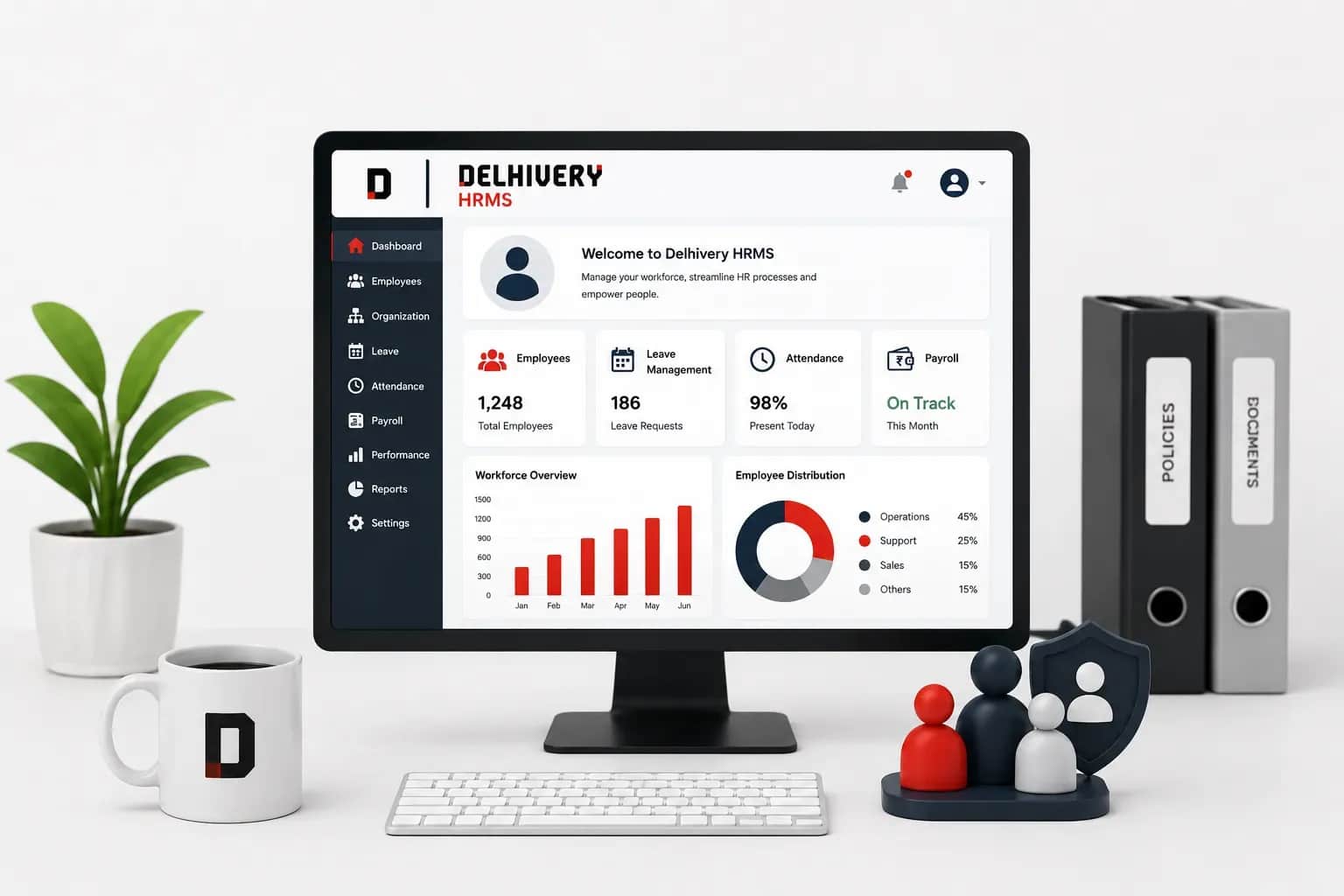
HRMS Delhivery refers to the software where the profiles of its staff members are integrated with the HRMS software, which manages the human resource (HR) tasks and enables its employees to avail of its service online. HRMS Delhivery acts as the digital portal to perform HR tasks, like maintaining attendance, payroll, leave management, and shift scheduling. This digital platform is easy and convenient to handle in comparison to manual performance.
Key takeaways:
'Delhivery employee benefits portal' is the space where employees can directly retrieve their data related to their benefits and activities.
There are certain features to the delivery employee benefits portal, which are as follows:
1. Efficiency: All the routine tasks of HR are automated with the HRMS portal. Employees’ attendance, salary management, transfers, talent development, and many others are managed by the HRMS. This reduces the burden of manual processes.
2. Improved Accuracy: All the processes are designated with the HRMS software. Hence, the possibilities of human errors are less. The automated system does calculations, assessments, and evaluations of the employees.
3. Decision-Making Process: As all the employees’ data are stored in the HRMS portal, an employer can check the performance of the workers at any time. This empowers the employer to decide on promotions, terminations, and other work-related queries.
4. Recruitment: With the help of the HRMS portal, all the processes related to recruitment and onboarding are simplified. The portal informs its employees about the training and workshops that they need to undergo as per the company rules.
Read More - Transport Business Ideas
5. Employee Self-Service: An employee can avail the self-services from the HRMS portal at any time. The services from the portal include the generation of salary slips, attendance records, grievances, and many others.
6. Communication: The HRMS portal acts as a communication tool between the employer and employee. It connects both of them and maintains transparency on the procedures of work performance.
Hence, these are the features of the Delhivery employee portal.
The advantages of the HRMS Delhivery are as follows:
1. Managing a Larger Workforce: The Delhivery company covers a geographically dispersed workforce. Hence, there is a single portal to manage all the data of the work as well as the employees.
2. Addressing Challenges: A logistics company needs specific skill sets and goals to achieve its target. The HRMS portal addresses these challenges by facilitating employees’ training, tracking work performance, and many other tasks.
3. Regulatory Compliance: The HRMS portal makes the company compliant with labour rules and regulations. The HRMS portal ensures that the company adheres to these guidelines in the workforce.
4. Enhanced Experiences: All self-service is managed by the HRMS portal. An employee can avail of it at any time. This saves time and leads to a better employee experience and also the output of the company.
HRMS Delhivery attendance service refers to the management of the daily attendance services done by the HRMS software, with other accessibility features like leave application, salary slips, etc.
The following services, according to the Search Engine Magazine, are as follows:
Hence, these are the HRMS Delhivery attendance and other service functions.
One needs to visit the website to log in to Delhivery HRMS by using the registered login ID or OTP.
These are the following steps to perform a Delhivery HRMS login step-by-step:
Step 1: Access the official website of Delhivery HRMS.
Step 2: There are two ways to log into your HRMS portal
Step 3: After entering the required credentials, click “Login.”
You will be on the homepage of the Delhivery HRMS portal. You can apply for any services from your employer. All the processes are online, and no need to visit the head office for your queries related to the administration.
HRMS Delhivery login is also done through ID and OTP through a registered number or mail ID to extract salary slips regularly.
These are the steps to do the HRMS Delhivery login to extract salary slips:
Step 1: Access the official website of Delhivery HRMS.
Step 2: There are two ways to log into your HRMS portal
Choose either of the convenient options for you.
Step 3: After entering the required credentials, click “Login.”
Step 4: On the home page, move your cursor to the option Salary Management and click it.
Step 5: On the next page, you will see the details related to your salary. Here you will find the option Salary Slip. Select that option.
Step 6: Choose the required date, month, and year to generate the salary slip.
Step 7: Click “Submit.”
Now the HRMS portal will generate your salary slip. You can also download it in Portable Document Format (PDF).
Disclaimer: The HRMS portal may ask for your registered mobile number to generate an OTP. So keep your mobile phone ready. Sometimes, a network issue may delay the OTP message. But it will not take longer time.
One needs to log in to the HRMS portal and select "Apply for leave" to indicate that leave will be taken by you.
These are the following steps to apply for leave:
Step 1: Access the official website of Delhivery HRMS.
Step 2: There are two ways to log into your HRMS portal
Choose either of the convenient options for you.
Step 4: After entering the required credentials, click “Login.”
Step 5: On the header of your HRMS homepage, navigate your cursor to the tab Leave and Records.
Step 6: On the next page, select the tab “Apply for Leave.”
Step 7: A dialogue box will display the date, month, and year. Choose the day you want to apply for leave.
Step 8: Click “Submit.”
Disclaimer: For security purposes, the HRMS server will verify your details by sending an OTP to your registered mobile number. Enter the OTP number and apply for leave.
One needs to log in to the HRMS portal and select the “Status of leave” to track the details, date and timing of the absence.
This is the following process for tracking the status of leave:
Salary Slips
 Apply Now
*T&C Apply
Step 2: There are two ways to log into your HRMS portal
Choose either of the convenient options for you.
Step 4: After entering the required credentials, click “Login.”
Step 5: On the header of your HRMS homepage, navigate your cursor to the tab Leave and Records.
Step 6: On the next page, select the tab “Status of Leave.”
Step 7: A dialogue box will display the date, month, and year. Select the appropriate details for the date of leave.
Step 8: Click “Submit.”
On the next page, you can see the status of your leave application. It is indicated by “Approved” and “Not Approved.”
One needs to log in to the HRMS portal and select the “Leave records” to track how many leaves have been taken.
These are the following steps to track the “leave records”:
Step 1: Access the official website of Delhivery HRMS.
Step 2: There are two ways to log into your HRMS portal
Choose either of the convenient options for you.
Step 4: After entering the required credentials, click “Login.”
Step 5: On the header of your HRMS homepage, navigate your cursor to the tab Leave and Records.
Step 6: A new page will open. Here, select the tab “Leave Records.”
Step 7: A dialogue box will be opened. Select the date, month, and year.
Step 8: Click “Submit.”
The Delhivery HRMS server will fetch your leave records. It will display the total number of availed leaves and the remaining balance. You can also download it in Portable Document Format (PDF) from the HRMS portal.
One needs to log in to the HRMS portal and select the “training” on the record page to download the training report.
These are the following steps for downloading a training report from the HRMS portal:
Step 1: Access the official website of Delhivery HRMS.
Step 2: There are two ways to log into your HRMS portal
Choose either of the convenient options for you.
Step 4: After entering the required credentials, click “Login.”
Step 5: On the header of your HRMS homepage, move your cursor to the Reports tab.
Step 6: A drop-down menu will display.
Step 7: Click the option “Training.”
On the next page, the portal will fetch your training report. You can download it in the Portable Document Format (PDF).
One needs to keep in mind that the login password is secure and easy to remember and always monitor one's status in terms of leave, training, and attendance.
Here is the following to-do list to keep in mind while handling the HRMS portal:
Bottom line:
The initiation of the HRMS portal for HR-related tasks has simplified all of the administrative process. Both the employer and employee can check the work performance of the employment. The HRMS portal ensures transparency and communication, which strengthens the company in every way. All the queries related to HR can be solved through the HRMS portal by an employee.
Those who work at the Delhivery company and have their company’s email ID can access the HRMS of Delhivery.
Yes, you can download your salary slips from the Delhivery HRMS portal.
Yes, an employee working at Delhivery must register in its HRMS portal. Through this portal, the employee can apply for leave, track career history, and do many other things related to the job.
One can access the Delhivery HRMS portal by simply logging in from the Delhivery website with a registered email ID or number.
Sahil Barua is the CEO of Delhivery India.
Yes, Delhivepry does provide an API.
Suraj Sharan is the HR head of Delhivery.
Yes, Delhivery is bigger than Bluedart.
According to the Stock Lens data, the salary of Sahil Barua is 30 crore per annum.
Explore More HRMS